


Latest Version
7.3
May 31, 2026
Handcent
Communication
Android
0
Free
com.handcent.sms.skin.iphone4
Report a Problem
More About Handcent Classic Skin
Unlocking the Power of Handcent Services: A Guide to Skin Customization
In the world of mobile applications, personalization is key to enhancing user experience. One of the standout features of Handcent Services is its skin customization options. This article will guide you through the process of selecting and applying skins, ensuring that your messaging app reflects your unique style.
What Are Handcent Skins?
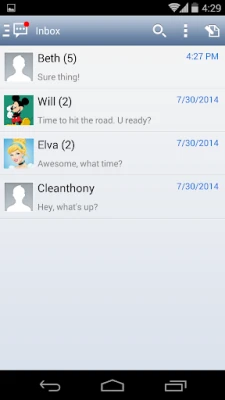
Handcent Skins are customizable themes that allow users to change the appearance of their messaging interface. These skins can alter colors, fonts, and overall layout, providing a fresh look that can make messaging more enjoyable. With a variety of options available, users can easily find a skin that resonates with their personal aesthetic.
How to Access Handcent Services
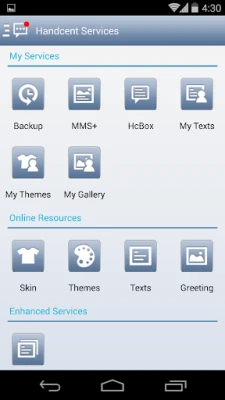
To begin your journey into skin customization, you first need to access Handcent Services. Follow these simple steps:
- Open the Handcent application on your device.
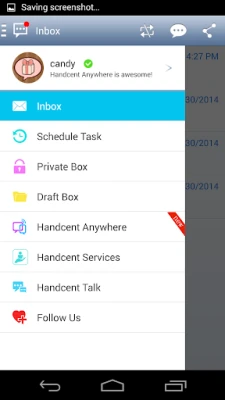
- Navigate to the Handcent Services section.
- Look for the Skin option in the menu.
Selecting Your Ideal Skin
Once you have accessed the Skin section, you will be presented with a variety of options. Here’s how to choose the perfect skin for your messaging app:
- Browse the Collection: Take your time to explore the different skins available. Each skin offers a unique design, so find one that appeals to you.
- Preview the Skins: Most skins come with a preview option. Use this feature to see how the skin will look on your device before making a selection.
- Consider Functionality: While aesthetics are important, ensure that the skin you choose does not compromise the app's functionality. Look for skins that maintain readability and ease of use.
Applying Your Chosen Skin
After selecting the skin that suits your style, applying it is a straightforward process:
- Tap on the skin you wish to apply.
- Confirm your selection when prompted.
- Enjoy your newly customized messaging interface!
Benefits of Customizing Your Messaging App
Customizing your messaging app with Handcent Skins offers several advantages:
- Personal Expression: A customized skin allows you to express your personality and preferences, making your messaging experience more enjoyable.
- Enhanced User Experience: A visually appealing interface can improve your overall interaction with the app, making it more engaging.
- Increased Productivity: A well-designed skin can help you navigate the app more efficiently, allowing for quicker access to your messages.
Conclusion
Handcent Services provides an excellent opportunity for users to personalize their messaging experience through skin customization. By following the steps outlined in this guide, you can easily select and apply a skin that reflects your style. Enjoy the enhanced aesthetics and functionality that come with a customized messaging app!
Rate the App
User Reviews














Popular Apps










Editor's Choice









