
Latest Version
May 09, 2026
Guaranty Trust Bank
Finance
Android
0
Free
com.gtbank.gtetokenplus
Report a Problem
More About GT e-Token Plus
Understanding One-Time Passwords (OTPs) and the GT e-Token Plus App
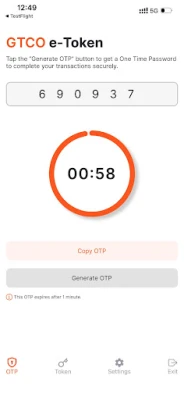
A one-time password (OTP) is a secure, automatically generated string of characters designed to authenticate users during login or the completion of electronic transactions. This method enhances security by ensuring that each password is unique and valid for only a single session or transaction.
What Are Electronic Transactions?
Electronic transactions encompass a variety of activities, including web-based transactions, internet banking, and mobile banking. During these transactions, users are typically required to enter a 6-digit token-generated code to verify their identity and authorize the action.
Introducing the GT e-Token Plus App
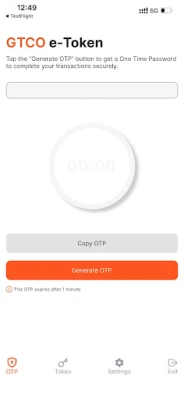
The GT e-Token Plus App serves as a modern alternative to the traditional GTBank hardware token device. This app generates one-time passwords that can be used for secure transactions, providing users with flexibility and convenience.
Activating Your GT e-Token Plus App
To activate your GT e-Token Plus app, follow these simple steps:
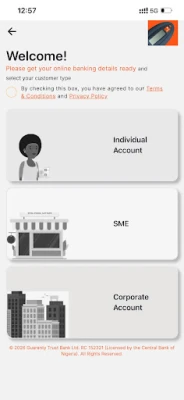
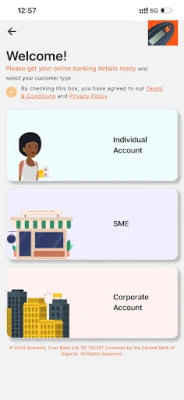
- Select your customer type.
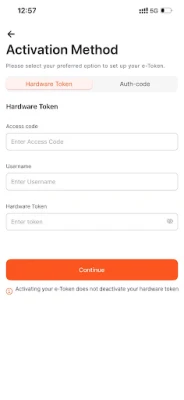
- Choose your preferred activation method, which can include:
- Using your bank card
- Utilizing a hardware token
- Contacting the customer service center to obtain an authorization code
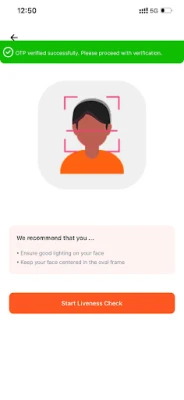
- Your data ID will be verified to complete the activation process.
Using Your GT e-Token Plus App
Once activated, the GT e-Token Plus app allows you to create a unique 6-digit Pascode. This Pascode will be required for subsequent logins to the application, enabling you to enjoy seamless banking services 24/7.
Additional Resources and Support
For more information about the GT e-Token Plus app, visit www.gtbank.com. You can also reach out to the GTCONNECT contact center at 080 2900 2900 or 080 3900 3900 for assistance.
Important Security Reminder
To protect your account, it is crucial to keep your OTP confidential. Never disclose your OTP code to anyone, as this could compromise your account security.
Conclusion
The GT e-Token Plus app is a vital tool for enhancing the security of your electronic transactions. By understanding how to activate and use this app, you can ensure a safer banking experience. Always prioritize your security by safeguarding your OTP and utilizing the features provided by the GT e-Token Plus app.
Rate the App
User Reviews















Popular Apps










Editor's Choice









