
Latest Version
2025.10.167
May 11, 2026
Mathlab Apps, LLC
Education
Android
0
$9.99
us.mathlab.android.calc.edu
Report a Problem
More About Graphing Calculator + Math PRO
Unlocking the Power of the Graphing Calculator by Mathlab: A Comprehensive Guide
The Graphing Calculator by Mathlab revolutionizes the way students and professionals approach mathematical calculations. With its high-quality display on Android devices, this app not only performs calculations but also presents them in a clear and understandable manner. This article delves into the remarkable features of the Graphing Calculator, highlighting its dual functionality as a scientific calculator and a powerful graphing tool.
Key Features of the Graphing Calculator
The Graphing Calculator by Mathlab boasts two primary strengths that set it apart from traditional calculators:
1. Advanced Scientific Calculator
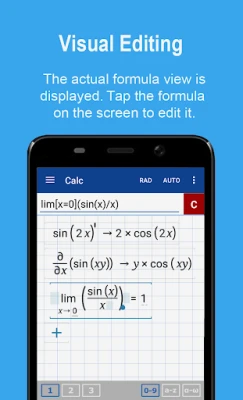
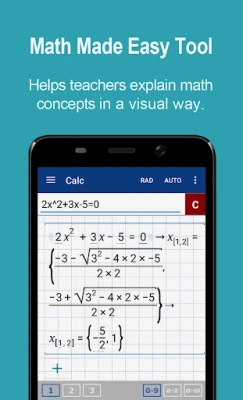
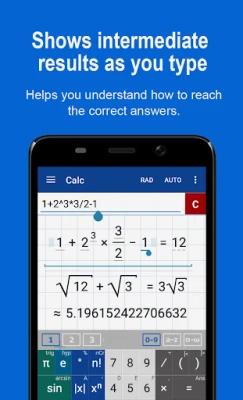
This app serves as an exceptional scientific calculator, providing users with the ability to view intermediate results in real-time. As students input their calculations, they can observe each step, enhancing their understanding of mathematical processes. Key functionalities include:
- Square roots, cube roots, and higher roots
- Exponential functions and logarithms
- Trigonometric and hyperbolic functions
- Complex number support
- Derivatives and scientific notation
- Support for binary, octal, and hexadecimal numbers
2. Stunning Graphing Capabilities
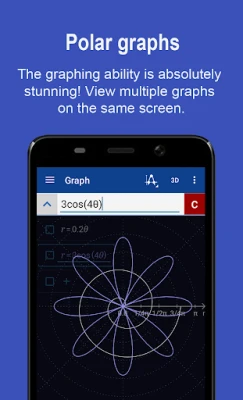
The graphing functionality of the Mathlab calculator is nothing short of impressive. Users can graph multiple functions simultaneously, explore implicit functions, and even create polar and parametric graphs. Notable features include:
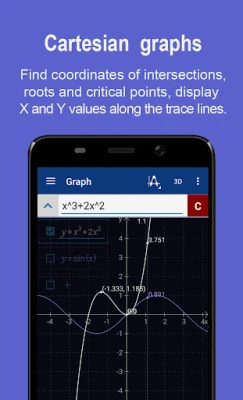
- Graph intersections and critical points
- Tracing function values and slopes
- Full-screen graphing options
- 3D graphing capabilities
- Function tables and the ability to save graphs as images
Pro Features for Enhanced Functionality
The Graphing Calculator offers a range of pro features that elevate the user experience:
- Full-screen graphs for an immersive experience
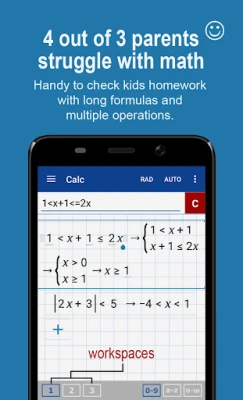
- Multiple workspaces for organized calculations
- Extended input history and the ability to save constants and functions
- Access to physical constants without needing an internet connection
- Ad-free experience and a 30-day refund policy
Fraction and Algebra Calculators
The app also includes specialized calculators for fractions and algebra, making it a versatile tool for various mathematical needs:
Fraction Calculator
Users can easily perform operations with simple and complex fractions, including mixed numbers. The calculator supports parentheses for clear expression of calculations.
Algebra Calculator
From solving linear equations to tackling quadratic equations and polynomial long division, the algebra calculator simplifies complex problems. Users can also work with systems of linear equations and inequalities.
Probability, Statistics, and Matrix Calculators
The Graphing Calculator by Mathlab extends its capabilities to probability and statistics, as well as matrix operations:
Probability and Statistics
Users can compute combinations, permutations, and various statistical measures such as mean, median, variance, and standard deviation. This feature is invaluable for students and professionals working with data analysis.
Matrix Calculator
The matrix calculator allows for arithmetic operations on matrices and vectors, including cross products, dot products, and determinant calculations. This functionality is essential for advanced mathematical studies.
Library and User Customization
The app includes a library feature that allows users to save physical constants, user-defined constants, and functions for future reference. This customization enhances the calculator's usability and efficiency.
Conclusion: A Must-Have Tool for Students and Professionals
The Graphing Calculator by Mathlab is an indispensable tool for anyone engaged in mathematics, whether in an academic setting or a professional environment. Its combination of a scientific calculator and advanced graphing capabilities, along with a plethora of features, makes it a standout choice. With the ability to visualize calculations and access a wide range of mathematical functions, users can enhance their learning and problem-solving skills effectively.
For more information, check out the help site with instructions and examples or watch the video tutorial to see the Graphing Calculator in action.
Rate the App
User Reviews















Popular Apps










Editor's Choice









