
Latest Version
1.4.9
November 26, 2024
Model Train Simulator
Games
iOS
36.6 MB
0
Free
Report a Problem
More About googolChooChoo3D
Create Your Own Custom Train Layout with Ease
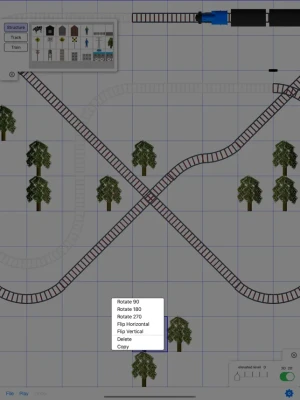
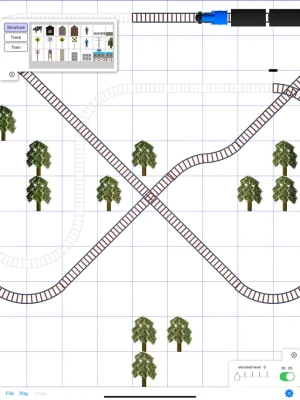
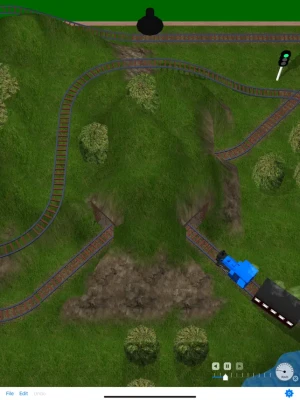
Designing a personalized train layout has never been simpler. With intuitive drag-and-drop functionality, you can effortlessly arrange track items and other components to create a unique setup that reflects your vision.
Effortless Customization with Drag-and-Drop Features
One of the standout features of modern train layout design is the user-friendly drag-and-drop interface. This allows you to manipulate track items and various elements within your layout seamlessly. Whether you’re a seasoned model train enthusiast or a beginner, this feature simplifies the process of creating intricate designs without the need for extensive technical knowledge.
Visualize Your Layout in Stunning 3D
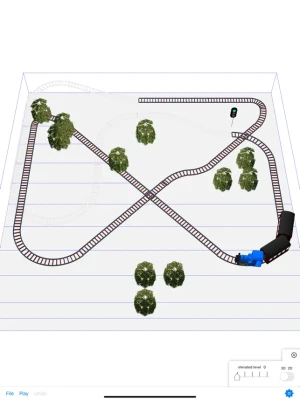
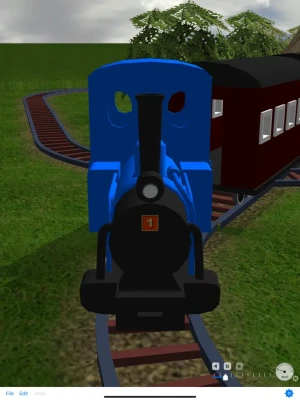
Experience your train layout like never before by viewing it in 3D. You can immerse yourself in the design from the driver’s seat of a moving train or explore it from multiple vantage points. This 3D visualization not only enhances your understanding of the layout but also allows you to make real-time adjustments, ensuring that every detail meets your expectations.
Benefits of 3D Visualization in Train Layout Design
3D visualization offers numerous advantages for train layout designers:
- Enhanced Perspective: Gain a comprehensive view of your layout, allowing you to identify potential issues and make necessary adjustments.
- Realistic Simulation: Experience the layout as if you were actually operating the train, providing insights into how the design functions in practice.
- Creative Freedom: Experiment with different configurations and elements without the constraints of physical models.
Step-by-Step Guide to Creating Your Train Layout
Follow these simple steps to design your own train layout:
- Choose Your Platform: Select a software or application that offers drag-and-drop functionality and 3D visualization.
- Start with a Base: Begin by laying down the foundational tracks and structures that will form the core of your layout.
- Add Elements: Incorporate additional features such as stations, scenery, and other accessories to enhance the realism of your design.
- Utilize 3D View: Regularly switch to the 3D view to assess your layout from different angles and make adjustments as needed.
- Finalize Your Design: Once satisfied, finalize your layout and prepare for the next steps, whether that’s building a physical model or running simulations.
Tips for an Impressive Train Layout
To elevate your train layout to the next level, consider these expert tips:
- Incorporate Realism: Use realistic scenery and structures to create an immersive environment that captivates viewers.
- Plan for Functionality: Ensure that your layout not only looks good but also operates smoothly, with clear pathways for trains to navigate.
- Experiment with Scale: Play with different scales and sizes of trains and scenery to find the perfect balance for your layout.
Conclusion: Unleash Your Creativity
Creating your own train layout is an exciting journey that combines creativity and technical skill. With the ability to drag and drop items and visualize your design in 3D, you can bring your ideas to life like never before. Embrace the process, experiment with different configurations, and enjoy the satisfaction of crafting a layout that is uniquely yours.
Rate the App
User Reviews











Popular Apps










Editor's Choice









