
Latest Version
September 19, 2024
Google LLC
Tools
Android
0
Free
com.google.android.apps.translate
Report a Problem
More About Google Translate
Unlocking the Power of Google Translate: Your Ultimate Guide
In an increasingly interconnected world, effective communication across languages is essential. Google Translate stands out as a powerful tool that facilitates seamless translation, making it easier for users to connect, learn, and share ideas. This article delves into the remarkable features of Google Translate, highlighting its capabilities and how it can enhance your multilingual experience.
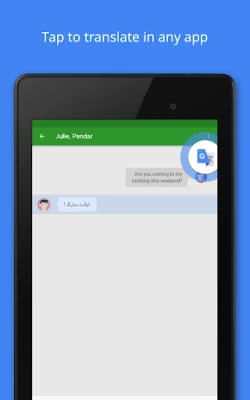
1. Tap to Translate: Effortless Language Conversion
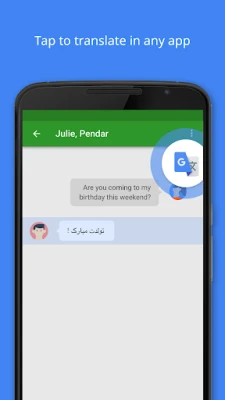
With the Tap to Translate feature, users can copy text from any application and instantly translate it by tapping the Google Translate icon. This functionality supports all languages, allowing for quick and efficient translations without the need to switch between apps. Whether you're reading an article, chatting with friends, or browsing the web, this feature ensures that language barriers are minimized.
2. Offline Translation: Stay Connected Anywhere
Traveling or in areas with limited internet access? Google Translate has you covered with its offline translation capability. Users can download language packs for 59 languages, enabling them to translate text without an internet connection. This feature is particularly useful for travelers who want to navigate foreign environments without relying on data or Wi-Fi.
3. Instant Camera Translation: Visual Language Solutions
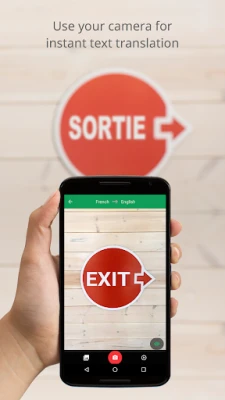
Imagine being able to translate text in images instantly. With the Instant Camera Translation feature, users can simply point their camera at text, and Google Translate will provide real-time translations in 94 languages. This is especially beneficial for translating signs, menus, and other printed materials while on the go.
4. High-Quality Translations with Photos
For those seeking enhanced accuracy, the Photos feature allows users to take or import images for translation. By analyzing the text within the image, Google Translate can deliver higher quality translations in 90 languages. This feature is ideal for documents, books, or any printed material that requires precise translation.
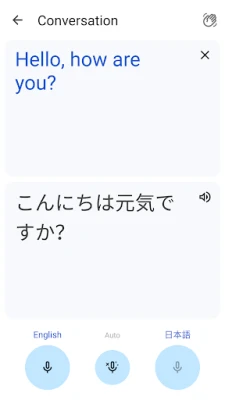
5. Conversations: Real-Time Bilingual Communication
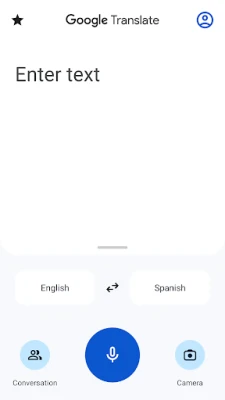
Engaging in bilingual conversations has never been easier. The Conversations feature enables users to translate spoken dialogue on the fly in 70 languages. This tool is perfect for travelers, business meetings, or social gatherings where multiple languages are spoken, ensuring that everyone can participate in the conversation.
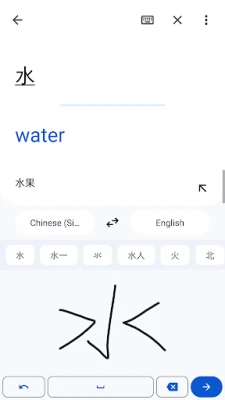
6. Handwriting Recognition: Write Your Way
For those who prefer a more personal touch, the Handwriting feature allows users to draw text characters instead of typing. This functionality supports 96 languages and is particularly useful for languages with unique scripts or characters, making it easier to communicate without a keyboard.
7. Phrasebook: Your Personal Language Companion
The Phrasebook feature lets users star and save translated words and phrases for future reference. This is an invaluable tool for language learners or anyone who frequently encounters specific terms. With access to your personalized phrasebook across devices, you can easily recall important translations whenever needed.
8. Cross-Device Syncing: Seamless Access
Google Translate offers cross-device syncing, allowing users to log in and synchronize their phrasebook between the app and desktop. This ensures that your saved translations are always at your fingertips, whether you're on your phone or computer.
9. Transcribe: Near Real-Time Translation
The Transcribe feature is a game-changer for those needing continuous translation. It allows users to translate spoken language in near real-time for up to 8 languages. This is particularly useful in settings like lectures, meetings, or interviews, where understanding spoken content is crucial.
10. Supported Languages: A World of Possibilities
Google Translate supports a vast array of languages, making it a versatile tool for global communication. Some of the languages available include:
- Afrikaans
- Arabic
- Chinese (Simplified and Traditional)
- French
- German
- Hindi
- Japanese
- Spanish
- Russian
- And many more!
With support for over 100 languages, Google Translate opens doors to diverse cultures and communities, making it easier to connect with people around the world.
11. Permissions Notice: Understanding App Functionality
To maximize its capabilities, Google Translate may request optional permissions, including:
- Microphone: For speech translation.
- Camera: For translating text via the camera.
- External Storage: For downloading offline translation data.
- Contacts: For setup and management of your account.
It's important to note that the app can still be used even if these optional permissions are not granted, ensuring accessibility for all users.
Conclusion: Embrace the Future of Communication
Google Translate is more than just a translation tool; it is a bridge that connects people across languages and cultures. With its innovative features, users can communicate effectively, learn new languages, and explore the world without the fear of language barriers. Embrace the power of Google Translate and unlock a world of possibilities today!
Rate the App
User Reviews















Popular Apps










Editor's Choice









