

Latest Version
August 31, 2024
Google LLC
Tools
Android
0
Free
com.google.android.apps.kids.familylink
Report a Problem
More About Google Family Link
Mastering Family Link: A Comprehensive Guide to Digital Parenting
In today's digital age, managing your child's online presence is more crucial than ever. With Family Link, parents can establish effective digital ground rules, ensuring a balanced and safe online experience for their children. This article delves into the features of Family Link, providing insights on how to utilize this tool to its fullest potential.
Establishing Digital Ground Rules
Creating a healthy digital environment starts with setting clear boundaries. Family Link empowers parents to:
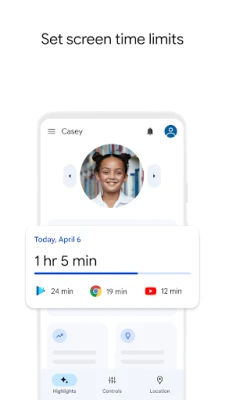
- Set Screen Time Limits: With Family Link, you can easily establish downtime for your child's device. This feature allows you to set specific time limits for individual apps, helping your child develop a balanced relationship with technology.
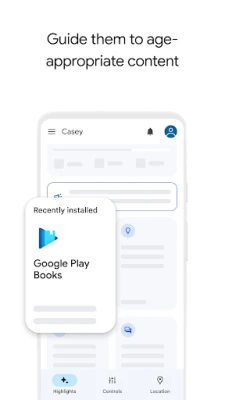
- Guide to Age-Appropriate Content: Family Link enables you to approve or block apps that your child wishes to download. Additionally, you can select the most suitable YouTube experience for them, whether it’s a supervised YouTube experience or the child-friendly YouTube Kids.
Managing and Securing Your Child’s Account
Protecting your child's online privacy and security is paramount. Family Link offers robust tools to help you manage their account effectively:
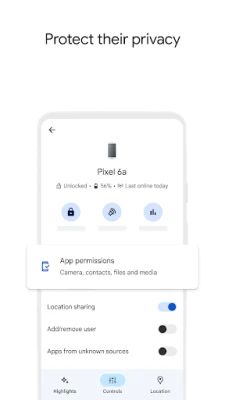
- Protect Their Privacy: Family Link allows you to manage permissions, giving you control over your child's data. You can view and adjust permissions for websites and extensions accessed through Chrome, as well as apps installed on their device.
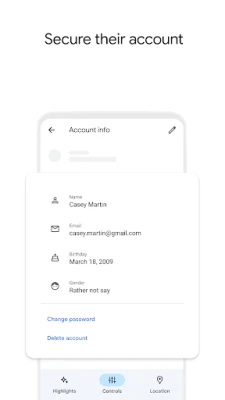
- Secure Their Account: As a parent, you have the ability to manage your child's account settings. If your child forgets their password, you can help them reset it. You can also edit their personal information or delete their account if necessary.
Staying Connected on the Go
In our fast-paced world, staying connected with your family is essential. Family Link provides features that help you keep track of your children:
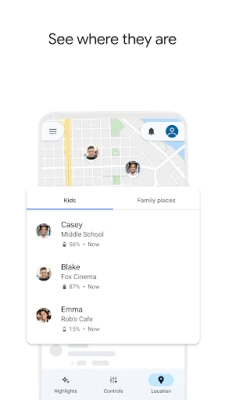
- Locate Your Children: Family Link allows you to find your children on a map, provided they have their device with them. This feature is invaluable for parents who want to ensure their children's safety while they are out.
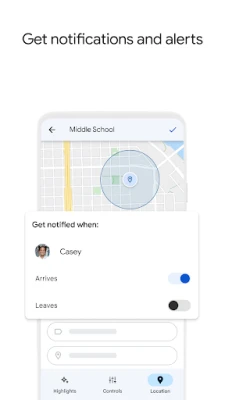
- Receive Notifications and Alerts: Stay informed with critical notifications from Family Link. You’ll receive alerts when your child arrives at or leaves a specific location. Additionally, you can ring their device and check its remaining battery life.
Important Information to Consider
While Family Link offers a range of tools, it’s important to understand its limitations and requirements:
- Family Link’s features may vary based on your child's device. For a list of compatible devices, visit Google's Family Link Device Compatibility.
- While Family Link helps manage purchases and downloads from Google Play, children can install app updates without approval. This includes updates that may expand permissions, as well as apps previously approved or shared in Family Library. Regularly review your child's installed apps and their permissions.
- Be proactive in reviewing the apps on your child's supervised device. Disable any apps you do not want them to use, keeping in mind that some pre-installed apps may not be removable.
- To track your child’s device location, ensure it is powered on, recently active, and connected to the internet via data or Wi-Fi.
- Family Link parental controls are only available for supervised Google accounts. These accounts allow children to access Google products like Search, Chrome, and Gmail, while parents can set basic digital ground rules.
- While Family Link provides tools to enhance your child's online safety, it does not guarantee a completely safe internet experience. It cannot filter content on the internet but offers parents the opportunity to make informed decisions about their child's online activities.
Conclusion
Family Link is an invaluable tool for modern parents seeking to navigate the complexities of digital parenting. By establishing ground rules, managing your child's account, and staying connected, you can foster a safe and balanced online environment. Remember, while Family Link provides essential features, active engagement and communication with your child about their online experiences are equally important. Embrace the journey of digital parenting with confidence and clarity.
Rate the App
User Reviews















Popular Apps










Editor's Choice









