

Latest Version
1.8
December 23, 2025
XAPPIFY
Tools
Android
0
Free
com.digitalcarkey.go.fly.drone.remote.controller.dji.phantom.mavic.air.mini.fpv
Report a Problem
More About Go Fly Drone Remote Controller
Unlock Your Drone's Potential with the Go Fly Controller: A Comprehensive Guide
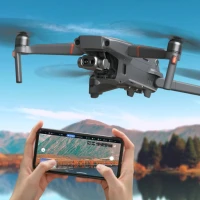
The Go Fly Controller Drone Remote is revolutionizing the way both novice and seasoned drone pilots navigate the skies. With its advanced features and seamless compatibility, this remote control system empowers users to operate drones with unparalleled precision and ease. Whether you're capturing stunning aerial photography or conducting professional surveys, the Go Fly Controller is designed to enhance your flying experience.
Compatible Devices
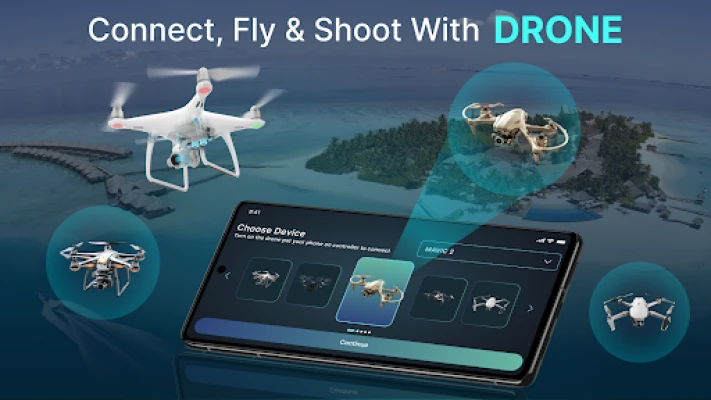
The Go Fly Controller is compatible with a wide range of DJI drone models, ensuring that you can maximize its capabilities regardless of your equipment. Here’s a detailed list of compatible devices:
- Matrice 200, 210, 200 V2, 210 V2
- Matrice 210, 300, 350 RTK
- Matrice 600 & Matrice 600 Pro, RTK and Ronin MX
- Matrice 100 with X3, X5 & X5R
- DJI Air2S, Mini2, Mini SE, X-Port, SkyPort, SkyPort V2, Smart Controller
- Mavic Air 2, Mini, 2 Enterprise, 2 Enterprise Dual, 2 Enterprise Advanced, 2 Pro, 2 Zoom, Pro, Air
- Phantom 4, 4 Pro, 4 Advanced, 4 Pro V2.0, P4 Multispectral, 4 RTK
- Phantom 3 Standard, Advanced, 4K & Professional
- Inspire 2, Inspire 1, Inspire 1 Pro & Inspire 1 RAW
- Spark
Key Features of the Go Fly Controller
The Go Fly Controller is packed with intelligent features that cater to various flying needs. Here are some of the standout functionalities:
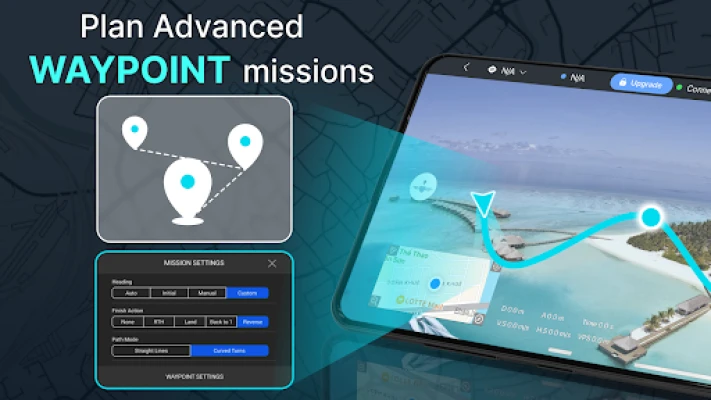
Waypoint Flight Planning
Customize your drone’s flight path effortlessly by setting waypoints for smooth, pre-planned routes. This feature is particularly beneficial for professional aerial photography and surveying, allowing for precise control over your drone's movements.
Panorama and Spherical Capture
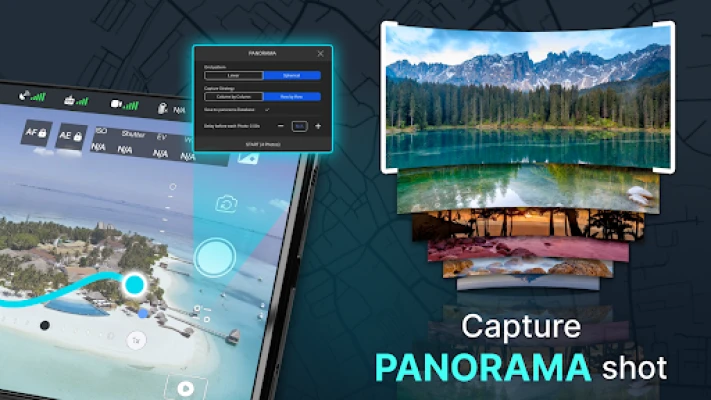
With just a tap, create stunning 360° panoramic shots. The Go Fly Controller enables seamless horizontal and vertical panoramas, perfect for capturing breathtaking landscapes and cityscapes.
Real-Time Weather Forecasting
Stay informed with real-time UAV weather forecasts, including wind speed, temperature, and precipitation. This feature ensures that you can make informed decisions about flying conditions, enhancing safety and performance.
No-Fly Zone Alerts
Receive instant alerts about restricted airspaces, helping you avoid no-fly zones such as airports and military areas. This feature is crucial for maintaining compliance with aviation regulations and ensuring safe operations.
Smart Flight Modes
Utilize intelligent flight modes for automated maneuvers, allowing you to capture cinematic shots without requiring advanced piloting skills. This feature is ideal for both beginners and experienced pilots looking to enhance their aerial footage.
Find My Drone
In the unfortunate event that your drone goes missing, the Find My Drone feature allows you to track its GPS location, making recovery straightforward and stress-free.
Media Export and File Sharing
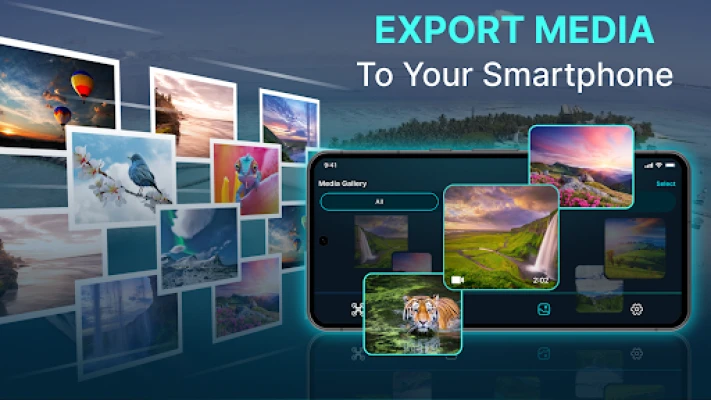
Easily export high-quality photos and videos in formats such as MP4, JPG, and 4K resolution. The Go Fly Controller simplifies the sharing and editing process, allowing you to showcase your work effortlessly.
Home Point Setting
Set a designated home point for your drone, ensuring a safe return in case of low battery or lost connection. This feature enhances safety and provides peace of mind during flights.
Gimbal and Exposure Controls
Adjust your drone’s gimbal and exposure settings directly from your smartphone, enabling you to capture professional-quality photos and videos with ease.
Flight Tutorials
New to flying? Access comprehensive tutorials designed for beginners, guiding you through essential drone flying skills step-by-step. This resource is invaluable for those looking to build their confidence and expertise in piloting.
Important Notes
It’s important to note that the Go Fly Drone Remote Controller is not an official drone app; it supports various drone models for Android phones. The developers are continuously working on enhancements and upgrades, making user feedback crucial for future improvements.
Get in Touch
Your insights are invaluable to us. For any feedback or support, please reach out at support@digitalcarkeyllc.com.
Terms of Service and Privacy Policy
For more information regarding our terms of service, please visit Terms of Service. To understand how we handle your data, refer to our Privacy Policy.
In conclusion, the Go Fly Controller Drone Remote is an essential tool for anyone looking to elevate their drone flying experience. With its array of intelligent features and compatibility with numerous DJI models, it stands out as a top choice for both beginners and experts alike.
Rate the App
User Reviews















Popular Apps










Editor's Choice









