

Latest Version
3.1.0
April 28, 2026
Hokulele Software
Entertainment
Android
0
Free
com.harissabil.glogs
Report a Problem
More About GLogs: Video Game Manager
Ultimate Game Management: Organize, Track, and Discover Your Gaming Library
In the ever-expanding world of gaming, managing your collection can become overwhelming. Whether you're a casual gamer or a dedicated enthusiast, having a structured approach to your games can enhance your experience. This guide will explore how to effectively manage your gaming library by organizing, tracking, and discovering new titles.
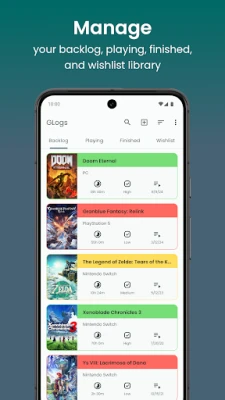
Organize Your Games into Categories
One of the most effective ways to manage your gaming library is by categorizing your games. By organizing your collection into four distinct categories—backlog, playing, finished, and wishlist—you can easily navigate through your titles and prioritize your gaming sessions.
- Backlog: This category includes games you own but haven't started yet. It serves as a reminder of what you plan to play in the future.
- Playing: Here, you can keep track of the games you're currently engaged with, allowing you to focus your gaming time effectively.
- Finished: Celebrate your achievements by moving completed games to this category. It provides a sense of accomplishment and helps you reflect on your gaming journey.
- Wishlist: This is where you can list games you aspire to own. It helps you keep track of titles you want to purchase in the future.
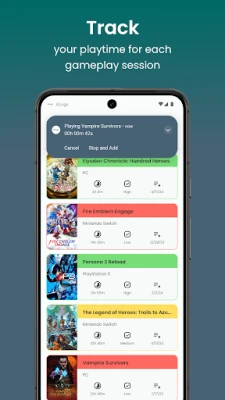
Track Your Gameplay Sessions
Monitoring your gameplay time is crucial for understanding your gaming habits. By keeping a record of how much time you spend on each session, you can identify patterns and make informed decisions about your gaming schedule.
Utilize built-in tracking features to log your gameplay hours. This data can help you manage your time better, ensuring that gaming remains a fun and enjoyable activity without encroaching on other responsibilities.
Record Your Game Progress
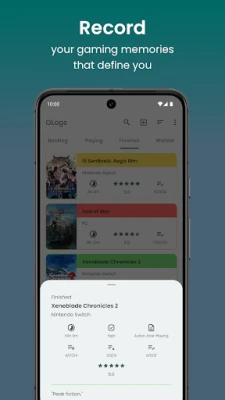
Tracking your progress in each game is essential for a fulfilling gaming experience. By recording your achievements, you can reflect on your journey and share your thoughts with the gaming community.
Consider adding a rating system to your games. This allows you to express your opinions and helps others in the community discover titles that resonate with your tastes. A well-maintained record of your gaming experiences can also serve as a personal archive of your gaming history.
Discover New and Favorite Games
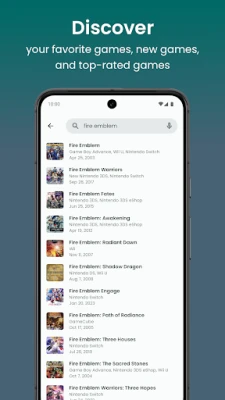
Finding new games that match your interests can be a daunting task. However, with a robust search feature, you can easily discover your favorite titles, explore new releases, and identify top-rated games.
Utilize filters and sorting options to refine your search. Whether you're looking for a specific genre or the latest blockbuster, a well-designed search function can enhance your gaming library experience.
Add Games to Your Library Effortlessly
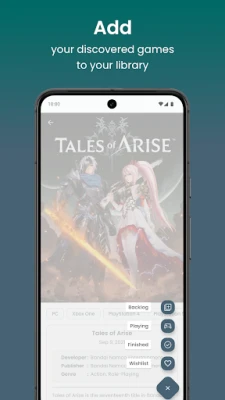
Adding new games to your library should be a seamless process. You can do this in two ways: through the search function or manually.
- Search Method: Simply type the name of the game in the search bar on the game page. Once you find the game, click on its details and hit the "Add" button to include it in your library.
- Manual Addition: If you prefer to add games manually, click on the "Add game manually" button located at the top corner of your library page. Fill in the required information, and your game will be added instantly.
Set Reminders for Your Gaming Sessions
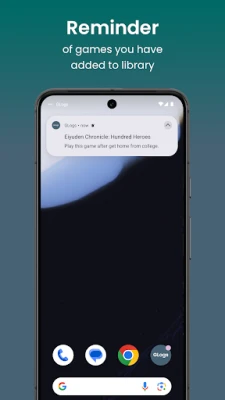
To ensure you never forget about your backlog or current games, setting reminders can be incredibly helpful. Choose specific hours for notifications, allowing you to stay on top of your gaming schedule.
By receiving daily reminders, you can maintain a balanced gaming routine, ensuring that you enjoy your favorite titles without neglecting other important activities.
Customize Your Gaming Experience
Personalization is key to enhancing your gaming library experience. Customize the app display to suit your preferences, making it visually appealing and user-friendly.
On the settings page, you can adjust various elements, including:
- Display Style: Choose a layout that resonates with your aesthetic preferences.
- Priority Color: Assign colors to different categories to make navigation easier.
- Dark Mode: Switch to dark mode for a more comfortable viewing experience during late-night gaming sessions.
Conclusion
Managing your gaming library doesn't have to be a daunting task. By organizing your games into categories, tracking your gameplay, recording your progress, discovering new titles, and customizing your experience, you can create a streamlined and enjoyable gaming environment. Embrace these strategies to enhance your gaming journey and make the most of your collection.
Rate the App
User Reviews















Popular Apps










Editor's Choice









