

Latest Version
3.9.1.0.2512.17
December 28, 2025
ASC, ASUSTeK COMPUTER INC.
Tools
Android
0
Free
com.asus.glidex
Report a Problem
More About GlideX
Maximize Your Productivity with GlideX: The Ultimate Screen Mirroring and Device Control Solution
In today's fast-paced digital world, efficiency and multitasking are paramount. GlideX offers a suite of features designed to enhance your productivity by seamlessly integrating your mobile devices with your PC. Whether you need to mirror your phone's screen, extend your display, or unify control across devices, GlideX has you covered. Let’s explore the powerful functionalities that GlideX brings to the table.
Screen Mirroring: Elevate Your Mobile Experience
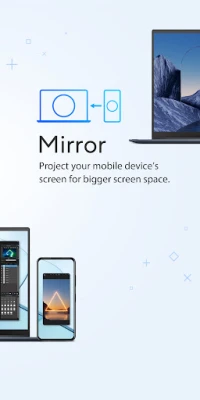
With GlideX's Screen Mirroring feature, you can effortlessly display your phone’s screen on your PC. This functionality allows you to navigate and input text using your PC's keyboard and mouse, eliminating the hassle of a small virtual keyboard. The result? A significant boost in productivity and a richer visual experience that enhances your workflow.
To utilize Screen Mirroring, ensure that you grant Accessibility permissions for optimal functionality. While you can still mirror your screen without these permissions, certain navigation buttons may be limited. This feature is particularly beneficial for users who frequently engage in tasks that require extensive typing or detailed visual analysis.
Screen Extend: Dual-Display Convenience on the Go
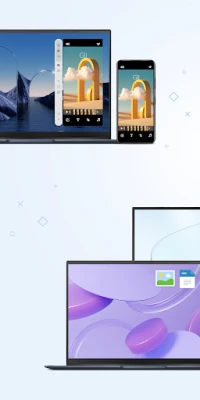
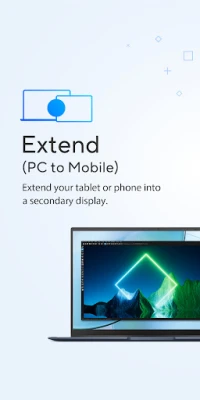
Transform your mobile device into a secondary display with the Screen Extend feature. This innovative solution expands your workspace, making it easier to cross-reference multiple documents or visuals. Whether you’re working on a presentation or comparing data, multitasking has never been more efficient.
Imagine having the ability to view your notes on your phone while working on a project on your PC. The dual-display setup allows for a seamless transition between tasks, enhancing your overall productivity.
Unify Control: Streamline Your Device Management
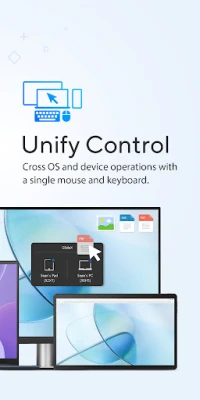
GlideX's Unify Control feature revolutionizes the way you interact with multiple devices. With a single mouse and keyboard, you can control different devices and transfer files across various operating systems without the need to switch between them. This feature is perfect for users who juggle multiple devices daily.
- Supports both Wi-Fi and USB connections for mobile devices.
- Requires the GlideX mobile app in conjunction with GlideX for Windows (compatible with Windows 10/11).
Effortless File Transfer: Speed and Simplicity
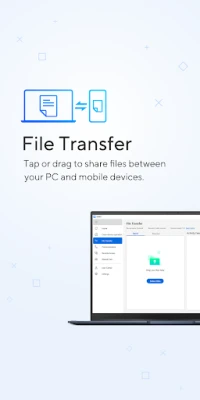
Say goodbye to slow file transfers with GlideX's File Transfer feature. Simply drag and drop files to send them to other PCs or mobile devices in an instant. This method is significantly faster than traditional Bluetooth transfers, providing a user-friendly experience that ensures seamless connectivity among devices.
Shared Cam: Transform Your Mobile Camera into a Webcam
Need a webcam for your video calls? With GlideX's Shared Cam feature, you can easily turn your mobile device camera into a high-quality webcam. Simply select “GlideX – Shared Cam” as the video source in your PC's video conferencing application, and enjoy a smooth and professional video experience.
Hands-Free Phone Calls: Stay Connected Effortlessly
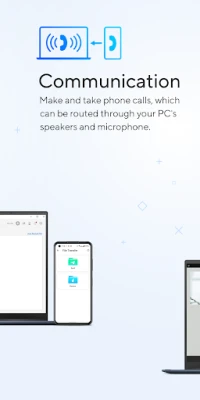
Make and receive phone calls directly through your PC with GlideX's Hands-Free Phone Calls feature. Route calls through your PC’s speakers and microphone, and access your phone’s contacts without having to dig through your bag or pocket. This feature enhances convenience, allowing you to stay connected while focusing on your work.
Remote Access: Your Personal Cloud Solution
Access your files remotely with GlideX's Remote Access feature. Use your mobile device to connect to your ASUS PC, turning it into a personal cloud that you can access anytime, anywhere. This functionality is especially beneficial for commercial users who need to retrieve office files while traveling or working from home.
Note that Remote Desktop is not supported on Windows 10 Home edition, so ensure your system meets the requirements for optimal use.
URL Share: Instant Sharing Made Easy
Sharing links has never been simpler with GlideX's URL Share feature. Just click the Share icon in your PC's browser, select GlideX, and a link to the current webpage will be sent instantly to another PC or connected mobile device. This feature ensures that you can share information on-the-go without any hassle.
Get Started with GlideX Today
Ready to enhance your productivity and streamline your device management? Download GlideX for Windows from the Microsoft Store and explore the full range of features that GlideX has to offer. For more information, visit the ASUS Software Webpage.
Embrace the future of productivity with GlideX, where seamless connectivity and enhanced functionality come together to create an unparalleled user experience.
Rate the App
User Reviews










Popular Apps










Editor's Choice









