

Latest Version
20.16.0
June 03, 2026
giffgaff Limited
Communication
Android
0
Free
com.giffgaffmobile.controller
Report a Problem
More About giffgaff
Maximize Your giffgaff Experience: Essential Tips for Managing Your Account
Managing your giffgaff account effectively can enhance your mobile experience significantly. Whether you're a new user or a seasoned member, understanding how to navigate your account is crucial. This guide will walk you through essential steps to ensure you make the most of your giffgaff services.
Check Your Remaining Data
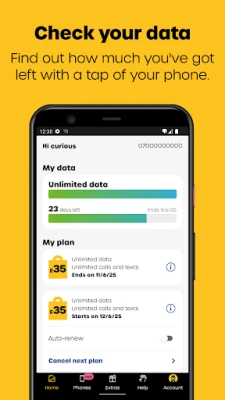
Keeping track of your data usage is vital to avoid unexpected charges. To check how much data you have left, simply log into your giffgaff account. This feature allows you to monitor your usage in real-time, ensuring you stay within your limits and can plan your mobile activities accordingly.
Purchase or Renew Your Plan
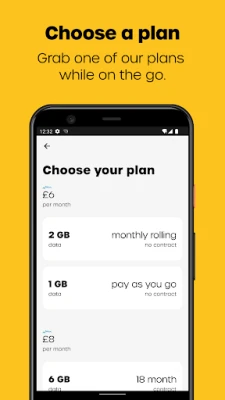
When it comes to mobile plans, flexibility is key. giffgaff offers a variety of plans tailored to different needs. You can easily buy a new plan or renew your existing one through your account dashboard. Make sure to choose a plan that aligns with your usage patterns, whether you need more data, minutes, or texts.
Monitor Your Plan Expiration
Awareness of your plan's expiration date is essential to maintain uninterrupted service. giffgaff provides notifications regarding your plan's status, but it's wise to check regularly. This way, you can renew your plan in advance and avoid any service interruptions.
Add Credit or Enable Auto Top-Up
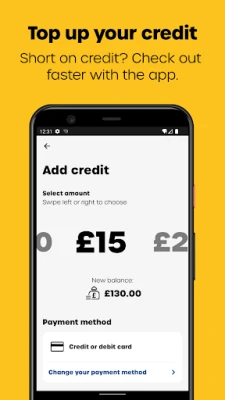
To ensure you never run out of credit, consider adding funds to your account or enabling the auto top-up feature. This option automatically adds credit to your account when it falls below a certain threshold, providing peace of mind and uninterrupted service.
Payment Options: Save Time with Saved Cards or PayPal
giffgaff offers convenient payment methods to make transactions seamless. You can save your card details or link your PayPal account for quick payments. This feature not only saves time but also simplifies the process of managing your account.
Redeem Vouchers for Extra Credit
If you have a voucher, redeeming it is a straightforward process. Simply log into your account and enter the voucher code to add credit to your balance. This is a great way to boost your account without additional costs.
Engage with the giffgaff Community
One of the unique aspects of giffgaff is its vibrant community. Accessing the community forums can provide valuable insights, tips, and support from fellow users. Engaging with others can enhance your experience and help you troubleshoot any issues you may encounter.
Add Multiple giffgaff Accounts
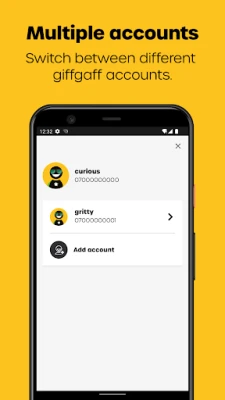
If you manage multiple giffgaff accounts, you can easily add them to your dashboard. This feature allows you to switch between accounts effortlessly, making it convenient for users who may have family plans or business accounts.
Access Thousands of WiFi Hotspots with WiFi Extra
With giffgaff's WiFi Extra feature, you can access thousands of WiFi hotspots across the UK. This service is perfect for users who want to save on data usage while staying connected. Simply log in to your account to find and connect to available hotspots in your area.
Getting Started with giffgaff
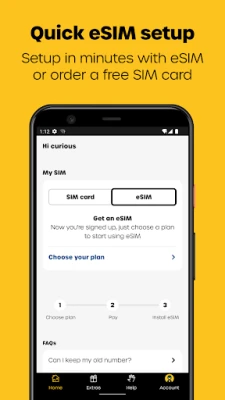
If you're new to giffgaff, ordering your free SIM card is the first step. Visit giffgaff's website to get started. Once you receive your SIM, you can easily set up your account and begin enjoying the benefits of giffgaff's flexible mobile services.
By following these tips, you can effectively manage your giffgaff account and enjoy a seamless mobile experience. Stay informed, engaged, and connected with giffgaff!
Rate the App
User Reviews















Popular Apps










Editor's Choice









