
Latest Version
5.2.874.1
May 31, 2026
GeoGebra
Education
Android
0
Free
org.geogebra.android.geometry
Report a Problem
More About GeoGebra Geometry
Mastering Interactive Geometry: A Comprehensive Guide
In the realm of mathematics, geometry stands as a fundamental pillar, offering insights into shapes, sizes, and the properties of space. With the advent of technology, interactive geometry tools have revolutionized the way we explore and understand geometric concepts. This article delves into the various aspects of interactive geometry, providing a roadmap for creating constructions, measuring dimensions, and transforming shapes.
Creating Geometric Constructions
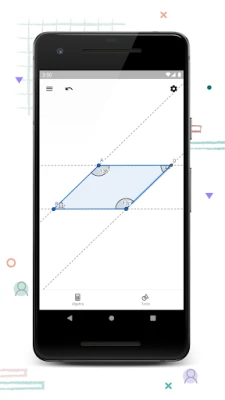
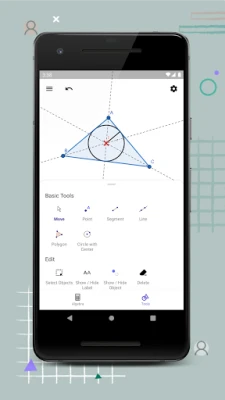
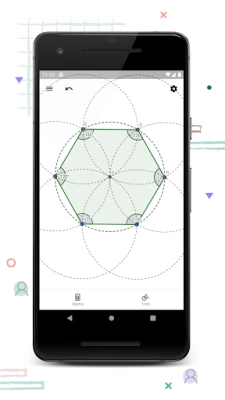
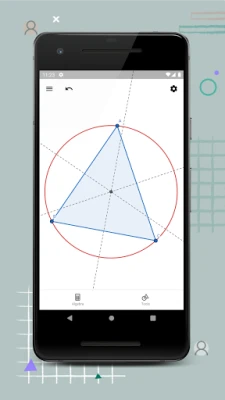
Interactive geometry allows users to create intricate constructions using points, lines, circles, polygons, and angles. By manipulating these elements, learners can visualize and comprehend complex geometric relationships. Whether you are a student or an educator, mastering these basic components is essential for building a strong foundation in geometry.
Exploring Geometry Through Interaction
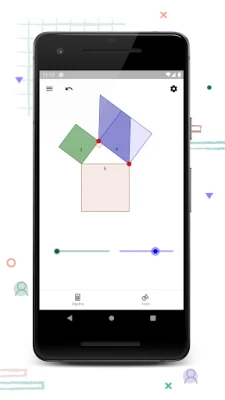
One of the most engaging features of interactive geometry is the ability to drag points to explore different configurations. This hands-on approach not only enhances understanding but also encourages experimentation. As you move points around, observe how the shapes and angles change, fostering a deeper appreciation for geometric principles.
Measuring Lengths and Areas
Accurate measurement is crucial in geometry. Interactive tools enable users to measure lengths and areas with precision. By utilizing these features, you can gain insights into the properties of various shapes, such as triangles, rectangles, and circles. Understanding how to measure effectively will enhance your ability to solve geometric problems and apply these concepts in real-world scenarios.
Transforming Shapes: Mirroring, Rotating, and Dilating
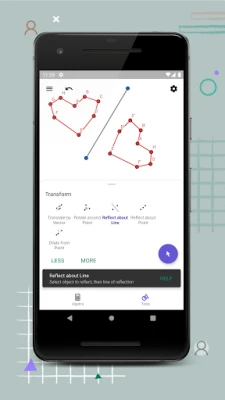
Transformation is a key concept in geometry. Interactive geometry tools allow you to transform shapes through mirroring, rotating, and dilating. Each transformation alters the shape's position or size while maintaining its fundamental properties. Experimenting with these transformations can lead to a greater understanding of symmetry, congruence, and similarity.
Advanced Constructions: Conics and Locus Lines
For those looking to challenge themselves further, interactive geometry offers the opportunity to engage in advanced constructions involving conics and locus lines. These concepts delve into more complex geometric relationships and provide a platform for deeper exploration. By working with conics, such as ellipses and hyperbolas, you can uncover the beauty of geometric curves and their applications.
Investigating Construction Steps for Deeper Understanding
Understanding the construction steps involved in creating geometric figures is vital for mastering the subject. Interactive geometry tools often provide step-by-step guidance, allowing users to follow along and replicate constructions. This process not only reinforces learning but also helps identify common mistakes and misconceptions.
Accessing Free Learning Activities
To enhance your learning experience, many interactive geometry applications offer a plethora of free learning activities. These resources are designed to complement your studies and provide additional practice. By exploring these activities, you can reinforce your understanding of geometric concepts and discover new ways to apply them.
Sharing and Saving Your Results
Collaboration is a key aspect of learning. Interactive geometry tools often allow you to save and share your results with others. This feature not only facilitates group work but also encourages feedback and discussion among peers. Sharing your constructions can lead to new insights and foster a collaborative learning environment.
Connect with Us for Support and Feedback
We value your input and are here to assist you. If you have any questions or feedback, feel free to reach out to us on Twitter @geogebra or via email at support@geogebra.org. Your insights help us improve and provide better resources for the community.
In conclusion, interactive geometry is a powerful tool for both learning and teaching. By creating constructions, exploring transformations, and engaging with advanced concepts, you can unlock the full potential of geometry. Embrace the interactive experience and watch your understanding of this fascinating subject grow.
Rate the App
User Reviews














Popular Apps










Editor's Choice









