
Latest Version
5.2.874.1
April 21, 2026
GeoGebra
Education
Android
0
Free
org.geogebra.android.g3d
Report a Problem
More About GeoGebra 3D Calculator
Mastering 3D Visualization: Exploring Functions and Surfaces with GeoGebra
In the realm of mathematics and geometry, visualizing complex functions and surfaces can significantly enhance understanding and engagement. With tools like GeoGebra, users can delve into the fascinating world of 3D modeling, creating a variety of shapes and exploring their properties. This article will guide you through the essential features of GeoGebra, focusing on plotting functions, creating 3D objects, and utilizing interactive elements to enrich your learning experience.
Plotting Functions and Parametric Surfaces
GeoGebra allows users to plot f(x,y) functions and parametric surfaces effortlessly. By inputting mathematical equations, you can visualize how these functions behave in three-dimensional space. This capability is crucial for students and educators alike, as it transforms abstract concepts into tangible visuals.
To plot a function, simply enter the equation into the input bar. GeoGebra will generate a dynamic graph that you can manipulate. This interactive feature not only aids in understanding the function's behavior but also allows for real-time adjustments, making it easier to grasp complex mathematical relationships.
Creating 3D Objects: Solids, Spheres, and Planes
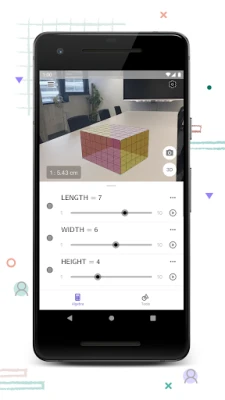
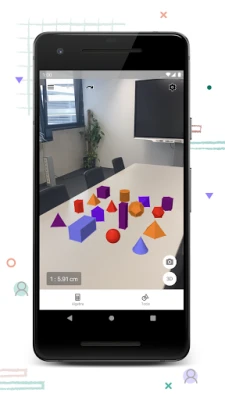
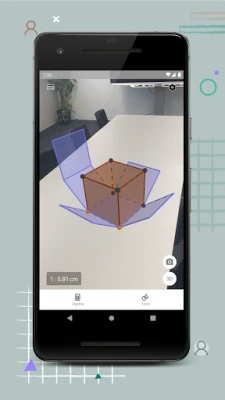
GeoGebra excels in creating a wide array of 3D objects, including solids, spheres, and planes. Users can construct these shapes by defining their parameters and dimensions. For instance, to create a sphere, you can specify its center and radius, and GeoGebra will render it in 3D space.
This feature is particularly beneficial for visual learners who can better understand geometric properties through hands-on interaction. By manipulating these objects, users can explore concepts such as volume, surface area, and spatial relationships, enhancing their overall comprehension of geometry.
Finding Intersection Points and Cross-Sections
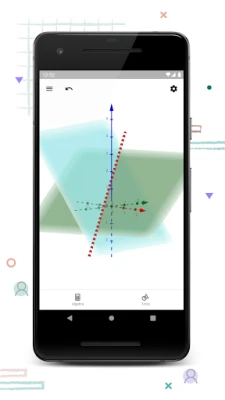
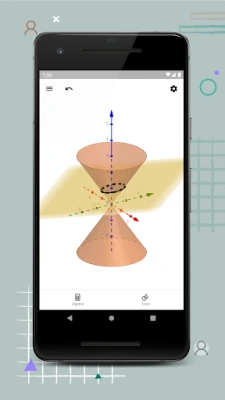
Another powerful tool within GeoGebra is the ability to find intersection points and cross-sections of 3D objects. This functionality is essential for advanced studies in calculus and geometry, where understanding the relationships between different shapes is crucial.
To find intersection points, simply select the objects you wish to analyze. GeoGebra will calculate and display the points where these objects intersect, providing valuable insights into their geometric relationships. Additionally, cross-sections can be generated by slicing through 3D objects, allowing for a deeper exploration of their internal structures.
Interactive Learning: Sliders, Points, Graphs, and Geometry
GeoGebra's interactive features, such as sliders, points, and graphs, work harmoniously to create an engaging learning environment. Sliders enable users to adjust parameters dynamically, instantly visualizing the effects of these changes on the graph or object.
This interactivity fosters a deeper understanding of mathematical concepts, as users can experiment with different values and observe the outcomes. Whether you are a student trying to grasp a new topic or a teacher looking to illustrate a concept, these tools make learning both fun and effective.
Accessing Free Learning Activities
GeoGebra offers a wealth of free learning activities directly accessible from the app. These resources are designed to complement your learning experience, providing exercises and examples that reinforce key concepts in mathematics and geometry.
By exploring these activities, users can practice their skills, test their understanding, and discover new mathematical ideas. The availability of these resources makes GeoGebra an invaluable tool for both self-learners and educators seeking to enhance their teaching methods.
Saving and Sharing Your Results
One of the standout features of GeoGebra is the ability to save and share your results with friends and teachers. After creating a model or completing an activity, users can easily save their work and share it via social media or email.
This sharing capability not only encourages collaboration but also allows for feedback and discussion, further enriching the learning experience. Whether you want to showcase your work or seek assistance, GeoGebra makes it simple to connect with others in the mathematical community.
Engage with Us
We value your input and encourage you to reach out with any questions or feedback. Connect with us on Twitter @geogebra or via email at support@geogebra.org. Your insights help us improve and expand our offerings, ensuring that GeoGebra remains a leading tool in mathematical education.
In conclusion, GeoGebra is a powerful platform that transforms the way we visualize and understand mathematics. By leveraging its features for plotting functions, creating 3D objects, and engaging with interactive elements, users can enhance their learning experience and deepen their comprehension of complex mathematical concepts.
Rate the App
User Reviews















Popular Apps










Editor's Choice









