

Latest Version
40.4.85
April 16, 2026
Banco Ganadero
Finance
Android
0
Free
com.bg.ganamovil
Report a Problem
More About GanaMóvil
Unlocking the Power of GanaMóvil: Your Ultimate Banking Companion
In today's fast-paced world, managing your finances efficiently is crucial. With GanaMóvil, the mobile banking application from Banco Ganadero S.A., you can effortlessly handle your accounts, credit cards, and various banking transactions right from your smartphone. This article explores the features, security measures, and how to get started with GanaMóvil, ensuring you make the most of this powerful tool.
Comprehensive Banking Services at Your Fingertips
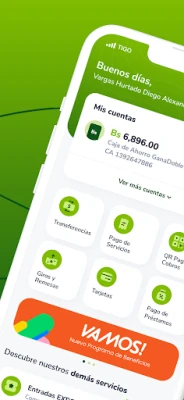
GanaMóvil offers a wide array of services designed to simplify your banking experience. Here’s what you can do:
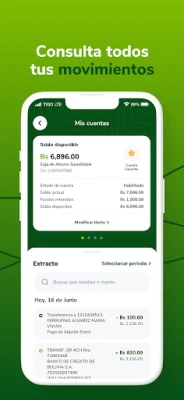
- Account Management: Check your account balances and credit card statements with ease.
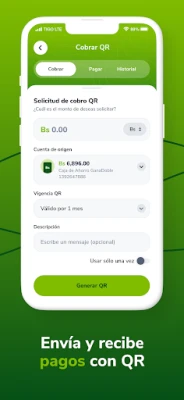
- Money Transfers: Transfer funds between your accounts, to third-party accounts, or to other banks seamlessly.
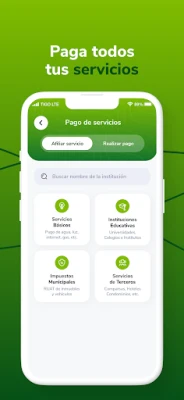
- Bill Payments: Pay your utility bills and educational institution fees directly through the app.
- Loan Payments: Manage your loan repayments and credit card payments efficiently.
- Debit Card Management: Control your debit card for online purchases, including setting transaction limits.
Download the GanaMóvil App for Enhanced Convenience
To maximize your banking experience, download the GanaMóvil app from the authorized App Store. The app not only allows you to manage your finances but also helps you locate service points and check approximate wait times, enabling you to choose the best option for your needs.
How to Enable GanaMóvil Services
Getting started with GanaMóvil is simple. Follow these steps to enable your banking services:
- Download the GanaMóvil app from the App Store.
- Enter your personal code from Banco Ganadero S.A.
- Request service activation on your device (you can enable up to two mobile devices).
- If you have a GanaPin security device, log into GanaNet and select “GanaMóvil” from the menu, then choose “Device Activation.” Complete the required information to finalize the activation.
- To activate a second device, enable GanaPin Digital from GanaMóvil and follow the previous steps.
- Access GanaMóvil using your personal code and access password for GanaNet.
Customer Support for Service Activation
If you have questions about enabling your services, reach out through the following channels:
- Email: bancoganadero@bg.com.bo
- Contact Center: 800 10 3999
- WhatsApp: 72103001
Key Features for Users
GanaMóvil is packed with features that enhance your banking experience:
- Locate Service Points: Find nearby bank branches and ATMs, along with estimated wait times for service.
- Open a GanaDoble Savings Account: Easily request the opening of a GanaDoble savings account in Bolivianos for individual management directly from your mobile device.
Security Measures to Protect Your Information
Security is a top priority when using GanaMóvil. After enabling your device, you will need to use your personal code and access password to log in. Additionally, the app displays your security image (previously selected in GanaNet or at the bank) along with the date and time of your last access.
Follow this security sequence for safe access:
- Enter your personal code.
- Verify that the displayed security image is correct; if it is, enter your GanaMóvil access password.
- Upon successful login, you will see the date and time of your last access to GanaMóvil.
If necessary, you can block the application on any registered device through GanaNet, by calling the Contact Center, or visiting our offices. Rest assured, your transaction information is transmitted securely and is not stored on your mobile device.
Contact Us for Security Inquiries
If you have any security-related questions, please contact us at:
- Email: bancoganadero@bg.com.bo
GanaNet, GanaMóvil, and the GanaMóvil logo are registered trademarks of Banco Ganadero S.A., Bolivia.
Embrace the future of banking with GanaMóvil, where convenience meets security, allowing you to manage your finances anytime, anywhere.
Rate the App
User Reviews















Popular Apps










Editor's Choice









