

Latest Version
1.3.7-1
July 24, 2026
FUTO
Tools
Android
0
Free
org.futo.voiceinput
Report a Problem
More About FUTO Voice Input
Enhance Your Mobile Experience with FUTO Voice Input: The Ultimate Offline Voice Recognition App
In today's fast-paced digital world, voice input technology has revolutionized how we interact with our devices. FUTO Voice Input stands out as a premier application that seamlessly integrates voice recognition capabilities into your smartphone. This innovative app enhances your mobile experience by allowing you to dictate text and commands effortlessly.
What is FUTO Voice Input?
FUTO Voice Input is a cutting-edge application designed to provide voice input functionalities directly on your mobile device. It works harmoniously with various applications and keyboards that utilize standard Android voice input APIs, such as ACTION_RECOGNIZE_SPEECH and Voice IME. This means you can easily convert your spoken words into text across multiple platforms, enhancing your productivity and convenience.
Offline Processing for Enhanced Privacy
One of the standout features of FUTO Voice Input is its commitment to user privacy. All voice processing occurs entirely offline on your device, ensuring that your recordings are never stored or transmitted to external servers. This level of privacy is crucial in an age where data security is paramount. Users can feel confident knowing that their voice data remains confidential and secure.
Seamless Integration with Your Favorite Apps
FUTO Voice Input is designed to work effortlessly with a wide range of applications. Whether you are composing emails, sending messages, or taking notes, this app enhances your ability to communicate quickly and efficiently. By integrating with popular apps, FUTO Voice Input allows you to dictate text without the need for manual typing, saving you time and effort.
Download Optional Models for Enhanced Functionality
While FUTO Voice Input operates primarily offline, it offers the option to download additional voice models to improve recognition accuracy and expand its capabilities. Users can choose to access the Internet to download these optional models, tailoring the app to better suit their individual needs. This flexibility ensures that you can optimize your voice input experience based on your preferences.
Why Choose FUTO Voice Input?
There are several compelling reasons to choose FUTO Voice Input over other voice recognition applications:
- Privacy-Focused: Your voice recordings are never saved or sent to external servers, ensuring your data remains private.
- Offline Functionality: Enjoy seamless voice recognition without the need for an internet connection.
- Wide Compatibility: Works with various apps and keyboards, making it a versatile tool for all your voice input needs.
- Customizable: Download optional models to enhance the app's performance and accuracy.
Getting Started with FUTO Voice Input
Getting started with FUTO Voice Input is simple and straightforward. Follow these steps to enhance your mobile experience:
- Download the App: Visit the Google Play Store and search for FUTO Voice Input. Download and install the application on your device.
- Grant Permissions: Allow the app to access your microphone and any other necessary permissions to ensure optimal functionality.
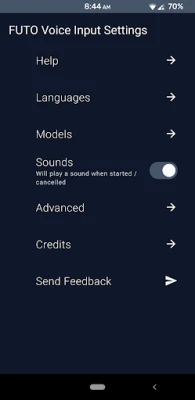
- Configure Settings: Customize the app settings to suit your preferences, including downloading optional voice models if desired.
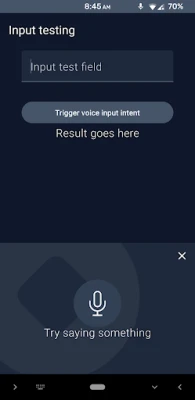
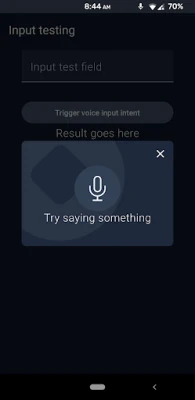
- Start Using Voice Input: Open your favorite app, activate FUTO Voice Input, and begin dictating your text effortlessly.
Conclusion: Transform Your Voice Input Experience
FUTO Voice Input is more than just a voice recognition app; it is a powerful tool that enhances your mobile experience while prioritizing your privacy. With its offline processing capabilities, seamless integration with various applications, and customizable features, FUTO Voice Input is the ideal choice for anyone looking to streamline their communication. Embrace the future of voice input technology and transform the way you interact with your device today!
Rate the App
User Reviews















Popular Apps










Editor's Choice









