

Latest Version
1.0.0
May 07, 2026
Akinie Samuel Aterh
Education
Android
0
Free
com.wcmdtricks_12800282
Report a Problem
More About Full Cmd Command Prompt List
Unlock the Power of Command Prompt: Your Ultimate Guide to CMD Commands
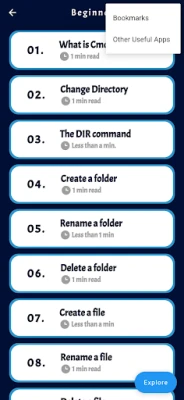
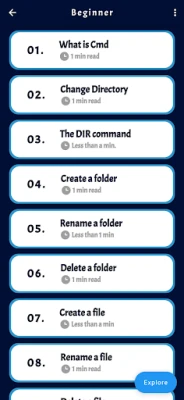
Discover the vast potential of the Command Prompt with our comprehensive list of CMD commands, tips, and tricks. This resource is designed to enhance your ability to navigate, manage, and control your computer with unparalleled efficiency and expertise. Whether you are just starting your journey into the world of command line interfaces or you are an experienced user aiming to deepen your understanding, this guide caters to all skill levels.
What is Command Prompt?
The Command Prompt, often referred to as CMD, is a powerful command line interpreter available in Windows operating systems. It allows users to execute commands to perform various tasks, from file management to system configuration. By mastering CMD, you can unlock advanced functionalities that are not always accessible through the graphical user interface (GUI).
Why Use Command Prompt?
Utilizing the Command Prompt offers several advantages:
- Efficiency: Execute tasks faster than navigating through multiple menus.
- Automation: Create scripts to automate repetitive tasks.
- Advanced Control: Access system settings and configurations that may be hidden in the GUI.
- Problem Solving: Troubleshoot and diagnose issues more effectively.
Essential CMD Commands for Beginners
If you are new to the Command Prompt, start with these fundamental commands:
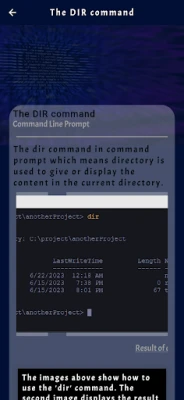
- dir: Lists the files and directories in the current folder.
- cd: Changes the current directory. For example,
cd Documentsnavigates to the Documents folder. - mkdir: Creates a new directory. Use
mkdir NewFolderto create a folder named NewFolder. - del: Deletes files. For instance,
del file.txtremoves file.txt from the current directory. - copy: Copies files from one location to another. Example:
copy file.txt D:\Backup.
Advanced CMD Commands for Power Users
For those looking to take their skills to the next level, consider these advanced commands:
- ipconfig: Displays network configuration details, including IP address and subnet mask.
- ping: Tests connectivity to another network device. For example,
ping google.comchecks if you can reach Google's servers. - tasklist: Lists all currently running processes on your system.
- taskkill: Terminates a running process. Use
taskkill /PID 1234to kill a process with the specified PID. - chkdsk: Checks the integrity of your disk and repairs logical file system errors.
Tips and Tricks for Mastering Command Prompt
Enhance your Command Prompt experience with these helpful tips:
- Use Tab Completion: Save time by pressing the Tab key to auto-complete file and folder names.
- Command History: Use the up and down arrow keys to navigate through previously entered commands.
- Redirect Output: Save command output to a file using the
>operator. For example,dir > output.txtsaves the directory listing to output.txt. - Run as Administrator: Some commands require elevated privileges. Right-click on Command Prompt and select "Run as administrator."
Conclusion
With the Command Prompt List at your fingertips, you can harness the full power of CMD commands, tips, and tricks to enhance your computing experience. Whether you are a novice eager to learn or a seasoned expert looking to refine your skills, this guide provides the tools you need to navigate your computer with confidence and efficiency. Start exploring the world of Command Prompt today and unlock new possibilities for managing your system.
Rate the App
User Reviews















Popular Apps










Editor's Choice









