
Latest Version
2.50
March 25, 2026
C. Ghisler
Tools
Android
0
Free
com.ghisler.tcplugins.FTP
Report a Problem
More About FTP Plugin for Total Commander
Maximize Your File Transfer Efficiency with Total Commander Plugins
In the realm of file management, efficiency is key. If you're looking to enhance your file transfer capabilities, it's essential to understand the tools at your disposal. One such tool is the Total Commander, a powerful file manager that can be significantly enhanced with the right plugins. However, it's crucial to note that these plugins are designed to work in conjunction with Total Commander and cannot function independently.
Why Total Commander is Essential for File Management
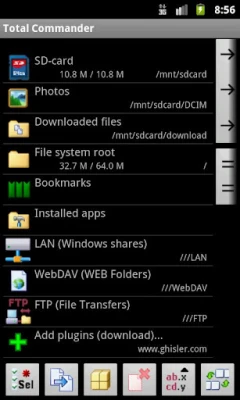
Total Commander is not just another file manager; it’s a robust solution that offers a dual-pane interface, making file operations seamless and intuitive. With its extensive range of features, including file compression, batch renaming, and built-in FTP support, Total Commander stands out as a top choice for both casual users and professionals alike.
Understanding Total Commander Plugins
Plugins are essential for extending the functionality of Total Commander. They allow users to connect to various file transfer protocols, enhancing the overall experience. However, it’s important to remember that these plugins are not standalone applications. They require Total Commander to operate effectively.
Connecting via FTP and FTPS
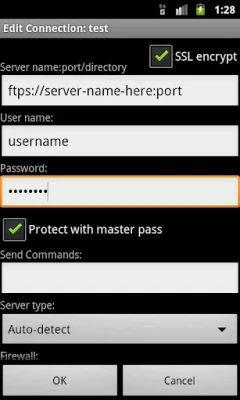
One of the standout features of Total Commander is its support for FTP (File Transfer Protocol) and FTPS (FTP Secure). These protocols enable users to transfer files over the internet securely. With the right plugin, you can easily manage your file transfers, ensuring that your data remains safe and accessible.
Secure File Transfers with SFTP
If you require an even higher level of security for your file transfers, consider using SFTP (SSH File Transfer Protocol). SFTP provides a secure channel over an unsecured network, making it an ideal choice for sensitive data. For users of Total Commander, a dedicated SFTP plugin is available, which can be found at the following link: SFTP Plugin for Total Commander.
How to Install Total Commander Plugins
Installing plugins for Total Commander is a straightforward process. Follow these steps to enhance your file management capabilities:
- Download the desired plugin from a trusted source.
- Open Total Commander and navigate to the 'Configuration' menu.
- Select 'Options' and then 'Plugins'.
- Choose 'FTP' and click on 'Add' to include your new plugin.
- Follow the prompts to complete the installation.
Benefits of Using Total Commander with Plugins
Integrating plugins with Total Commander offers numerous advantages:
- Enhanced Security: With plugins like FTPS and SFTP, your file transfers are encrypted, protecting your data from unauthorized access.
- Increased Functionality: Plugins expand the capabilities of Total Commander, allowing for a more versatile file management experience.
- User-Friendly Interface: The dual-pane layout of Total Commander, combined with plugins, simplifies complex file operations.
Conclusion: Elevate Your File Management with Total Commander
In conclusion, Total Commander is an indispensable tool for anyone serious about file management. By utilizing plugins for FTP, FTPS, and SFTP, you can significantly enhance your file transfer capabilities while ensuring the security of your data. Remember, these plugins are designed to work exclusively with Total Commander, so ensure you have the application installed before proceeding. Embrace the power of Total Commander and take your file management to the next level!
Rate the App
User Reviews















Popular Apps










Editor's Choice









