




Latest Version
24.9.8930878
October 15, 2024
DF-Data Oy
Tools
Android
0
Free
com.fsecure.ms.fsprotect
Report a Problem
More About FS Protection
Ultimate Guide to FS Protection: Safeguarding Your Android Experience
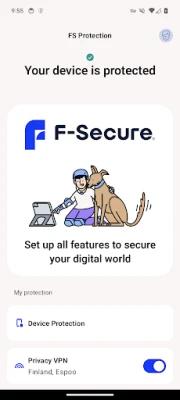
In today's digital age, ensuring the security of your personal information on your Android device is paramount. With FS Protection, you can enjoy a seamless online experience without the constant worry of cyber threats. This comprehensive security solution empowers you to explore the internet, shop online, stream videos, listen to music, and connect with loved ones, all while keeping your data safe. Let’s delve into the features that make FS Protection an essential tool for your digital life.
Comprehensive Scanning and Removal
FS Protection offers robust antivirus capabilities that shield you from a variety of threats, including viruses, trojans, and spyware. These malicious entities can compromise your personal information and lead to significant financial losses. With FS Protection, you can scan your device regularly to detect and eliminate these threats, ensuring your privacy remains intact.
Safe Browsing Experience
Browsing the internet can expose you to numerous risks, but FS Protection’s browsing protection feature keeps you secure. This tool actively prevents access to malware and phishing sites, safeguarding your online activities. Additionally, the Safe Browser feature verifies the safety of banking websites, allowing you to conduct financial transactions with confidence.
Privacy Protection at Its Best
Your privacy is a top priority with FS Protection. The combination of antivirus and browsing protection ensures that you stay away from applications and websites that could jeopardize your personal data. By utilizing these features, you can navigate the digital landscape without fear of compromising your privacy.
Family Safety Features
FS Protection is designed with families in mind, offering tailored solutions to protect your loved ones. The software provides comprehensive coverage for all devices in your household, ensuring that your children are safe online. Key features include:
- Browsing protection to shield against inappropriate content
- Parental controls for managing online activities
- Safe searching capabilities
- Time limits to promote healthy device usage
Identity Protection and Password Management
In an era where identity theft is rampant, FS Protection helps you manage your passwords effectively. The AutoFill feature simplifies the process of entering credentials for apps and websites, enhancing your online security. Furthermore, the software monitors your email addresses for data breaches, alerting you if your personal information has been compromised.
Key Features of FS Protection
FS Protection is packed with features designed to keep you safe online. Here are some of the standout functionalities:
- Protection against viruses, spyware, hacker attacks, and identity theft
- Safe browsing capabilities to explore the internet securely
- Access to verified banking sites through the Safe Browser
- Child protection from unsuitable applications
- Password management and email breach monitoring
- Family Rules and browsing protection enabled for all internet traffic on children’s devices, thanks to VPN technology
- Compatibility across multiple devices – Android, PC, Mac, and iOS
- Available in over 20 languages
Dedicated Safe Browser Icon
To enhance user experience, FS Protection includes a separate 'Safe Browser' icon in the launcher. This feature allows you to set the Safe Browser as your default browsing option easily. It also provides a straightforward way for children to access the Safe Browser, promoting safer internet habits.
Commitment to Data Privacy Compliance
DF Data prioritizes the confidentiality and integrity of your personal data. The company implements strict security measures to protect your information. For more details, you can review the full privacy policy here.
Device Administrator Permissions
FS Protection requires Device Administrator permissions to function effectively. These permissions are utilized in accordance with Google Play policies and with your explicit consent. They are essential for features such as:
- Preventing children from uninstalling the application without parental guidance
- Enabling browsing protection
Accessibility Services for Enhanced Family Control
The application also employs Accessibility services, which are used with your consent. These permissions facilitate the Family Rules feature, allowing parents to:
- Protect children from unsuitable web content
- Apply restrictions on device and app usage for children
With these services, you can monitor and manage your child's application usage effectively.
Conclusion: Secure Your Digital Life with FS Protection
In a world where online threats are ever-present, FS Protection stands out as a comprehensive solution for safeguarding your Android device. With its advanced features, including antivirus protection, safe browsing, and family safety tools, you can enjoy your connected life without compromising your security. Invest in FS Protection today and experience peace of mind as you navigate the digital landscape.
Rate the App
User Reviews















Popular Apps










Editor's Choice









