

Latest Version
1.4.0
June 02, 2026
Internet Technology LLP
Tools
Android
1
Free
pro.vpnfreedom.android
Report a Problem
More About FreedomVPN
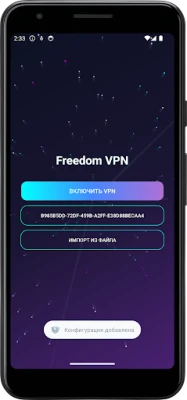
How to Import VLESS Configuration for Seamless Connectivity
In today's digital landscape, ensuring a secure and efficient connection is paramount. One of the most effective ways to achieve this is by utilizing the VLESS protocol. This article will guide you through the process of importing VLESS configurations from a file or clipboard, confirming your connection, and enjoying uninterrupted service.
Understanding VLESS Protocol
The VLESS protocol is designed to enhance security and performance in network communications. It is a lightweight and efficient protocol that allows users to establish secure connections without the overhead of traditional methods. By leveraging VLESS, users can enjoy faster speeds and improved privacy.
Steps to Import VLESS Configuration
Importing a VLESS configuration is a straightforward process. Follow these steps to ensure a smooth setup:
1. Prepare Your Configuration File
Before you begin, ensure that you have your VLESS configuration file ready. This file typically contains essential details such as server address, port, and security settings. If you don’t have a file, you can also copy the VLESS link directly to your clipboard.
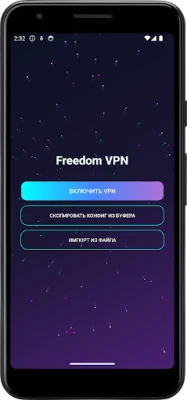
2. Importing from a File
To import the VLESS configuration from a file, follow these steps:
- Open your VLESS-compatible application.
- Navigate to the settings or configuration section.
- Select the option to import from a file.
- Locate and select your VLESS configuration file.
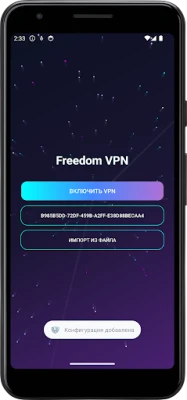
- Confirm the import process.
3. Importing from Clipboard
If you have copied the VLESS link to your clipboard, you can easily import it by:
- Accessing the VLESS application.
- Finding the import option in the settings menu.
- Selecting the option to import from clipboard.
- Confirming the import to establish the connection.
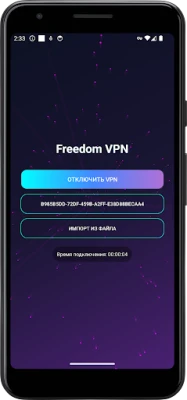
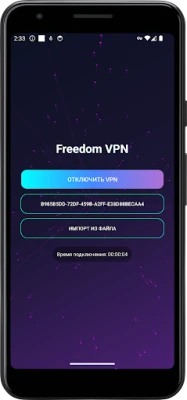
Confirming Your Connection
Once you have imported the VLESS configuration, it’s crucial to confirm that your connection is active. Here’s how to check your connection status:
- Look for a status indicator within the application.
- Ensure that the indicator shows a successful connection.
- If the connection fails, double-check your configuration settings for any errors.
Benefits of Using VLESS
Utilizing the VLESS protocol offers numerous advantages:
- Enhanced Security: VLESS provides robust encryption, ensuring that your data remains private and secure.
- Improved Performance: The lightweight nature of VLESS allows for faster data transmission, reducing latency.
- Flexibility: VLESS can be easily integrated with various applications and platforms, making it a versatile choice for users.
Troubleshooting Common Issues
If you encounter issues while importing your VLESS configuration or confirming your connection, consider the following troubleshooting tips:
- Check Your Internet Connection: Ensure that your device is connected to the internet.
- Verify Configuration Details: Double-check the server address, port, and any other settings in your configuration file.
- Update Your Application: Ensure that you are using the latest version of your VLESS-compatible application.
Conclusion
Importing a VLESS configuration is a simple yet effective way to enhance your online security and performance. By following the steps outlined in this guide, you can easily import your configuration from a file or clipboard, confirm your connection, and enjoy the benefits of the VLESS protocol. Embrace the future of secure networking and take control of your online experience today!
Rate the App
User Reviews















Popular Apps










Editor's Choice









