Latest Version
13.0
April 19, 2026
Creativity On Spot
Entertainment
Android
0
Free
fire.stick.remote
Report a Problem
More About Fire Stick Remote
Transform Your Smartphone into a Smart Remote for Fire TV Devices
Elevate your entertainment experience by turning your smartphone into a smart remote for Fire TV devices. With a sleek and responsive app designed for effortless control, managing your viewing has never been easier. Whether you're queuing up a movie, adjusting the volume, or navigating through menus, this remote app offers a seamless experience directly from your smartphone.
Effortless Setup for Instant Access
Setting up the app is a breeze—no complicated steps involved. Simply connect your smartphone and Fire TV device to the same Wi-Fi network. Launch the app, and synchronization begins instantly. Say goodbye to the hassle of pairing devices every time; dive straight into browsing, streaming, or searching for your favorite content.
Feature-Rich Functionality for Enhanced Control
This app is packed with a variety of useful features that enhance your control over your Fire TV devices:
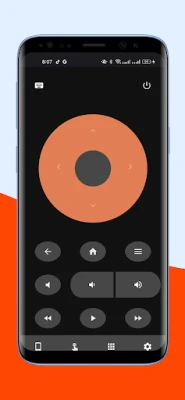
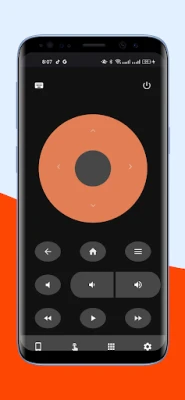
- Touchpad: Enjoy smooth swiping and scrolling for effortless navigation.
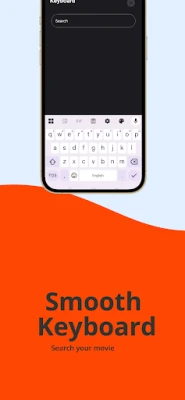
- Full Keyboard Support: Input text quickly and easily with a complete keyboard interface.
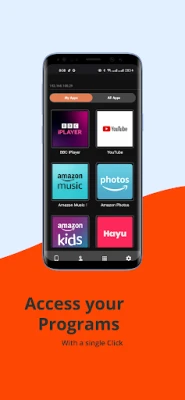
- Dedicated Buttons: Access essential functions like Home, Back, Play, Pause, and Volume with just a tap.
- Voice Control: Utilize voice commands on compatible Fire devices for hands-free operation.
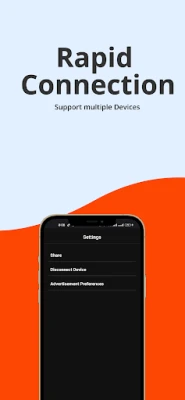
- Multi-Device Switching: Seamlessly switch between multiple Fire TVs using a single phone.
- Wireless Connectivity: Experience smooth and reliable wireless control without any interruptions.
- Dark Mode: Enjoy comfortable viewing during nighttime with a user-friendly dark mode.
- Fast Response Time: Benefit from quick and responsive controls for an enhanced viewing experience.
- Simple Setup: No additional hardware or codes are required for installation.
Compatibility Across a Range of Devices
The app supports a wide array of devices, including the Fire TV Stick, Fire Stick 4K, Fire TV Cube, and Fire TV Edition smart TVs. It is designed to adapt to your specific setup, ensuring reliable control across all supported models.
Convenience at Your Fingertips
No more battery swaps or searching for remotes lost under cushions. This Amazon Fire Stick Remote app keeps your remote functionality readily available on your phone—always within reach and easily accessible. It’s perfect for anyone who frequently misplaces their remotes or desires greater flexibility in controlling their viewing experience.
Share Control for Group Viewing
Enhance your group watch sessions by allowing others to install the app on their devices. This feature enables shared control, making it easy for everyone to participate in selecting what to watch. Alternatively, keep the app as a reliable backup for when the physical remote is out of reach.
Smart, Wireless Control at Your Command
Whether you're adjusting settings, fast-forwarding through a show, or searching for content using voice commands, this app brings smart, wireless control directly into your hands—no extra hardware needed. Your Fire TV remote experience becomes smoother, quicker, and more convenient with just one installation.
Conclusion: Elevate Your Fire TV Experience
Transform your smartphone into a powerful remote control for your Fire TV devices and enjoy a more streamlined entertainment experience. With its user-friendly interface, extensive features, and compatibility with various Fire TV models, this app is the ultimate solution for anyone looking to enhance their viewing experience. Download the app today and take control of your entertainment like never before!
Rate the App
User Reviews









Popular Apps










Editor's Choice









