Latest Version
April 19, 2026
LAMAI
Tools
Android
0
Free
com.lamai.fire.tv.remote
Report a Problem
More About Fire Remote Control: TV Remote
Unlock the Full Potential of Your Fire TV Remote Control
In the ever-evolving world of home entertainment, the Fire TV Remote Control stands out with its impressive features designed to enhance your viewing experience. Whether you're binge-watching your favorite series or enjoying a movie night, this remote offers everything you need for seamless navigation and control. Let’s dive into the remarkable features that make the Fire TV Remote a must-have accessory for any Fire TV user.
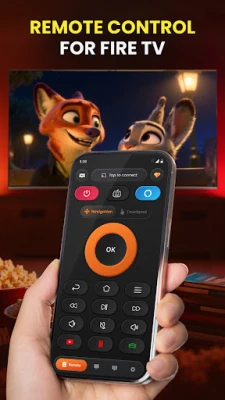
Comprehensive Navigation Controls
The Fire TV Remote provides full navigation capabilities, allowing you to easily move through menus and options. With intuitive controls for:
- Up, Down, Left, Right
- Select, Back, Home, Menu
You'll find it effortless to explore your favorite content. Additionally, the remote includes volume control and a one-tap mute feature, ensuring you can adjust the sound without missing a beat.
Effortless Playback Management
Take charge of your viewing experience with dedicated playback buttons. The Fire TV Remote allows you to:
- Play
- Pause
- Rewind
- Fast Forward
With these features at your fingertips, you can easily navigate through your shows and movies, making it simple to catch up on your favorite scenes.
Power Control at Your Fingertips
One of the standout features of the Fire TV Remote is the ability to power your Fire TV on and off directly from your smartphone. This convenience eliminates the need for multiple remotes and streamlines your entertainment setup.
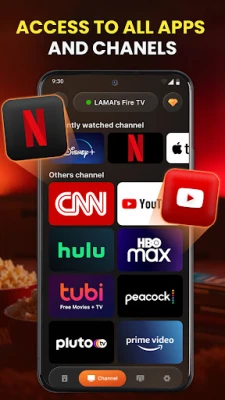
Quick Access to Your Favorite Apps
With a one-tap app launcher, accessing popular streaming services like Netflix, Prime Video, and YouTube has never been easier. Jump straight into your favorite content without navigating through multiple menus, saving you time and enhancing your viewing experience.
Smart Keyboard and Trackpad for Enhanced Input
Typing on a standard remote can be tedious. The Fire TV Remote app features a full keyboard, allowing for quick text input. Whether you're searching for movies, signing into apps, or entering URLs, you can do it all in seconds. The built-in trackpad with gesture support ensures smooth and precise navigation, far surpassing traditional D-pad controls.
Screen Mirroring and Casting Capabilities
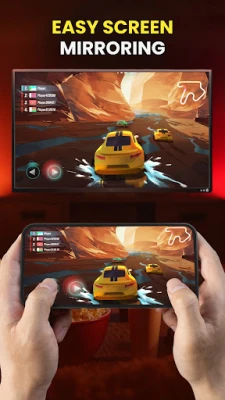
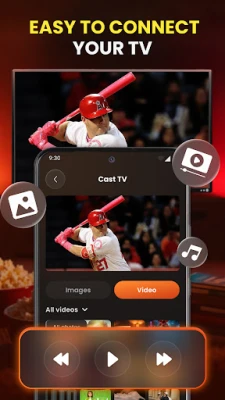
Transform your viewing experience by mirroring your phone screen to your Fire TV. Enjoy photos, videos, and presentations on the big screen, making it perfect for movie nights, slideshows, or work presentations. The casting feature allows you to share content from your gallery directly to your Fire TV Stick, enhancing your entertainment options.
Fast and Reliable Connection
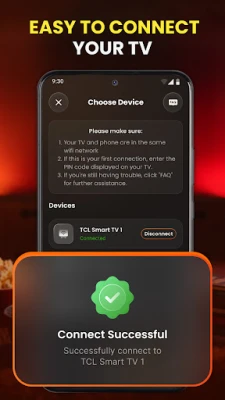
The Fire TV Remote app boasts a fast and reliable connection, ensuring you can start controlling your device in no time:
- Auto-detect: Automatically finds your Fire TV on Wi-Fi.
- Instant connect: Ready to use in under 3 seconds.
- Stable connection: Experience no lag or random disconnects.
- Compatibility: Works with all Fire TV and Fire Stick generations.
What Sets This Firestick Remote Apart?
The Firestick Remote is designed with user experience in mind. Its clean, intuitive interface eliminates clutter, making it easy to navigate. Lightweight and efficient, it won’t slow down your phone. Additionally, the sleep timer feature allows for auto power-off, conserving energy when not in use. Regular updates based on user feedback ensure that the app continues to improve and meet your needs.
Compatible Fire TV Devices
This versatile remote is compatible with all Amazon Fire TV devices, including:
- Fire TV Stick (1st, 2nd, 3rd Gen)
- Fire TV Stick Lite
- Fire TV Stick 4K / 4K Max
- Fire TV Cube
- Fire TV Smart TVs (built-in)
How to Use Your Fire TV Remote
- Connect your phone and Fire TV to the same Wi-Fi network.
- Open the Fire Remote Control app — it will auto-detect your device.
- Tap to connect and start controlling your Fire TV instantly.
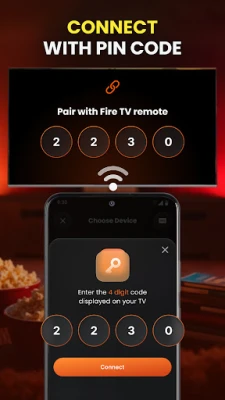
No pairing codes or complex setups are required. Your Fire Stick remote is ready to go in moments.
Download the Fire Remote Control App Today!
Transform your smartphone into the ultimate Firestick remote. Say goodbye to lost remotes and dead batteries. With the Fire Remote Control app, your smart Fire TV remote is always in your pocket, ready to enhance your viewing experience. Download it now and unlock the full potential of your Fire TV!
Rate the App
User Reviews















Popular Apps










Editor's Choice









