


Latest Version
1.0.38
November 10, 2024
SQUARE ENIX Co.,Ltd.
Games
Android
0
$15.99
com.square_enix.android_googleplay.FFVII
Report a Problem
More About FINAL FANTASY VII
Ultimate Guide to Downloading and Playing Final Fantasy VII on Android
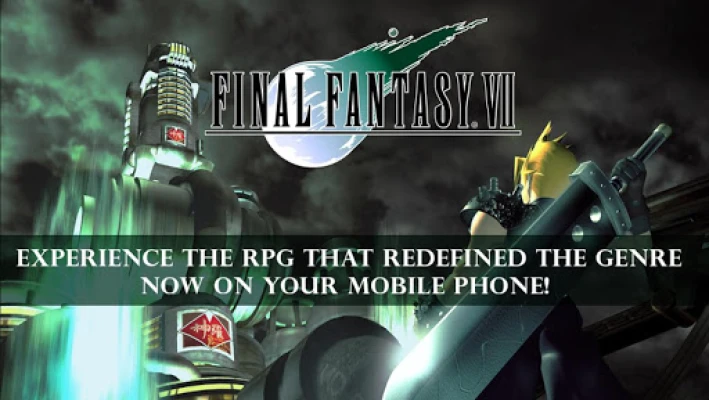
Final Fantasy VII, the iconic RPG that has captivated millions, is now available on Android devices. However, before diving into this epic adventure, it's essential to understand the download requirements and gameplay features to ensure a smooth experience. This guide will provide you with all the necessary information to get started.
Download Requirements
Downloading the Final Fantasy VII application requires careful consideration of your device's storage capacity. The application itself occupies approximately 2GB of memory. To successfully download it, you must have at least 4GB of free space available on your device. This extra space is crucial to accommodate the installation process and any additional data that may be required.
Tips for a Smooth Download
Given the size of the application, downloading may take some time. Here are a few tips to ensure a hassle-free experience:
- Ensure your device is connected to a stable Wi-Fi network to avoid interruptions.
- Clear unnecessary files and apps to free up space before initiating the download.
- Consider downloading during off-peak hours to enhance download speed.
Gameplay Considerations
Before you start playing, it's important to familiarize yourself with some gameplay mechanics and potential issues. The game features various modes of transportation, including buggies, submarines, and airships. However, players may encounter a bug where these vehicles stop moving when embarking or disembarking, particularly if done near terrain or during time-sensitive events. To resolve this, players must restart the game from a previously saved data file. Therefore, frequent saving and utilizing multiple save files is highly recommended.
Saving Your Progress
It's crucial to note that the game does not automatically save your progress when escaping from battles on the world map, even if the Auto Save function is enabled. To avoid losing your progress, make it a habit to save manually after significant events or battles.
Compatible Devices and Operating Systems
To ensure optimal gameplay, check the compatibility of your device. The game is designed for Android 4.2 and above. For a comprehensive list of compatible devices, visit the official website:
www.jp.square-enix.com/ff7sp/en/device.html
Keep in mind that even devices listed may experience speed issues or bugs based on individual specifications. The list will be updated as more devices are confirmed.
Experience the Epic Storyline
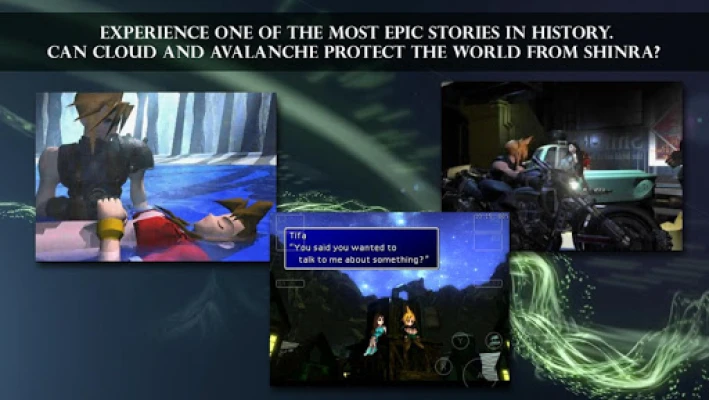
Final Fantasy VII is renowned for its compelling narrative. The story unfolds in a world dominated by the Shinra Electric Power Company, which monopolizes Mako energy production. The plot thickens when a revolutionary group named Avalanche attacks a Mako reactor in Midgar, leading to a series of events that draw Cloud Strife, a former member of Shinra’s elite “Soldier” unit, into a battle for the planet's fate.
Gameplay Features
The Android version of Final Fantasy VII offers several features to enhance your gaming experience:
- Virtual Controller: Play with a user-friendly virtual controller that doesn’t obstruct the action. You can choose between a virtual analogue or a fixed 4-way digital control pad, with adjustable opacity for on-screen controls.
- Enemy Encounter Options: The Android edition allows players to turn off enemy encounters on the world and area maps, providing a more relaxed exploration experience (note that this will not skip event battles).
- Max Stats Command: For those who want to experience the game without the grind, the Max Stats command grants you instant power, making you all-powerful in the blink of an eye.
Mastering Game Controls
Understanding the game controls is essential for a seamless experience. Here’s a quick overview:
- Movement: Use the virtual joypad (select between analogue and digital modes).
- Menu Navigation: Utilize fixed digital buttons for easy access.
- Confirm Action: Press the A button.
- Cancel Action: Press the B button.
- Open Menu: Press the Y button.
Conclusion
Final Fantasy VII on Android offers a nostalgic journey filled with adventure, strategy, and unforgettable characters. By following the guidelines outlined in this article, you can ensure a smooth download and gameplay experience. Prepare to immerse yourself in a world where every decision impacts the fate of the planet. Happy gaming!
Rate the App
User Reviews














Popular Apps










Editor's Choice