
Latest Version
June 07, 2026
yomyo
Tools
Android
0
Free
ru.yomyo.filetransfer
Report a Problem
More About FileTransfer
Effortless File Transfer: Share Photos, Videos, and More Instantly Without Internet
In today's fast-paced digital world, sharing files seamlessly between devices is essential. Whether you're at home or in the office, FileTransfer offers a revolutionary way to send photos, videos, music, and documents instantly—without the need for internet connectivity, cumbersome cables, or complicated setups. Simply connect your devices to the same Wi-Fi network, and you're ready to start transferring files to your phone, tablet, or TV.
Key Features of FileTransfer
- Local Wi-Fi File Transfer: Enjoy the convenience of transferring files over a local Wi-Fi network, ensuring a fast and secure connection.
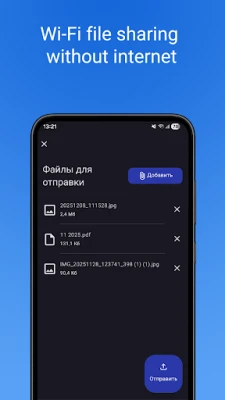
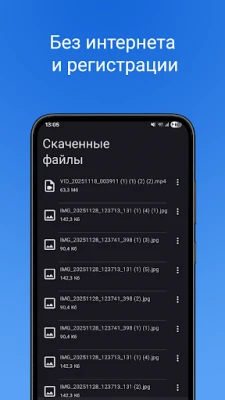
- Offline Functionality: FileTransfer operates completely offline, allowing you to share files without relying on an internet connection—perfect for areas with limited connectivity.
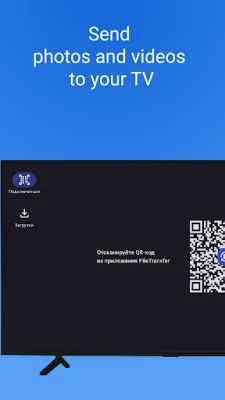
- Android TV Compatibility: Effortlessly send files directly to your Android TV, making it easy to enjoy your favorite media on the big screen.
- No Size Limits: Transfer large files without any size restrictions, ensuring you can share everything from high-resolution photos to lengthy videos.
- User-Friendly Interface: The clean and intuitive interface allows for quick setup via QR code, making it accessible for users of all tech levels.
- High-Speed Transfers: Experience lightning-fast file transfers through a direct connection, saving you time and hassle.
Perfect Use Cases for FileTransfer
FileTransfer is designed to meet a variety of needs, making it the ideal solution for:
- Streaming Movies and Photos: Send your favorite movies or cherished photos directly to your TV for a cinematic experience.
- Sharing Between Phones: Quickly share files between smartphones, whether you're exchanging photos with friends or sending important documents.
- Cable-Free Document Transfers: Move documents to another device without the hassle of cables, streamlining your workflow.
- Media Transfers to Tablets and Laptops: Effortlessly transfer media files to your tablet or laptop while connected to the same network, enhancing your productivity.
Why Choose FileTransfer?
FileTransfer stands out in the crowded market of file-sharing applications due to its unique combination of features and user-centric design. Here are a few reasons why you should consider using FileTransfer:
- Speed and Efficiency: The direct connection method ensures that your files transfer quickly, allowing you to focus on what matters most—your content.
- Security: Since FileTransfer operates over a local network, your files remain secure and private, minimizing the risk of data breaches.
- Convenience: The ability to transfer files without the need for internet access or physical cables makes it a hassle-free solution for users on the go.
- Versatility: Whether you're sharing personal memories or important work documents, FileTransfer adapts to your needs, making it suitable for both personal and professional use.
Getting Started with FileTransfer
Setting up FileTransfer is a breeze. Follow these simple steps to start sharing files in no time:
- Connect to Wi-Fi: Ensure that all devices you wish to transfer files between are connected to the same local Wi-Fi network.
- Download the App: Install the FileTransfer app on your devices from the respective app stores.
- Scan the QR Code: Open the app and use the QR code feature for quick setup, allowing for a seamless connection.
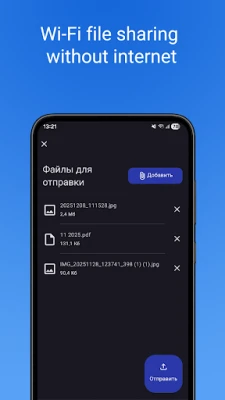
- Select Files: Choose the files you want to share and select the target device from the list of available connections.
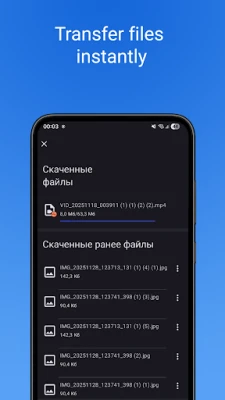
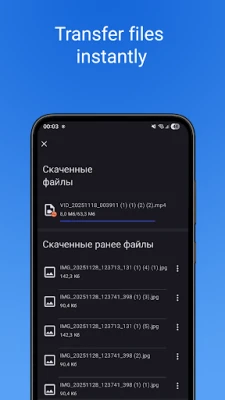
- Transfer: Hit send and watch as your files transfer instantly, ready for you to access on your chosen device.
Conclusion
FileTransfer revolutionizes the way we share files, making it faster, easier, and more reliable than ever before. With its impressive features, user-friendly interface, and offline capabilities, it is the perfect solution for anyone looking to streamline their file-sharing process. Whether you're sending movies to your TV, sharing photos with friends, or transferring documents for work, FileTransfer has you covered. Experience the future of file sharing today and enjoy the convenience of instant transfers without the need for internet or cables.
Rate the App
User Reviews















Popular Apps










Editor's Choice









