
Latest Version
8.2.0-G
April 15, 2026
Yves Cuillerdier
Tools
Android
0
Free
com.panaustik.filedup
Report a Problem
More About FileDup: Duplicate files
Maximize Your Device's Storage: The Ultimate Guide to Duplicate File Management
In today's digital age, managing storage space on your devices is crucial. Duplicate files can clutter your storage, making it difficult to find what you need. This guide will explore how to effectively manage and eliminate duplicate files, ensuring your device runs smoothly and efficiently.
How the Application Works
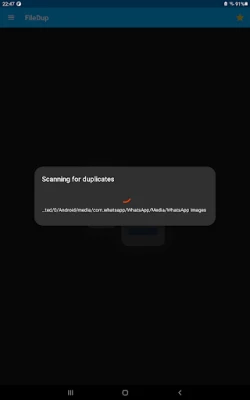
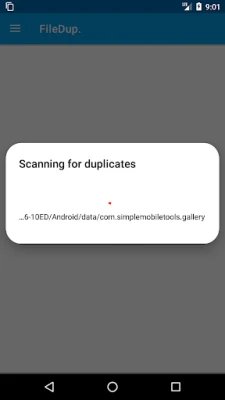
Upon launching the application, it swiftly scans your device to identify duplicate files. This process is designed to be quick and efficient, allowing you to reclaim valuable storage space in no time.
Customizable File Selection
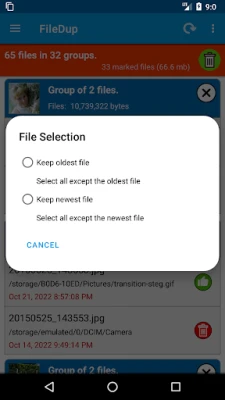
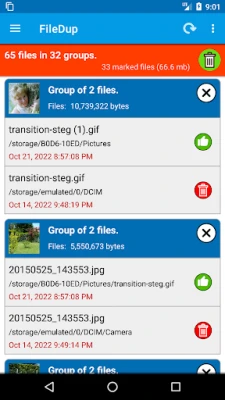
The application offers flexibility in managing your files. You can configure it to automatically select either the newest or oldest duplicate files for deletion. Alternatively, if you prefer a hands-on approach, you can manually choose which files to delete. This feature ensures that you maintain control over your data while optimizing your device's storage.
File Type Configuration
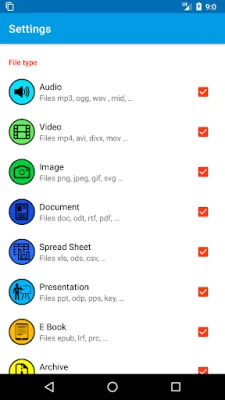
For users seeking more tailored results, the application allows you to specify the types of files to search for duplicates. Whether you want to focus on images, videos, documents, or web files, the application can be configured to meet your specific needs. This targeted approach helps streamline the scanning process and enhances overall efficiency.
Advanced Scanning Options
For tech-savvy users, the application provides advanced options to scan hidden files and directories. This feature is particularly useful for uncovering duplicates that may not be immediately visible, ensuring a comprehensive cleanup of your device's storage.
One-Click Deletion
Once you have selected the duplicate files, the application simplifies the deletion process. With just one click, you can remove all selected files, making it easier than ever to free up space on your device. This streamlined process saves you time and effort, allowing you to focus on what truly matters.
Your Privacy Matters
One of the standout features of this application is its commitment to user privacy. It is completely free to use, with no restrictions, trackers, or data collection. You can manage your files with peace of mind, knowing that your personal information remains secure.
Required Permissions for Optimal Functionality
To ensure the application can access all files on your device, it requires specific permissions:
- MANAGE_EXTERNAL_STORAGE: This permission allows the application to access a wide range of storage options.
- WRITE_EXTERNAL_STORAGE: This permission enables the application to write to specific storage locations for file deletion.
Important Warnings
While the application is designed to scan and delete duplicate files efficiently, users should exercise caution. As with any file management tool, there is a risk of accidentally deleting essential files that your applications may require. The developers cannot be held responsible for any issues that arise from the deletion of necessary files. Always double-check your selections before proceeding with deletions to ensure that you do not compromise your device's functionality.
Conclusion
Managing duplicate files is an essential aspect of maintaining your device's performance. With the right application, you can easily identify and remove unnecessary duplicates, freeing up valuable storage space. By utilizing customizable options, advanced scanning features, and a commitment to privacy, you can take control of your digital life. Remember to proceed with caution and enjoy a more organized and efficient device!
Rate the App
User Reviews















Popular Apps










Editor's Choice









