

Latest Version
May 20, 2026
Premium Quality Apps
Tools
Android
0
$0.49
me.geosoftech.android
Report a Problem
More About File Manager Pro
Unlock the Power of Your Device with the Ultimate File Manager App
In today's digital age, managing files efficiently on your Android device is crucial. The File Manager app stands out as a top-tier solution, offering a seamless experience without compromising your privacy. This app operates independently, requiring no internet connection and collecting no user data, ensuring your information remains secure.
Effortless Access to Local Files
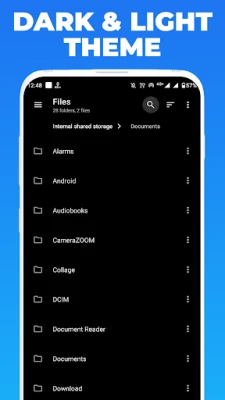
Gone are the days of hidden files buried deep within your mobile system. The File Manager app provides easy access to all your local files, making file management a breeze. With its intuitive file manager, you can:
- Perform global searches to find files quickly
- Move, delete, and open files with ease
- Share files effortlessly with friends and family
- Rename, unzip, and copy-paste files as needed
All these features are packed into a lightweight app, taking up less than 15MB of storage. This compact size ensures quick download times and minimal impact on your device's memory.
Comprehensive File Management Features
The File Manager app is an indispensable tool for anyone looking to manage files and folders on their Android device effectively. It offers a plethora of features designed to enhance your file management experience:
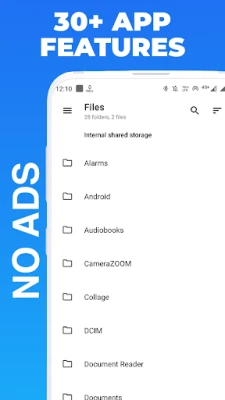
- Internal and External Storage Access: Easily browse through your device's internal storage and external SD card to locate and manage your files.
- File Operations: Move, copy, paste, and delete files and folders with just a few taps, allowing you to free up space or transfer files effortlessly.
- Wide File Type Support: The app supports various file types, including images, videos, music, documents, and archives, making it versatile for all your needs.
- Preview and Open Files: Preview images and videos directly within the app, and open documents and archives using compatible apps installed on your device.
Advanced Search and Organization
Finding files has never been easier. The File Manager app includes a built-in search feature that allows you to locate files and folders based on their names or contents swiftly. Additionally, you can:
- Create new folders to organize your files
- Rename files and folders for better identification
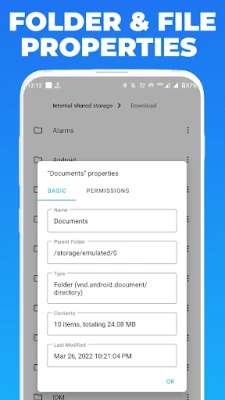
- View detailed information about each file, including size, date modified, and file type
The user-friendly interface ensures that navigating through the app's features is straightforward, making file management accessible to everyone.
Recycle Bin for Peace of Mind
One of the standout features of the File Manager app is its built-in recycle bin. This feature functions similarly to the recycle bin on your computer, storing deleted files and folders for a specified period. This allows you to recover accidentally deleted items, providing an extra layer of security and peace of mind.
Why You Need the File Manager App
In summary, the File Manager app is an essential tool for anyone looking to manage files and folders on their Android device efficiently. Its user-friendly interface, powerful features, and support for various file types make it a must-have app for effective file management. Whether you're a casual user or a tech-savvy individual, this app will streamline your file organization and enhance your overall experience.
If you're searching for a reliable and efficient file manager app, look no further than the File Manager app. Download it today and unlock the full potential of your device!
Rate the App
User Reviews















Popular Apps










Editor's Choice









