

Latest Version
2.6.0.1041
August 31, 2024
Transsion Holdings
Tools
Android
0
Free
com.transsion.filemanagerx
Report a Problem
More About File Manager
Optimize Your Device: The Ultimate File Management Solution
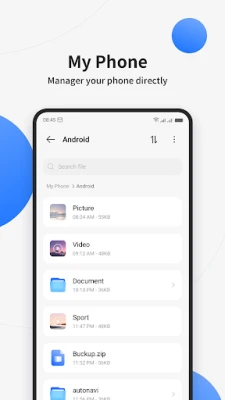
In today's digital age, managing files efficiently is crucial for maintaining optimal device performance. Whether you're dealing with music, videos, images, documents, or various file types like ZIP and APK, having a reliable file management tool can make all the difference. This article explores the essential functions of a top-tier file management application that can help you streamline your digital life.
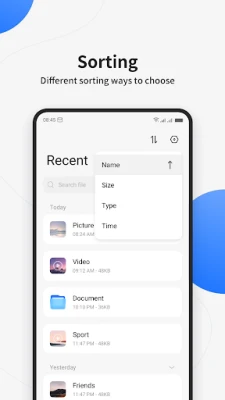
Effortless File Organization by Category
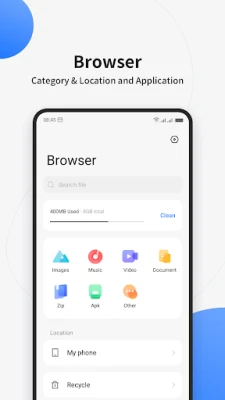
One of the standout features of an effective file management tool is its ability to sort files by category. Users can easily navigate through their collections by organizing files into specific groups such as:
- Music: Quickly access your favorite tracks and playlists.
- Video: Find and manage your video files with ease.
- Images: Organize photos and graphics for quick retrieval.
- Documents: Keep important files and PDFs at your fingertips.
- ZIP Files: Manage compressed files efficiently.
- APK Files: Handle application packages for Android devices.
- Others: Categorize miscellaneous files for better organization.
This categorization not only simplifies file retrieval but also enhances overall productivity, allowing users to focus on what matters most.
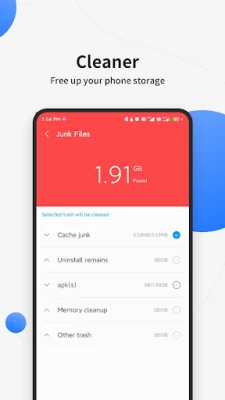
One-Click Cleanup for Enhanced Performance
Over time, devices can become cluttered with unnecessary files, leading to decreased performance and storage issues. A premium file management application offers a one-click cleanup feature that allows users to:
- Free Up Space: Instantly remove junk files and temporary data.
- Optimize Performance: Improve device speed and responsiveness.
- Enhance Battery Life: Reduce background processes that drain battery.
With just a single tap, users can reclaim valuable storage space, ensuring their devices run smoothly and efficiently.
Global Search: Find Files Instantly
Searching for specific files can often be a time-consuming task. However, a robust file management tool features a global search function that allows users to:
- Quickly Locate Files: Use keywords to find documents, images, and more.
- Save Time: Eliminate the hassle of manual searching through folders.
- Access Files Anywhere: Retrieve files from any category with ease.
This powerful search capability ensures that users can find what they need without unnecessary delays, enhancing their overall experience.
Multiple Selection for Efficient File Management
Managing files individually can be tedious, especially when dealing with large volumes. A high-quality file management application supports multiple selection operations, enabling users to:
- Batch Process Files: Perform actions on multiple files simultaneously.
- Delete or Move Files: Easily organize or remove unwanted files in bulk.
- Share Files: Quickly send multiple files to friends or colleagues.
This feature not only saves time but also enhances productivity, allowing users to manage their files more effectively.
Conclusion: Elevate Your File Management Experience
In conclusion, an advanced file management application is essential for anyone looking to optimize their device's performance and streamline their digital life. With features like category sorting, one-click cleanup, global search, and multiple selection capabilities, users can enjoy a seamless experience that enhances productivity and efficiency. Invest in a reliable file management tool today and take control of your digital assets like never before.
Rate the App
User Reviews















Popular Apps










Editor's Choice









