

Latest Version
1.5.1
August 28, 2024
InShot Inc.
Tools
Android
0
Free
files.fileexplorer.filemanager
Report a Problem
More About File Manager
Ultimate File Management Solution: File Manager - XFolder
In today's digital age, managing files efficiently is crucial for both personal and professional use. With the File Manager - XFolder, you can streamline your file management tasks, making it easier than ever to organize, access, and secure your files. This comprehensive tool offers a plethora of features designed to enhance your file management experience.
All-in-One File Management
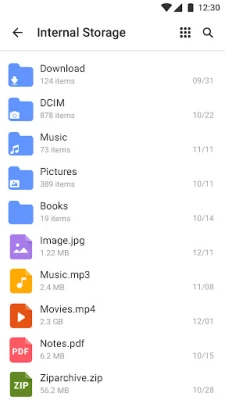
File Manager - XFolder allows you to browse, create, multi-select, rename, compress, decompress, copy, paste, and move files and folders with ease. Whether you are dealing with documents, images, or videos, this tool provides a user-friendly interface that simplifies the entire process. Additionally, you can lock your files in a private folder to ensure their safety and confidentiality.
Quick and Efficient File Search
Finding files can often be a time-consuming task. With File Manager - XFolder, you can search and locate your files quickly with just a few taps. No more wasting precious time sifting through countless folders to find that important document, video, or meme you downloaded. This feature is designed to enhance your productivity and make file retrieval a breeze.
Centralized Cloud Storage Management
Managing multiple cloud storage services can be overwhelming. File Manager - XFolder seamlessly integrates with popular platforms like Google Drive, OneDrive, and Dropbox. This allows you to access, organize, and sync your files effortlessly across various platforms, all from within the app. Enjoy the convenience of managing your cloud files directly, without the need to switch between different applications.
Key Features of File Manager - XFolder
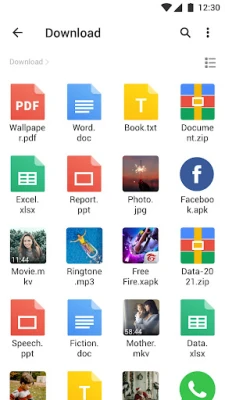
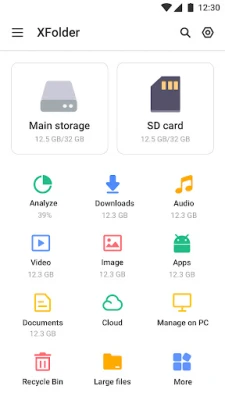
- Support for All File Formats: Handle new files, downloads, documents, videos, audios, images, apps, and archives with ease.
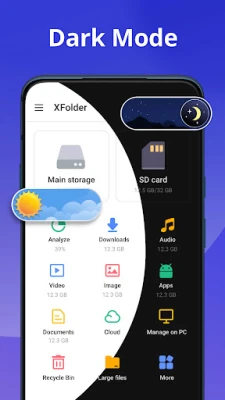
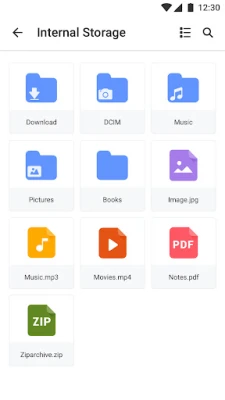
- Storage Access: Quickly check both internal and external storage, including SD cards and USB OTG.
- FTP Access: Use File Transfer Protocol to access your Android device storage from your PC.
- Efficient RAR Extractor: Compress and decompress ZIP/RAR archives effortlessly.
- Recycle Bin: Restore deleted files with a simple click.
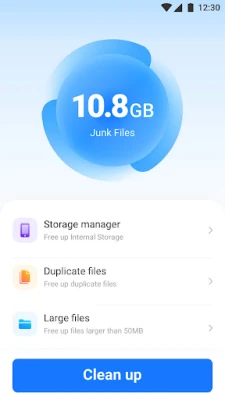
- Large File Management: Browse and delete unused large files to free up space.
- Duplicate File Removal: Scan and delete duplicate items to optimize storage.
- App Management: Check and remove unused apps to enhance device performance.
- Built-in Tools: Enjoy a music player, image viewer, video player, and file extractor for a better experience.
- Hidden Files Option: Easily show hidden files for comprehensive management.
Full-Featured File Manager Tool
Are you struggling to manage a plethora of files on your mobile device? Look no further than File Manager - XFolder. This powerful file explorer tool allows you to find and manage all your files, apps, documents, videos, and photos downloaded on your local device. With its advanced search capabilities, you can quickly identify and remove unused items, ensuring your device remains organized and efficient.
User-Friendly Interface
File Manager - XFolder is designed with user experience in mind. It combines all the essential features you would expect from a file explorer with some outstanding extras, all within a beautifully designed and easy-to-use interface. This handy tool helps you find and manage what you’re looking for quickly and efficiently.
Important Permissions
To fully experience all the features of File Manager - XFolder, certain permissions are required, specifically android.permission.WRITE_EXTERNAL_STORAGE. Rest assured, these permissions are solely for file management purposes. This file manager and explorer tool is committed to ensuring user safety and privacy.
Feedback and Support
Thank you for choosing File Manager - XFolder. Your feedback is invaluable to us. If you have any suggestions or need assistance, please feel free to reach out at filemanager.feedback@gmail.com.
In conclusion, File Manager - XFolder is your ultimate solution for efficient file management. With its robust features and user-friendly design, managing your files has never been easier. Download it today and take control of your digital life!
Rate the App
User Reviews















Popular Apps










Editor's Choice









