



Latest Version
December 10, 2025
YColorTeam
Tools
Android
0
Free
com.ycolor.phone.cleaner.manager.optimize.app
Report a Problem
More About File Cleaner-Phone Manager
Optimize Your Device with File Cleaner: The Ultimate Phone Management App
In today's digital age, maintaining your smartphone's performance is crucial. With the increasing amount of data we store, it's easy for devices to become cluttered. Enter File Cleaner, an all-in-one app designed to enhance your Android experience by efficiently managing storage and optimizing performance. This article delves into the key features of File Cleaner, including its junk cleaning capabilities, application management, and file organization tools.
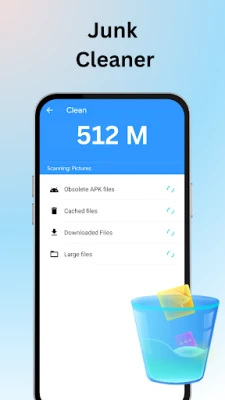
Effortless Junk File Cleaning
One of the standout features of File Cleaner is its Junk File Cleaner. This advanced tool scans your device to identify and eliminate unnecessary files, including:
- Junk files
- Residual files from uninstalled apps
- Obsolete APKs
- Large files that consume valuable storage
By utilizing this junk cleaner, users can reclaim significant storage space, ensuring their devices run smoothly and efficiently. The app's intuitive interface makes it easy to navigate and clear unwanted files with just a few taps.
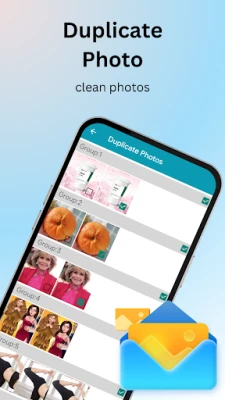
Delete Duplicate Images and Free Up Space
Another remarkable feature of File Cleaner is its ability to identify and delete duplicate images. This function is essential for users who frequently take photos and may unknowingly save multiple copies. The app:
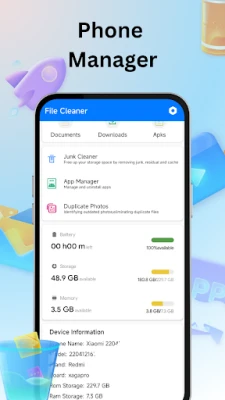
- Monitors available storage on your device
- Quickly assesses remaining space
- Identifies duplicate photos for easy deletion
By removing these duplicates, users can optimize their device's storage, making room for new memories and important files. Download the app today for a seamless experience in managing your device's storage.
Comprehensive Application Management
Managing applications on your device has never been easier. The Application Manager feature of File Cleaner scans and lists all installed applications, allowing users to:
- Efficiently manage apps
- Identify large applications that may be taking up unnecessary space
- View the storage each app occupies
This functionality empowers users to make informed decisions about which apps to keep and which to remove, ultimately enhancing device performance.
Streamlined File Management
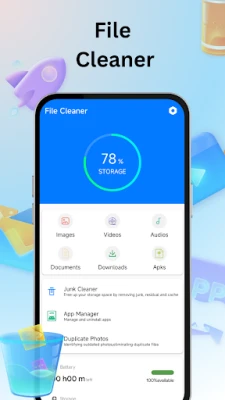
Searching for specific files on your device can be time-consuming. With the File Manager feature of File Cleaner, users can:
- Easily locate photos, videos, and documents
- Delete selected files with a single click
This streamlined approach saves time and enhances productivity, allowing users to focus on what matters most.
Enhance Device Performance with File Cleaner
File Cleaner is not just a cleaning tool; it is a comprehensive solution for maintaining your device's performance. By regularly using this app, users can ensure their smartphones remain fast and responsive. If you have any questions or concerns, feel free to reach out via email at yjuan9865@gmail.com. For more information, visit our Privacy Policy.
Permissions Required for Optimal Functionality
To provide its full range of features, File Cleaner requires certain permissions:
- android.permission.READ_MEDIA_IMAGES - Allows the app to scan images on devices running Android 13 and above.
- android.permission.READ_MEDIA_VIDEO - Enables scanning of videos on devices running Android 13 and above.
- android.permission.READ_MEDIA_AUDIO - Permits scanning of audio files on devices running Android 13 and above.
- Storage Permission - Necessary for the junk cleaner to scan large files, downloaded files, and APKs within phone storage.
Conclusion
In conclusion, File Cleaner is an essential app for anyone looking to optimize their Android device. With its powerful junk cleaning capabilities, efficient application management, and user-friendly file organization tools, it stands out as a top choice for smartphone users. Don't let clutter slow you down—download File Cleaner today and experience the difference!
Rate the App
User Reviews















Popular Apps










Editor's Choice









