




Latest Version
1.0.4
December 19, 2025
HEAVENDAYS sarl
Tools
Android
0
Free
com.security.fileguard
Report a Problem
More About File Cleaner
Ultimate Guide to Efficient Junk Cleaning and File Management
In today's digital age, maintaining a clutter-free device is essential for optimal performance. Whether you're using a smartphone or a computer, junk files can accumulate quickly, consuming valuable storage space and slowing down your system. This comprehensive guide will explore effective strategies for junk cleaning, app management, file organization, and more, ensuring your device runs smoothly and efficiently.
Streamline Your Storage with a Junk Cleaner
A junk cleaner is an indispensable tool for anyone looking to enhance their device's performance. By quickly scanning and removing app caches, log files, temporary files, and other unnecessary data, a junk cleaner can free up significant storage space. Regularly using a junk cleaner not only optimizes your device's speed but also prolongs its lifespan.
Benefits of Using a Junk Cleaner
- Improved Performance: By eliminating clutter, your device can operate more efficiently.
- Increased Storage Space: Freeing up space allows you to store more important files and applications.
- Enhanced Security: Removing unnecessary files can help protect your personal information from potential threats.
Master Your Applications with an App Manager
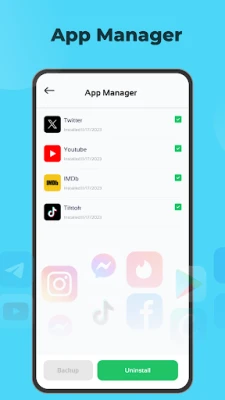
Managing installed applications is crucial for maintaining a well-organized device. An app manager allows you to effectively oversee your apps, ensuring that you only keep the ones you use regularly. This not only helps in decluttering your device but also enhances its performance.
Key Features of an App Manager
- Uninstall Unused Apps: Easily remove applications that you no longer need.
- Update Management: Keep your apps up to date to benefit from the latest features and security patches.
- App Backup: Safeguard your important applications and their data for future use.
Effortless File Management with a File Manager
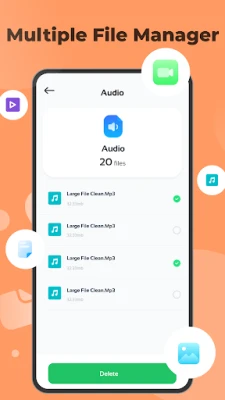
A file manager is essential for anyone looking to access and organize their files efficiently. With a user-friendly interface, you can easily navigate through your images, videos, audios, and documents directly from the home screen.
Advantages of Using a File Manager
- Quick Access: Instantly find and open your files without hassle.
- Organizational Tools: Create folders and categorize your files for better organization.
- File Sharing: Easily share files with friends and family through various platforms.
Keep Your Device Clutter-Free with a Duplicate File Cleaner
Duplicate files can take up unnecessary space on your device, leading to clutter and confusion. A duplicate file cleaner helps detect and remove duplicate images, files, and other content, ensuring that your storage remains optimized.
How a Duplicate File Cleaner Works
- Scanning: The cleaner scans your device for duplicate files.
- Identification: It identifies duplicates based on file name, size, and content.
- Removal: You can choose to delete duplicates, keeping only the original files.
Optimize Storage with a Screenshot Cleaner
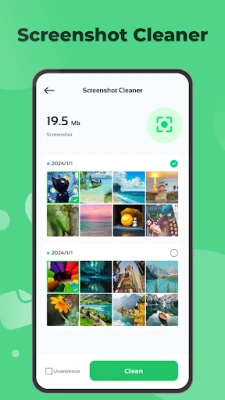
Screenshots can accumulate quickly, often taking up more space than you realize. A screen cleaner scans and cleans unnecessary screenshots, helping you maintain a tidy storage environment.
Benefits of Using a Screenshot Cleaner
- Space Management: Regularly cleaning screenshots prevents them from consuming valuable storage.
- Easy Removal: Quickly delete excess screenshots with just a few taps.
- Organized Gallery: Keep your photo gallery neat and easy to navigate.
Conclusion: Achieve a Clutter-Free Device
Maintaining a clean and organized device is crucial for optimal performance and user experience. By utilizing tools such as a junk cleaner, app manager, file manager, duplicate file cleaner, and screenshot cleaner, you can effectively manage your storage and keep your device running smoothly. Regular maintenance not only enhances performance but also ensures that you have ample space for the files and applications that matter most to you. Start implementing these strategies today and enjoy a clutter-free digital life!
Rate the App
User Reviews















Popular Apps










Editor's Choice









