

Latest Version
3.29.0
May 20, 2026
Fidelity International Ltd
Finance
Android
0
Free
fil.uk.planviewer
Report a Problem
More About Fidelity PlanViewer
Maximize Your Retirement Savings with the PlanViewer App
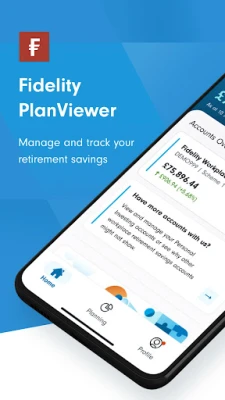
In today's fast-paced world, managing your retirement savings effectively is crucial. The PlanViewer app offers a comprehensive solution to help you take control of your financial future. With a user-friendly interface and a suite of powerful features, this app is designed to empower you in your retirement planning journey.
Key Features of the PlanViewer App
The PlanViewer app provides a variety of tools to help you manage and track your retirement savings efficiently. Here’s what you can do:
- Manage and Track Your Retirement Savings: Keep a close eye on your savings and ensure you are on track to meet your retirement goals.
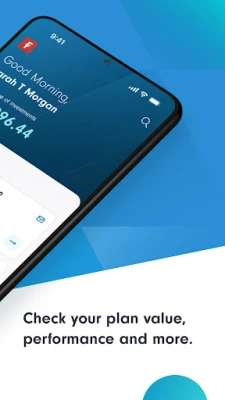
- Check Your Plan Value and Performance: Gain insights into your plan's current value and performance metrics to make informed decisions.
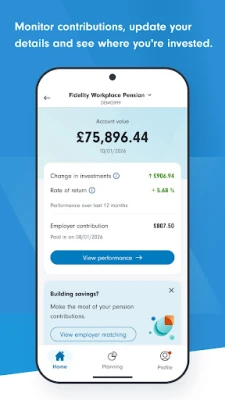
- Monitor Contributions and Update Your Details: Easily track your contributions, update personal information, and manage your investment allocations.
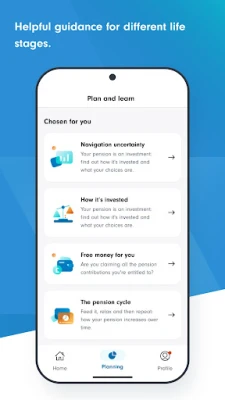
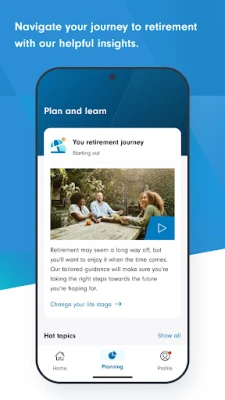
- Explore a Range of Tools and Guidance: Access various resources designed to enhance your understanding of retirement planning.
- Stay Informed with Latest News and Insights: Receive updates and expert insights from Fidelity’s industry professionals to stay ahead in your financial planning.
Is the PlanViewer App Right for You?
The PlanViewer app is specifically tailored for members of workplace plans administered by Fidelity International. If you are a member, you can easily log in using your existing Fidelity PlanViewer credentials. Alternatively, if you are new to the app, you can register using your Fidelity Reference number either through the app or online at planviewer.fidelity.co.uk.
Benefits of Using the PlanViewer App
Utilizing the PlanViewer app comes with numerous advantages that can significantly enhance your retirement planning experience:
- Convenience: Access your retirement information anytime, anywhere, directly from your mobile device.
- User-Friendly Interface: Navigate through the app with ease, making it simple to find the information you need.
- Real-Time Updates: Stay updated with real-time data on your retirement savings and market performance.
- Personalized Insights: Receive tailored recommendations based on your financial situation and goals.
How to Get Started with the PlanViewer App
Getting started with the PlanViewer app is a straightforward process:
- Download the App: Available on both iOS and Android platforms, download the PlanViewer app from your device's app store.
- Log In or Register: Use your existing login details or register with your Fidelity Reference number.
- Explore the Features: Familiarize yourself with the app's features and start managing your retirement savings effectively.
Conclusion
The PlanViewer app is an essential tool for anyone looking to take charge of their retirement savings. With its robust features and user-friendly design, it simplifies the management of your financial future. Whether you are checking your plan's performance, monitoring contributions, or accessing expert insights, the PlanViewer app equips you with everything you need to make informed decisions. Don’t wait—download the app today and start your journey towards a secure retirement!
Rate the App
User Reviews















Popular Apps










Editor's Choice









