


Latest Version
1.9.8
April 21, 2026
MWX Apps
Tools
Android
0
Free
com.fastris.reverseimagesearch
Report a Problem
More About FastRIS: Reverse Image Search
Unlock the Power of Reverse Image Search with FastRIS Application
In today's digital age, finding the source of an image or discovering similar visuals online has never been easier, thanks to innovative tools like the FastRIS Application. This powerful reverse image search engine allows users to search for pictures on the internet using images instead of traditional keywords. Whether you're looking to verify an image, find its origin, or explore similar media, FastRIS is your go-to solution.
What is FastRIS Application?
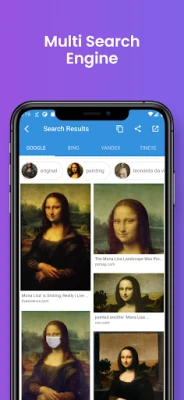
The FastRIS Application revolutionizes the way we search for images online. By utilizing advanced reverse image search technology, it enables users to upload images, screenshots, or photos directly from their device. This application supports all major reverse image search engines, including Google, Bing, Yandex, and TinEye, ensuring comprehensive results.
Use Cases for FastRIS
FastRIS is versatile and can be used in various scenarios, including:
- Identifying People: Have a picture of a celebrity, politician, or car but can't remember their name? FastRIS can help you find the information you need.
- Social Media Profiles: Search for someone's social media profile using their image, making it easier to connect with them online.
- High-Resolution Images: Looking for a higher resolution version of a picture? FastRIS can locate better quality images for you.
- Travel Photos: Discover location-specific photos while traveling, enhancing your travel experience.
- Product Searches: Find similar products online, making shopping more efficient.
- Image Sources: Trace the origin of popular photographs, memes, logos, and characters.
Key Features of FastRIS
FastRIS is packed with features designed to enhance your image searching experience:
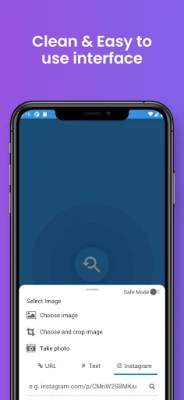
- Image Selection: Choose an image from your gallery or capture a new one using your phone's camera.
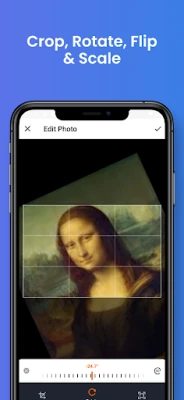
- Image Editing: Rotate, flip horizontally or vertically, and crop parts of the image before searching.
- Comprehensive Results: Fetch results from leading image search engines like Google, Bing, Yandex, and TinEye.
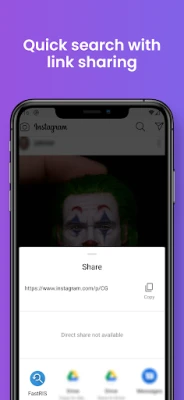
- Share Results: Easily share screenshots of your search results with friends or on social media.
How to Use the FastRIS Application
Getting started with FastRIS is simple and user-friendly. Follow these steps:
- Download and Install: First, download the FastRIS application from your device's app store and install it.
- Select an Image: Open the app and choose the image you want to search for. Ensure you have an active internet connection.
- Get Results: Within seconds, FastRIS will provide you with relevant information and similar images.
Contact Us for Support
If you have design ideas, feature requests, or encounter any bugs, feel free to reach out via email at web-developer@outlook.com. Your feedback is invaluable in helping us improve the FastRIS experience.
Show Your Support!
If you love our app, please support us by rating it ⭐️⭐️⭐️⭐️⭐️. Your positive feedback motivates us to continue enhancing FastRIS and providing you with the best reverse image search experience.
Thank you for choosing FastRIS! Start exploring the world of images like never before.
Rate the App
User Reviews















Popular Apps










Editor's Choice









