

Latest Version
1.0.47
March 20, 2026
GameAndro
Entertainment
Android
0
Free
com.fakecallgame
Report a Problem
More About Fake Call - Prank
Mastering the Art of Fake Call Pranks: A Comprehensive Guide
In the world of light-hearted humor and playful tricks, fake call pranks stand out as a favorite. They offer a unique way to surprise friends and family, creating memorable moments filled with laughter. This guide will walk you through the steps to effectively use a fake call prank app, along with its exciting features that enhance your prank experience.
Getting Started with Fake Call Pranks
Using a fake call prank app is simple and straightforward. Follow these easy steps to initiate your prank:
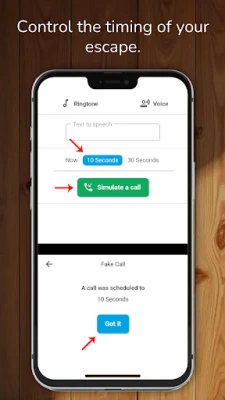
- Tap "Simulate a Call": Begin your prank by selecting the "Simulate a Call" option. This action sets the stage for your upcoming surprise.
- Choose Your Timing: Decide when you want the prank call to occur. You have several options:
- Now: For an immediate call that catches your target off guard.
- 10 Seconds: A brief delay that builds anticipation.
- 30 Seconds: A longer wait that allows for a more natural setup.
- Initiate the Call: After selecting your preferred timing, tap "Simulate a Call" again to kick off the prank.
Exciting Features of the Fake Call Prank App
The true magic of a fake call prank lies in its customizable features. Here’s what you can do to make your prank even more entertaining:
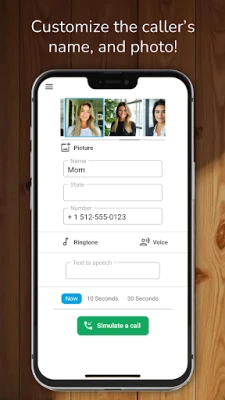
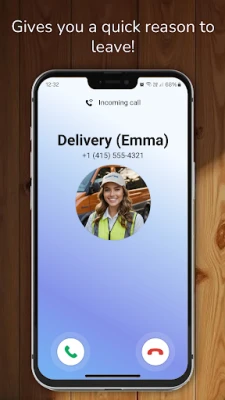
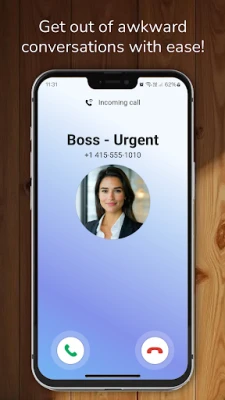
- Set the Caller’s Name: Personalize the experience by choosing a name that will surprise your friend.
- Choose the Caller’s Number: Use a familiar number or create a fictional one to add authenticity to the prank.
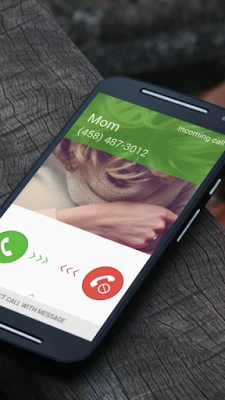
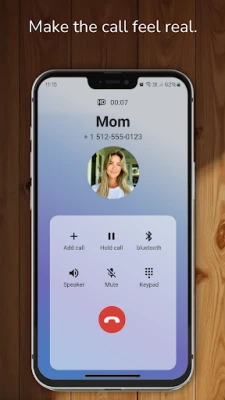
- Select a Caller’s Picture: Enhance the realism by adding a photo of the caller, making it look like a genuine incoming call.
- Pick a Character: Whether it’s a police officer or a pizza delivery person, selecting a character adds a fun twist to your prank.
- Customize the Ringtone: Choose a specific ringtone or stick with the default option to suit the mood of your prank.
- Set a Voice for the Caller: Opt for a pre-recorded voice or create your own to make the call more believable.
- Record Your Own Voice: Add a personal touch by recording your voice and integrating it into the call from your media gallery.
Important Considerations
While fake call pranks can be a source of joy and laughter, it’s essential to use them responsibly. Here are a few points to keep in mind:
- Respect Boundaries: Ensure that your prank is light-hearted and won’t offend or upset the recipient.
- Be Mindful of Timing: Choose appropriate moments for your prank to avoid causing unnecessary stress or confusion.
- Understand the Limitations: Remember that the fake call app simulates calls for entertainment purposes only and does not facilitate real incoming calls.
Conclusion: Elevate Your Prank Game
Fake call pranks are a fantastic way to inject humor into your interactions with friends and family. By following the steps outlined in this guide and utilizing the app’s features, you can create unforgettable moments filled with laughter. Just remember to keep it fun and respectful, ensuring that everyone enjoys the prank as much as you do!
Now that you’re equipped with the knowledge to execute the perfect fake call prank, it’s time to unleash your creativity and have some fun!
Rate the App
User Reviews















Popular Apps










Editor's Choice









