

Latest Version
1.3.9
January 26, 2026
CoolKit Technology
Tools
Android
0
Free
com.coolkit.ewelinkcamera
Report a Problem
More About eWeLink Camera - Home Security
Unlocking the Power of Home Security: A Comprehensive Guide to eWeLink Camera Setup
In today's fast-paced world, ensuring the safety of your home and loved ones is paramount. With the eWeLink camera, you can achieve peace of mind through advanced features and easy setup. This article will delve into the key features of the eWeLink camera and provide a step-by-step guide to get you started.
Key Features of the eWeLink Camera
1. Effortless Setup: No Mount Required
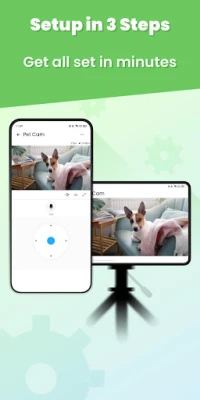
Setting up the eWeLink camera is a breeze. You can complete the installation in just three simple steps. Follow the intuitive step-by-step instructions, and you’ll be ready to monitor your space in minutes. No complicated mounts or tools are necessary, making it accessible for everyone.
2. 24/7 Live Streaming: Stay Connected Anytime, Anywhere
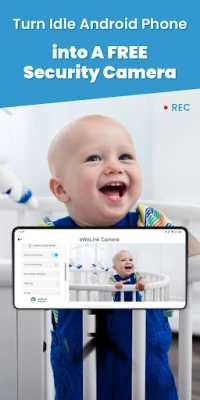
Once your camera is set up, it streams everything that matters to you in real-time. Whether you’re at work, on vacation, or simply out for a stroll, you can access live streaming from your smartphone. Enjoy the freedom of knowing you can check in on your home whenever you need to, without any worries.
3. Enhanced Security with Motion Detection
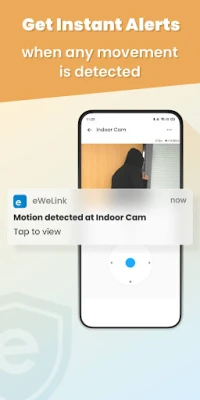
Your security is our priority. The eWeLink camera features advanced motion detection capabilities. When any movement is detected, you’ll receive instant notifications, allowing you to respond quickly. Additionally, recorded clips can be saved directly to your phone’s albums, enabling you to review any captured moments at your convenience.
4. Multi-Access Live Feed: Flexibility at Your Fingertips
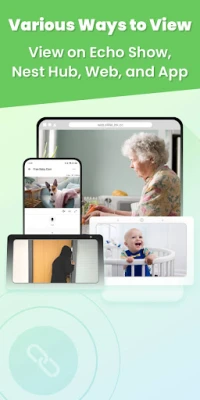
While viewing the live feed on your linked phone is standard, eWeLink takes it a step further. You can access the live feed through multiple platforms, including Echo Show, Google Nest Hub, and the eWeLink Web interface. Choose the method that suits you best for a seamless viewing experience.
5. Remote Interactions: Stay Engaged with Loved Ones
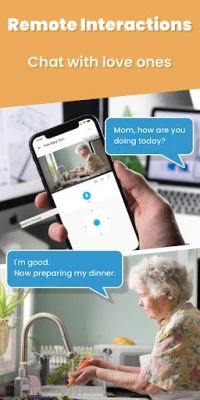
The eWeLink camera features a two-way talk function, allowing you to communicate effortlessly with family members. Whether you want to check on your baby while multitasking or address unexpected visitors, you can do so faster than making a phone call. This feature enhances your ability to stay connected, no matter where you are.
6. Device Status Check: Exclusive for eWeLink Users
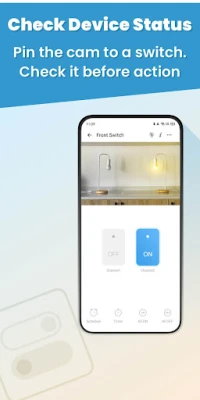
For eWeLink users, checking the status of your camera is a unique feature. You can pin the camera to eWeLink-supported switches, allowing you to monitor its status before taking any action. This ensures that you are always informed and ready to respond to any situation.
Step-by-Step Setup Guide for eWeLink Camera
Step 1: Prepare Your Devices
Begin by preparing two smartphones. Download and install the eWeLink Camera App on the Android phone that will serve as the camera. On the second phone, download and install the eWeLink App, which will be used for viewing.
Step 2: Create Your eWeLink Account
If you don’t already have an eWeLink account, now is the time to create one. This account will allow you to manage your camera settings and access live feeds seamlessly.
Step 3: Log In to Your Account
Log in to both devices using the same eWeLink account. This synchronization is crucial for ensuring that you can access the live feed and all features from either device.
Conclusion: Elevate Your Home Security with eWeLink
The eWeLink camera offers a robust solution for home security, combining ease of use with advanced features. From effortless setup to real-time monitoring and remote interactions, it empowers you to keep an eye on what matters most. By following the simple setup guide, you can enhance your home security in no time. Embrace the peace of mind that comes with knowing your home is protected, no matter where life takes you.
Rate the App
User Reviews















Popular Apps










Editor's Choice









