


Latest Version
4.1.0
September 09, 2025
Gorilla Software LLP
Tools
Android
0
Free
com.gorillasoftware.everyproxybridge
Report a Problem
More About Every Proxy Network Bridge
Unlocking Seamless VPN Connections with Every Proxy Network Bridge
In today's digital landscape, ensuring secure and efficient VPN connections is paramount. The Every Proxy Network Bridge serves as a vital tool, enabling users to share VPN connections from Per-app VPN clients effortlessly. This article delves into the functionalities of the Every Proxy Network Bridge, its user interface, and how to maximize its potential.
What is Every Proxy Network Bridge?
The Every Proxy Network Bridge is an innovative solution designed to facilitate the sharing of VPN connections. By acting as a conduit, it allows multiple applications to utilize a single VPN connection, enhancing both security and performance. This feature is particularly beneficial for users who rely on various applications that require secure internet access.
How Does the Every Proxy Network Bridge Work?
At its core, the Every Proxy Network Bridge operates by routing traffic from Per-app VPN clients through a centralized proxy server. This process not only simplifies the management of VPN connections but also optimizes the overall user experience. By leveraging this technology, users can enjoy seamless connectivity without compromising on security.
User Interface: Navigating Every Proxy
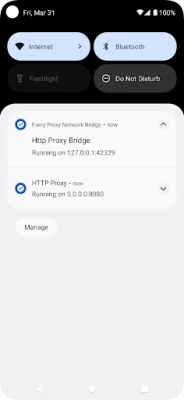
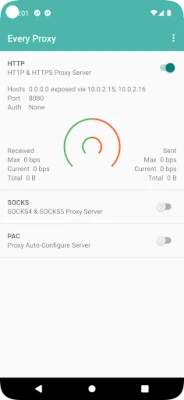
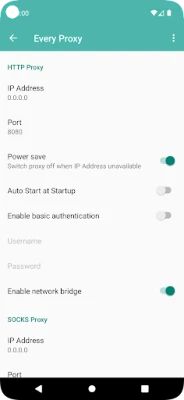
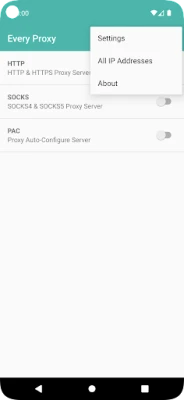
The user interface of the Every Proxy application is designed with simplicity and efficiency in mind. Users can easily navigate through the application to configure settings, manage connections, and monitor performance. The intuitive layout ensures that even those with minimal technical expertise can utilize the application effectively.
Getting Started with Every Proxy Network Bridge
To begin using the Every Proxy Network Bridge, follow these simple steps:
- Download the Application: Visit the official Every Proxy website to download the application.
- Install the Application: Follow the installation prompts to set up the application on your device.
- Configure Your VPN: Access the settings to configure your VPN connection according to your preferences.
- Start Sharing: Once configured, you can start sharing your VPN connection with various applications.
Accessing Tutorials and Support
For users seeking guidance on utilizing the Every Proxy Network Bridge, comprehensive tutorials are available. Visit this link for detailed instructions and tips on maximizing the application's capabilities.
If you encounter any issues or have questions, the Every Proxy community is here to help. Join the discussion on the Every Proxy support forum to connect with other users and find solutions to common problems.
Participate in Beta Testing
For those interested in exploring the latest features and improvements, consider opting into the beta testing program. This initiative allows users to test new functionalities before they are officially released. To join, simply visit this link and follow the instructions provided.
Conclusion: Enhance Your VPN Experience with Every Proxy
The Every Proxy Network Bridge is a powerful tool that enhances the way users connect to VPNs. By allowing multiple applications to share a single VPN connection, it streamlines the process and improves overall security. With its user-friendly interface and robust support resources, Every Proxy stands out as a top choice for individuals seeking reliable VPN solutions.
Explore the potential of the Every Proxy Network Bridge today and take your VPN experience to the next level!
Rate the App
User Reviews















Popular Apps










Editor's Choice









