
Latest Version
5.2.2
April 09, 2026
Seiko Epson Corporation
Tools
Android
0
Free
com.epson.epsonsmart
Report a Problem
More About Epson Smart Panel
Unlock the Power of Your Epson Devices with the Smart Panel App
In today's fast-paced digital world, managing your printing and scanning tasks efficiently is essential. The Epson Smart Panel App serves as a high-performance mobile command center, allowing you to control your Epson wireless printer or scanner effortlessly from your smartphone or tablet. This innovative tool simplifies the setup, monitoring, and operation of your Epson products, making it an indispensable asset for both home and office use.
Seamless Wi-Fi Setup for Your Epson Products
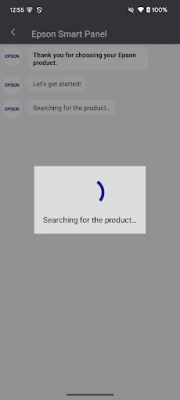
Setting up your Epson device on Wi-Fi has never been easier. The Smart Panel App guides you through a straightforward process, ensuring that your printer or scanner is connected to your network in no time. With just a few taps on your mobile device, you can establish a reliable connection, allowing you to print or scan from anywhere within your Wi-Fi range.
Innovative Action Tiles for Quick Access
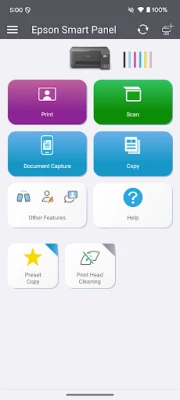
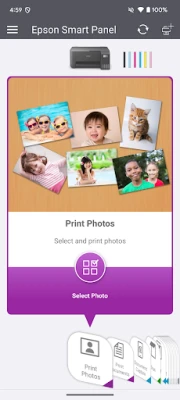
The Smart Panel App features innovative action tiles that streamline your experience. These customizable tiles provide quick access to essential functions, such as printing, scanning, and checking ink levels. Whether you need to print a document or scan a photo, the app's intuitive design ensures that you can complete tasks swiftly and efficiently.
Personalized Experience with Auto Configuration
One of the standout features of the Epson Smart Panel App is its ability to auto-configure and customize the user experience based on your specific device. This means that the app tailors its functions to suit your printer or scanner, providing a seamless and user-friendly interface. You can enjoy a personalized experience that enhances your productivity and simplifies your workflow.
Comprehensive Support at Your Fingertips
Need assistance with your Epson device? The Smart Panel App offers a centralized hub for all your support needs. You can easily register your product, order supplies, or find help—all in one convenient location. This feature ensures that you have access to the resources you need to keep your Epson devices running smoothly.
Unified Interface for Printers and Scanners
The Smart Panel App provides a unified interface for managing both your Epson printers and scanners. This means you can control multiple devices from a single app, eliminating the need to switch between different applications. The auto-configuration feature further enhances this experience, ensuring that the app adapts to the specific functions of each device.
Download the Epson Smart Panel App Today
To take full advantage of these features, simply download the Epson Smart Panel App on your compatible smart device. Please note that data usage fees may apply, so be sure to check with your service provider. For more information and support, visit www.epson.com.
Conclusion
The Epson Smart Panel App revolutionizes the way you interact with your Epson printers and scanners. With its easy setup, innovative features, and comprehensive support, it empowers you to manage your printing and scanning tasks with confidence. Don't miss out on the opportunity to enhance your productivity—download the Epson Smart Panel App today and experience the convenience it offers.
Rate the App
User Reviews















Popular Apps










Editor's Choice









