




Latest Version
7.13.2
January 05, 2026
Seiko Epson Corporation
Tools
Android
0
Free
epson.print
Report a Problem
More About Epson iPrint
Epson iPrint: The Ultimate Solution for Effortless Printing
Epson iPrint revolutionizes the way you print, making it incredibly easy and convenient, whether your printer is just a room away or located halfway across the globe. This powerful app offers a plethora of features designed to enhance your printing experience, ensuring that you can print, scan, and share documents seamlessly from your mobile device.
Key Features of Epson iPrint
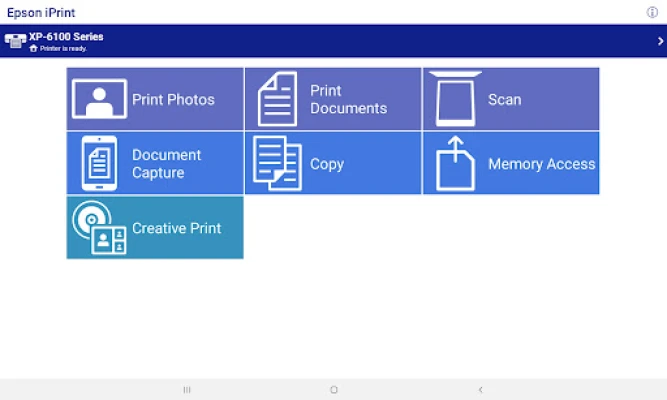
- Print, Scan, and Share: Effortlessly print, scan, and share documents directly from your Android phone or tablet.
- Remote Printing: Utilize the remote print functionality to send documents to email-enabled Epson printers from anywhere in the world.
- Versatile File Support: Print a variety of file types, including photos, PDFs, and Microsoft Office documents (Word, Excel, PowerPoint). Note that Microsoft Office files require access to Google Drive for conversion into printable PDFs.
- Document Capture: Capture documents using your device's camera, enhance them, and save them in a format ready for printing.
- Scanning Capabilities: Scan documents using your Epson all-in-one printer and share them via email or save them directly to your device or online storage.
- Copying Made Easy: Use your mobile device to copy documents and photos with a nearby Epson printer.
- File Transfer: Transfer files between your device and an SD card or USB drive through your Epson printer.
- Printer Management: Check your printer’s status and ink levels directly from the app.
- Network Printing: Print within complex network environments using manual IP printer setup.
- Built-in Help: Access a comprehensive FAQ section for assistance with any issues.
Advanced Features for Enhanced Printing
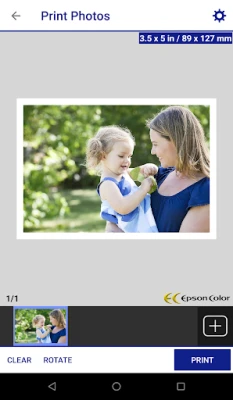
- High-Quality Photo Printing: Enjoy automatic backlight and color cast correction for stunning photo prints.
- Multiple Photo Printing: Select and print multiple photos in one go.
- Email Attachments: Print your email attachments and stored files with ease.
- Customizable Print Options: Configure your print settings, including paper size, type, number of copies, page range, and one- or two-sided printing.
- Borderless Printing: Choose to print with or without borders for a professional finish.
- Color and Monochrome Options: Switch between color and monochrome printing based on your needs.
- Scanning Resolutions: Select from various scanning resolutions and image types to optimize your output.
- Print Quality Optimization: Enhance print quality for all your documents.
- Ink and Supplies Management: Easily purchase ink and supplies for your printer through the app.
- Epson Connect Setup: Register and set up your printer with Epson Connect for seamless operation.
- Remote Printer Management: Manage your remote printers efficiently from your mobile device.
Supported Printers
To find out which printers are compatible with Epson iPrint, visit the following link: Supported Printers.
Important Notes
To utilize iPrint with a Wi-Fi Direct connection, you must enable location services on your device. This allows the app to search for available wireless networks; rest assured, your location data will not be collected.
The Bluetooth® word mark and logos are registered trademarks owned by the Bluetooth SIG, Inc. Seiko Epson Corporation uses these marks under license. For more information regarding the use of this application, please review the license agreement at License Agreement.
We Value Your Feedback
Your feedback is important to us. However, please note that we are unable to respond to individual emails.
In conclusion, Epson iPrint stands out as a comprehensive solution for all your printing needs, combining convenience, versatility, and advanced features to ensure a seamless printing experience. Whether you are at home, in the office, or on the go, Epson iPrint empowers you to manage your printing tasks effortlessly.
Rate the App
User Reviews















Popular Apps










Editor's Choice









