

Latest Version
3.0.62
June 04, 2026
IO Inc.
Tools
Android
0
Free
info.justoneplanet.android.inputmethod.latin
Report a Problem
More About Emoticon Keyboard (with Emoji)
Unlock the Kawaii Experience: The Ultimate Emoticon Keyboard App
In today's digital communication landscape, expressing emotions through text has never been more important. If you're looking to add a touch of cuteness to your messages, look no further than the Emoticon Keyboard. This innovative application allows you to effortlessly incorporate Kawaii (cute) emoticons and emojis into your conversations, making your texts more vibrant and engaging. Let's explore the features and benefits of this fantastic app!
Why Choose the Emoticon Keyboard?
The Emoticon Keyboard stands out for several reasons:
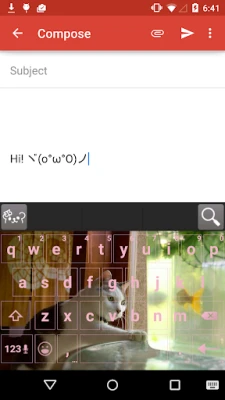
- Customizable Colors and Backgrounds: Personalize your keyboard with a variety of colors and background images to match your style.
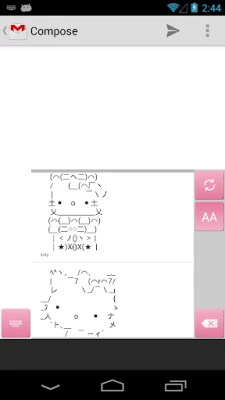
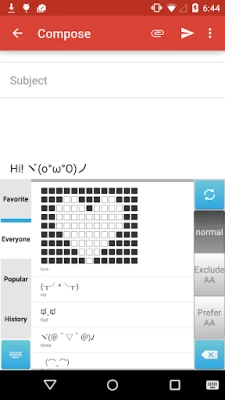
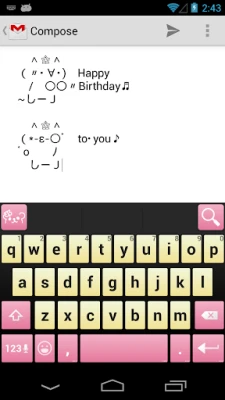
- Over 1 Million Emoticons: With a vast library of emoticons at your fingertips, you'll never run out of ways to express yourself.
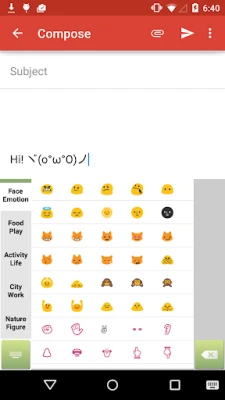
- Comprehensive Emoji Collection: Access all the emojis you need, right from your keyboard, making it easy to enhance your messages.
Getting Started with the Emoticon Keyboard
Using the Emoticon Keyboard is a breeze. Follow these simple steps to get started:
- Install the App: Download the Emoticon Keyboard from your app store.
- Set Up Your Keyboard: Tap the app icon on your home screen and follow the prompts to change your keyboard settings. In just two steps, you’ll be ready to use Kawaii emoticons and emojis!
Searching for Emoticons Made Easy
Finding the perfect emoticon is simple with the Emoticon Keyboard:
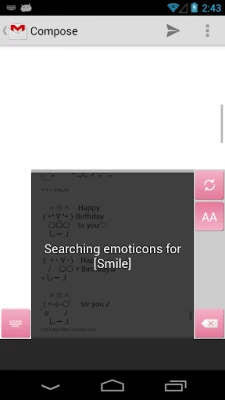
- Type your desired word, such as [s][m][i][l][e].
- Tap the search icon located at the top left corner to discover a variety of smile emoticons.
Importing Your Favorite Emoticons
Want to keep your favorite emoticons handy? Here’s how to import them:
- Navigate to Home > Emoticon Keyboard > Manage Your Favorite Emoticons.
- Tap the menu button (or the icon at the top right) and select Smart Import.
- Choose your preferred import type to add your favorites seamlessly.
Understanding Permissions
To provide a smooth user experience, the Emoticon Keyboard requires certain permissions:
- Read Your Contacts: This feature helps suggest emoticons based on your contacts.
- Read Terms Added to the Dictionary: This allows the app to save frequently used words for quicker access.
- Full Network Access: This enables the app to download new emoticons from the internet.
- View Network Control: This checks the network state to ensure service availability.
- Control Vibration: This feature vibrates your phone when you type, adding a tactile element to your experience.
- Modify or Delete USB Storage Contents: This is used for backing up your favorite emoticons.
Privacy and Data Security
When using the Emoticon Keyboard, you may encounter a prompt regarding data collection. Rest assured, this application does not collect personal data. The warning is a standard precaution applicable to all keyboard applications, ensuring users are aware of potential risks.
Stay Connected
For inquiries or support, feel free to reach out through the following channels:
- Twitter: Follow us on Twitter
- Facebook: Like us on Facebook
- Google+: Join our Google+ community
Conclusion
The Emoticon Keyboard is your go-to solution for adding a Kawaii touch to your digital conversations. With its extensive library of emoticons, customizable features, and user-friendly interface, it’s never been easier to express yourself in a fun and engaging way. Download the app today and transform your texting experience!
Rate the App
User Reviews















Popular Apps










Editor's Choice









