



Latest Version
1.0.3
June 24, 2026
Kaiber
Tools
Android
0
Free
com.kaiberso.easycleaner
Report a Problem
More About EasyCleaner: Phone Cleaner
Optimize Your Device with EasyCleaner: The Ultimate Storage Management Tool
In today's digital age, managing storage efficiently is crucial for maintaining optimal device performance. EasyCleaner emerges as a powerful solution designed to streamline storage management and eliminate unnecessary files effortlessly. With its intuitive interface and robust features, EasyCleaner empowers users to take control of their device's storage, ensuring a smooth and efficient experience.
Comprehensive Storage Scan & File Cleanup
EasyCleaner offers a thorough storage scan that allows you to analyze your device's storage usage in real-time. By identifying large files and unnecessary data, you can reclaim valuable space on your device. The application efficiently locates cache files and residual data that often accumulate over time, making it easy to remove them with just a few clicks. This proactive approach to file management not only helps in organizing your files but also enhances your device's overall performance.
Insightful Device Status Overview
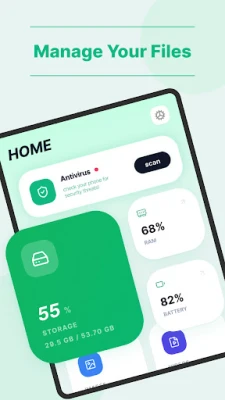
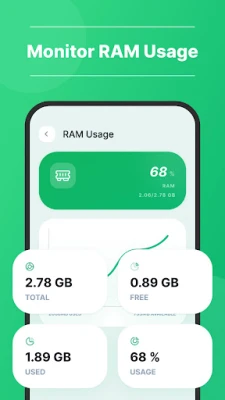
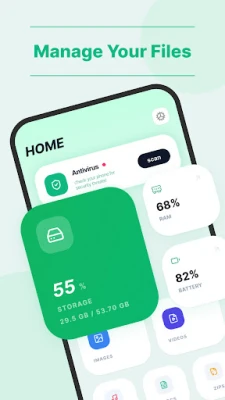
Understanding your device's performance is essential for effective management. EasyCleaner provides a detailed device status overview, offering insights into critical information such as storage usage, memory status, and battery level. This feature enables you to monitor your device's health and make informed decisions about file management and optimization. By keeping track of these metrics, you can ensure that your device operates at its best, avoiding slowdowns and potential issues.
User-Friendly Interface for Effortless Management
One of the standout features of EasyCleaner is its user-friendly interface. Designed with simplicity in mind, the application allows users of all skill levels to navigate its features with ease. Whether you are a tech-savvy individual or a casual user, EasyCleaner makes it simple to manage your device's storage without any hassle. The clear tools and straightforward layout ensure that you can quickly access the functionalities you need to keep your device running smoothly.
Why Choose EasyCleaner?
With numerous storage management tools available, you might wonder what sets EasyCleaner apart. Here are some compelling reasons to consider:
- Efficiency: EasyCleaner performs quick scans, allowing you to identify and remove unnecessary files swiftly.
- Comprehensive Features: From file cleanup to device status monitoring, EasyCleaner covers all aspects of storage management.
- Regular Updates: The application is continuously updated to ensure compatibility with the latest devices and operating systems.
- Privacy Focused: EasyCleaner prioritizes user privacy, ensuring that your data remains secure while using the app.
Conclusion: Keep Your Device in Top Shape with EasyCleaner
In conclusion, EasyCleaner is an essential tool for anyone looking to optimize their device's storage and performance. With its comprehensive scanning capabilities, insightful device status overview, and user-friendly interface, EasyCleaner simplifies the process of managing storage and keeping your device running smoothly. Don't let unnecessary files slow you down—take charge of your device's health with EasyCleaner today!
For more information about EasyCleaner and to explore its features, visit our Privacy Policy.
Rate the App
User Reviews















Popular Apps










Editor's Choice









