
Latest Version
1.0.9
November 26, 2025
CEM SOFTWARE LTD
Education
Android
0
Free
com.paint.sketch.art.learn.draw
Report a Problem
More About Easy Draw: Learn How to Draw
Unleash Your Inner Artist with Easy Draw: Learn How to Draw
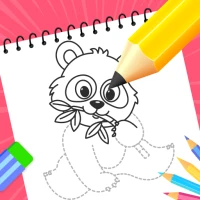
Ignite your creativity and enhance your drawing skills with Easy Draw: Learn How to Draw, your personal art tutor conveniently available in your pocket. Whether you are a beginner or seeking to refine your artistic technique, Easy Draw provides a seamless, guided experience that transforms drawing into an enjoyable and relaxing activity. Dive into a world of sketching and coloring your favorite subjects—all within a beautifully designed app.
Why Choose Easy Draw: Learn How to Draw?
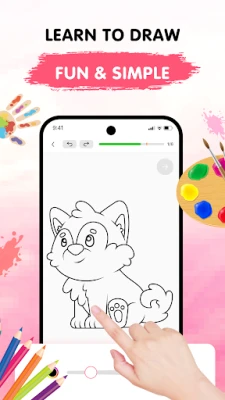
Easy Draw is not just another drawing app; it’s your creative companion. With straightforward instructions and an intuitive interface, anyone can learn to draw step by step. Relax, explore various styles, and witness your artistic skills flourish with every stroke.
Key Features of Easy Draw
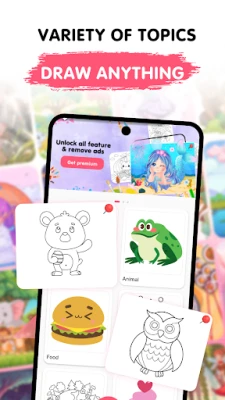
Diverse Range of Topics
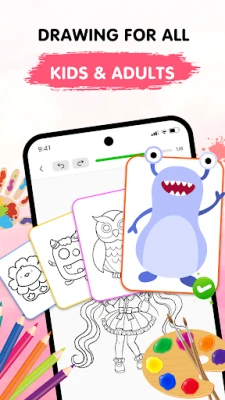
From animals and cartoons to food, the universe, and the environment—Easy Draw boasts a growing library of themes catering to every interest and artistic style.
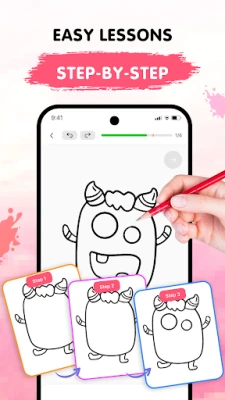
Step-by-Step Guided Drawing
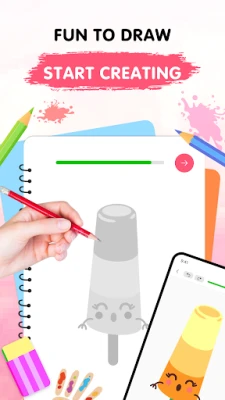
Each tutorial is divided into manageable steps, making it easy to follow and ideal for learners at all levels. There’s no rush—draw at your own pace and enjoy the process.
User-Friendly Drawing Tools
With essential tools like undo, redo, erase, and reset, you can experiment freely without any worries. The app encourages creativity and exploration.
Customizable Brush Settings
Adjust your brush and eraser sizes to achieve the perfect touch. This feature is ideal for adding intricate details or filling in colors with precision.
Vibrant Color Palette
Unleash your creativity with a rich selection of colors. Each drawing becomes uniquely yours through personalized color choices, allowing for endless artistic expression.
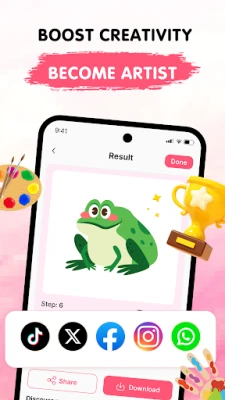
Save and Share Your Creations
Showcase your artwork—export your drawings and share them with friends and family without any limitations. Your creativity deserves to be celebrated!
How to Use Easy Draw
- Select a Lesson: Browse our extensive collection of drawings and choose what inspires you the most.
- Follow Each Step: Tap through each stage and draw with confidence—no guesswork involved, just clear guidance.
- Share Your Art: Once you’ve completed your masterpiece, save it or proudly display it. Your creativity deserves to be seen!
Easy Draw is your ultimate app for learning how to draw in a calm and supportive environment. With structured lessons, vibrant themes, and a toolkit designed for artists of all levels, you’ll find yourself creating art you never thought possible.
Download Easy Draw Today!
Embark on your creative journey, enhance your skills, and express yourself—one line at a time. Download Easy Draw now and bring your drawings to life!
Rest assured, all personal data is protected in accordance with our Terms of Use and Privacy Policy.
Rate the App
User Reviews















Popular Apps










Editor's Choice









