

Latest Version
8.5.5.29
August 24, 2024
SYSTWEAK SOFTWARE
Tools
Android
0
Free
com.duplicatefilefixer
Report a Problem
More About Duplicate Files Fixer -Remover
Understanding the Issues Caused by Duplicate Files on Android Devices
Duplicate files can be a significant nuisance for Android users, leading to various problems that affect device performance and user experience. In this article, we will explore the issues caused by duplicate files and introduce a powerful solution to help you manage and eliminate these unwanted duplicates effectively.
Problems Arising from Duplicate Files
Duplicate files can create a range of complications for your Android device, including:
- Sluggish Performance: The presence of duplicate files can slow down your device, making it less responsive and frustrating to use.
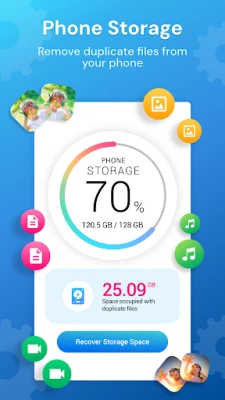
- Storage Limitations: Duplicate files consume valuable storage space, leaving little room for essential applications and files.
- Cluttered File Organization: A multitude of duplicate files can clutter your device, complicating the organization and management of your files.
- Complicated File Searches: Searching for specific files becomes a daunting task when duplicates are present, leading to wasted time and effort.
Key Features of Duplicate Files Fixer
As one of the leading duplicate file finders, Systweak Software’s Duplicate Files Fixer offers a comprehensive suite of features designed to streamline the process of identifying and removing duplicate files on your Android device.
Comprehensive Duplicate Scanning
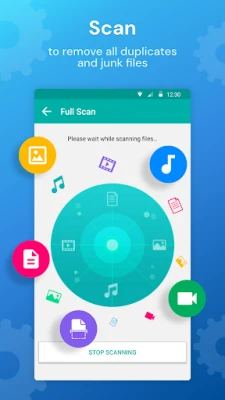
This free duplicate file cleaner conducts a thorough scan of your Android device, identifying all types of duplicate files efficiently.
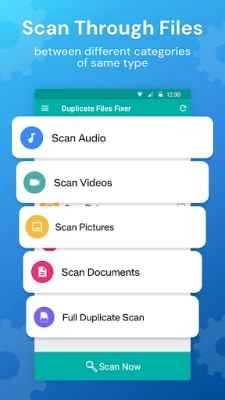
Selective Scanning by File Type
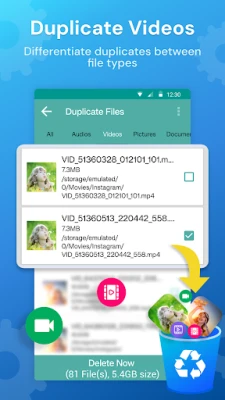
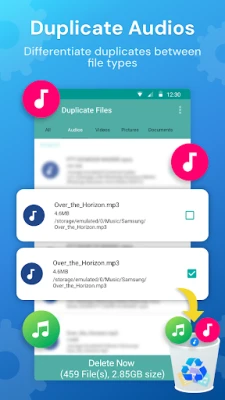
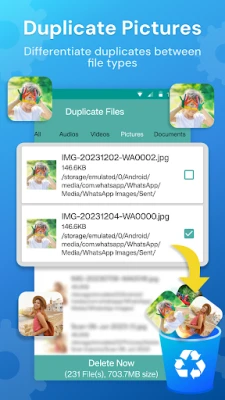
If you prefer to focus on specific file types, Duplicate Files Fixer allows you to scan for duplicates in categories such as documents, music, videos, and images without performing a full device scan.
Customizable Scanning Settings
- Scan Filters: The app provides multiple scan filters, enabling you to select files based on criteria such as name, size, content, and even hidden files and folders.
- Language Options: Users can choose from 16 different languages, making the app accessible to a broader audience.
- Ignore List: You can manually add files to an Ignore List, ensuring that certain files are excluded from the scanning process.
Organized File Grouping
The app presents scan results in organized groups, making it easy to analyze, select, and delete duplicate files efficiently.
Preview Files Before Deletion
Before taking action, users can preview files by tapping on their names in the scan results, allowing for informed decision-making regarding which files to delete.
Storage Recovery Insights
Duplicate Files Fixer provides clear information on the amount of storage space that can be recovered after removing selected files, helping you understand the impact of your actions.
Flexible File Selection Options
The app offers various options for selecting files, including:
- Mark All Except First
- Mark All Except Last
- Unmark All
- Unmark Shortest File Location
Efficient Similar Picture Scanning
Duplicate Files Fixer can quickly identify both duplicate and similar images, freeing up storage space occupied by these files. Users can choose to perform a full scan of the device, a selected folder, or specifically target camera images.
Automatic Duplicate Marking
This feature allows the app to automatically mark all duplicate and similar images within groups, saving you time and effort in manual selection.
Why Choose Duplicate Files Fixer by Systweak Software?
Here are several compelling reasons to consider using Duplicate Files Fixer:
- User-Friendly Interface: The app boasts an intuitive design that makes it easy for anyone to navigate.
- Rapid Scanning Engine: Experience fast and accurate scanning with a powerful algorithm.
- Comprehensive File Type Support: The app scans all major file types, ensuring thorough coverage.
- File Preview Capability: Preview files before deletion to avoid accidental loss of important data.
- Exclusion Options: Easily exclude specific files from the scanning process.
- Image Duplication Detection: Efficiently find both duplicate and similar images.
- Advanced Search Features: Search for duplicates based on file name, size, and content.
- Hidden File Scanning: The app can also locate hidden files and folders.
- Zero Byte File Inclusion: Identify and manage zero-byte files effectively.
- Multilingual Support: Enjoy support in multiple languages for a global user base.
- Convenient Marking Options: Save time with multiple marking options to streamline the selection process.
- 24/7 Customer Support: Access assistance whenever you need it.
With just one tap, this duplicate file remover can scan your Android device and swiftly eliminate unwanted files, enhancing your device's performance and freeing up valuable storage space.
Rate the App
User Reviews















Popular Apps










Editor's Choice









