
Latest Version
January 06, 2026
MaveenLabStudio
Tools
Android
0
Free
com.tools.duplicate.remover
Report a Problem
More About Duplicate File Remover Tool
Ultimate Guide to Using a Duplicate File Remover Tool for a Clutter-Free Device
In today's digital age, managing storage space efficiently is crucial. A Duplicate File Remover Tool is an essential application that scans your device, ensuring your data remains private while identifying unnecessary duplicate files that consume valuable storage. With its organized categories and precise detection capabilities, you can easily review duplicates and make informed decisions about what to keep or delete. This tool not only enhances your device's performance but also keeps your storage cleaner and more organized.
Understanding the Importance of Duplicate File Removal
Duplicate files can accumulate over time, leading to cluttered storage and decreased device performance. By utilizing a duplicate file remover, you can:
- Free up significant storage space.
- Improve device speed and efficiency.
- Organize files systematically for easier access.
Key Features of a Duplicate File Remover Tool
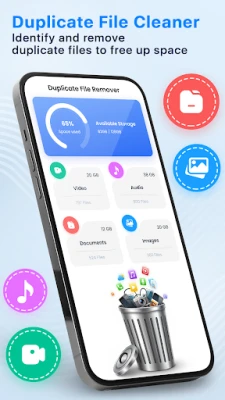
Comprehensive Duplicate Files Detection
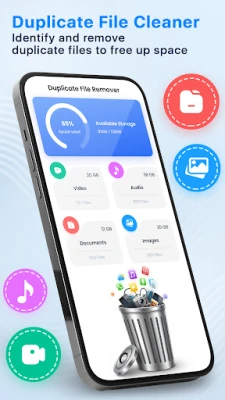
The Duplicate Files Remover feature scans your entire device, identifying files that exist in multiple locations. It groups similar items together, allowing you to easily recognize which files are duplicates. This functionality empowers you to select the files you wish to remove, streamlining your storage management process.
Efficient Duplicate Images Remover
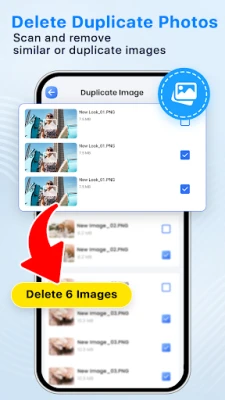
Images often take up a significant amount of storage space. The Duplicate Images Remover scans various folders to find identical photos. By comparing file content, it highlights duplicates, enabling you to declutter your gallery effortlessly. This feature is particularly useful for photographers and anyone who frequently takes pictures.
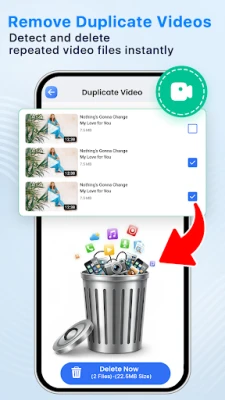
Streamlined Duplicate Video Remover
Videos can occupy substantial storage, making it essential to manage them effectively. The Duplicate Video Remover identifies repeated video clips and presents them in a straightforward list. This allows you to manage your media files with ease, ensuring you only keep the videos you truly want.
Organized Duplicate Audio Remover
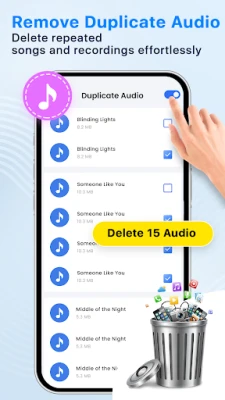
Music and audio files can also accumulate duplicates. The Duplicate Audio Remover identifies multiple copies of songs, recordings, and audio clips that may have been saved unintentionally. This feature helps you maintain an organized audio collection, making it easier to find and enjoy your favorite tracks.
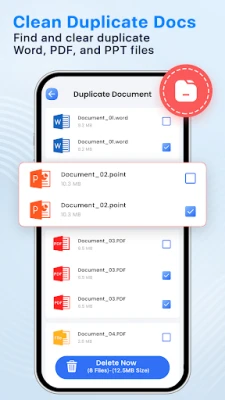
Thorough Duplicate Documents Remover
Documents such as PDFs and text files can also become duplicated over time. The Duplicate Documents Remover scans for repeated files, grouping matching documents together. This allows you to keep only the necessary files, reducing clutter and improving your document management.
Benefits of Using a Duplicate File Remover Tool
Utilizing a duplicate file remover tool offers numerous advantages:
- Time-Saving: Quickly identify and remove duplicates without manually searching through files.
- Enhanced Performance: Freeing up storage space can lead to improved device speed and responsiveness.
- Data Privacy: The tool performs scans locally on your device, ensuring your data remains private and secure.
How to Use a Duplicate File Remover Tool
Using a duplicate file remover tool is straightforward:
- Download and Install: Begin by downloading the duplicate file remover tool from a trusted source and install it on your device.
- Launch the Application: Open the tool and allow it to scan your device for duplicate files.
- Review Detected Duplicates: Once the scan is complete, review the list of detected duplicates organized by category.
- Select Files to Remove: Choose the duplicates you wish to delete, ensuring you keep the necessary files.
- Confirm Deletion: After making your selections, confirm the deletion to free up storage space.
Conclusion: Keep Your Device Organized with a Duplicate File Remover Tool
In conclusion, a Duplicate File Remover Tool is an invaluable asset for anyone looking to maintain a clutter-free and organized device. By efficiently identifying and removing duplicate files, you can enhance your device's performance and ensure your data remains well-managed. Download the duplicate file remover tool today and experience the benefits of a cleaner, more organized storage system. Your feedback is always appreciated as we strive to improve our services!
Rate the App
User Reviews















Popular Apps










Editor's Choice









