
Latest Version
1.1.4
November 09, 2024
AppStar.kwt
Tools
Android
0
Free
duplicate.file.remover.file.fixer.app
Report a Problem
More About Duplicate File Remover - Fixer
Ultimate Guide to Duplicate File Remover for Android: A Comprehensive Review
Managing files on your Android device can become overwhelming, especially when duplicate files clutter your storage. Fortunately, the Duplicate File Remover app offers a seamless solution to this problem. This user-friendly application is designed to help you efficiently eliminate duplicate files, freeing up valuable space on your device. In this article, we will explore the features, benefits, and usage of this powerful tool.
Key Features of Duplicate File Remover
The Duplicate File Remover app is packed with features that make it an essential tool for anyone looking to declutter their device. Here are some of the standout functionalities:
1. One-Click Duplicate Deletion
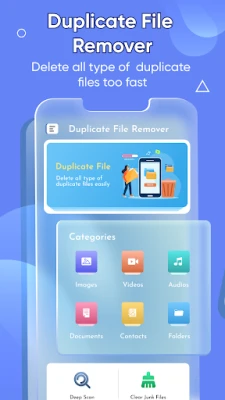
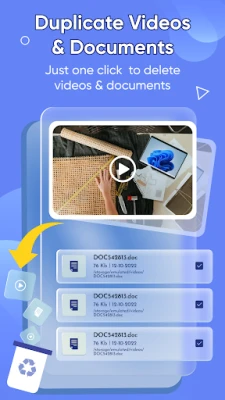
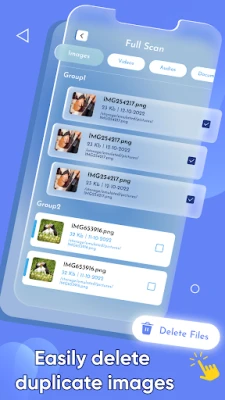
With the Duplicate File Remover, users can delete duplicate files with just a single tap. This feature simplifies the process of merging and removing duplicates, making it accessible for everyone, regardless of technical expertise.
2. Comprehensive File Categories
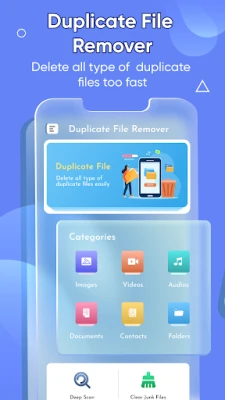
The app categorizes duplicate files into six main sections: Images, Videos, Audio, Documents, Contacts, and Others. This organization allows users to quickly navigate through their files and identify duplicates in specific categories.
3. Image Management
The Images category lists all duplicate images stored on your device. Users can easily view details such as image size, title, and file location, enabling them to make informed decisions before deletion.
4. Video Organization
Similar to the images section, the Videos category displays all duplicate videos. Users can check the size, title, and file path of each video, allowing for quick and efficient management.
5. Audio File Cleanup
The Audio category helps users identify and remove duplicate audio files. With the same ease of access to file details, users can streamline their music library effortlessly.
6. Document Management
In the Documents category, users can find and delete duplicate documents. This feature is particularly useful for professionals who need to keep their files organized and accessible.
7. Contact Duplication Removal
The Contacts category allows users to manage and delete duplicate contacts with ease. This feature ensures that your contact list remains clean and up-to-date.
8. Folder Management
The Others category lists duplicate folders, enabling users to remove unnecessary duplicates quickly. This feature is essential for maintaining an organized file structure.
9. Deep Scan Functionality
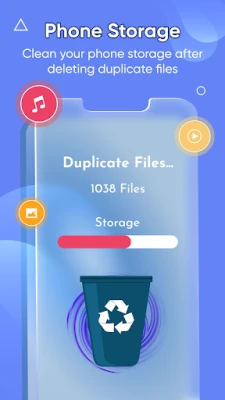
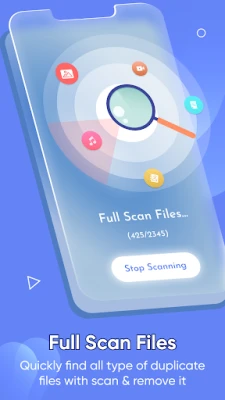
The Deep Scan feature allows users to conduct a thorough scan of their device, covering images, videos, audio, and documents. It displays the count and size of duplicate files, making it easy to delete all duplicates with a single tap.
How to Use Duplicate File Remover
Using the Duplicate File Remover app is straightforward. Follow these simple steps to get started:
- Open the app and select the category you wish to scan (Images, Videos, Audios, Documents, Contacts).
- Review the list of duplicate files displayed.
- Choose the files you want to delete or select the option to remove all duplicates.
- Confirm your selection, and the app will take care of the rest.
Important Disclaimers
- All copyrights are reserved.
- The app is free to use, supported by non-personalized ads.
- Duplicate File Remover does not store any user data without permission. If you encounter any copyright issues, please inform us.
Conclusion
The Duplicate File Remover app is an invaluable tool for anyone looking to optimize their Android device's storage. With its user-friendly interface and powerful features, it simplifies the process of identifying and removing duplicate files. Whether you're a casual user or a professional, this app can help you maintain a clutter-free device, ensuring that you have more space for what truly matters. Download the app today and experience the ease of file management!
Rate the App
User Reviews















Popular Apps










Editor's Choice









