

Latest Version
1.0.5
October 26, 2024
RV AppStudios
Tools
Android
0
Free
com.rvappstudios.duplicate.similar.files.photo.finder.cleaner
Report a Problem
More About Duplicate File Remover
Unlock Your Device's Potential with the Ultimate Duplicate File Remover
In today's digital age, managing files efficiently is crucial for maintaining optimal device performance. Duplicate files can clutter your storage, making it difficult to find what you need. Fortunately, the Duplicate File Remover app offers a powerful solution to streamline your file management. Let’s delve into its remarkable features and benefits.
Multi-Format Compatibility for Comprehensive File Management
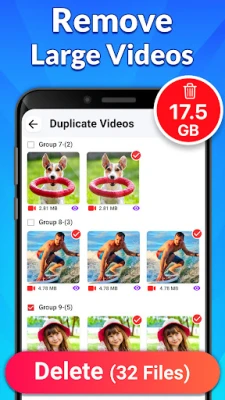
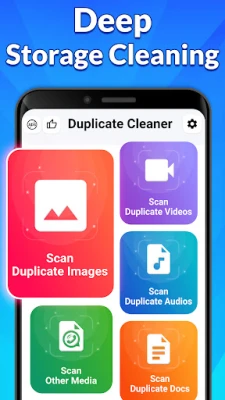
The Duplicate File Remover app stands out with its multi-format compatibility. Whether you need to eliminate duplicate photos, videos, text documents, or APK files, this app has you covered. It scans and removes various file types, ensuring that your device remains organized and efficient.
Customizable Scan Options for Tailored Results
One of the standout features of this app is its customizable scan options. Users can sort files by name, size, or type, allowing for precise identification and removal of duplicate files. This flexibility ensures that you can tailor the scanning process to meet your specific needs, making file management a breeze.
Flexible File Selection for Enhanced Control
With the Duplicate File Remover, you have the power to choose which file types to scan. This flexible file selection feature allows you to customize your search parameters, ensuring that you only target the files you want to manage. This level of control enhances the efficiency of the app, making it a valuable tool for anyone looking to declutter their device.
Safe and Efficient File Deletion
Worried about accidentally deleting important files? The Duplicate File Remover employs advanced file deletion methods that prioritize your data's safety. It efficiently marks repetitive files while preventing the accidental removal of crucial documents. You can rest easy knowing that your important files are protected during the cleaning process.
Benefits of Using the Duplicate File Remover App
Reclaim Valuable Storage Space
One of the primary advantages of using the Duplicate File Remover app is its ability to reclaim storage space. By removing unnecessary duplicates, you can easily organize your files, making it simpler to locate what you need when you need it. This not only enhances your device's performance but also improves your overall user experience.
Time Efficiency at Your Fingertips
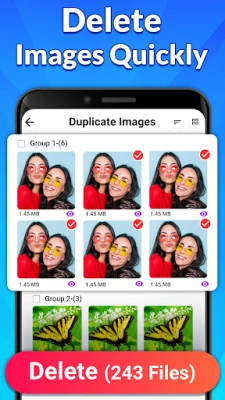
Manually searching for duplicate files can be a tedious and time-consuming task. The Duplicate File Remover app allows you to scan and delete duplicate files quickly and efficiently. This time-saving feature enables you to focus on what truly matters, rather than getting bogged down by file management.
Wide Compatibility Across File Types
This app supports a broad range of file types, including images, videos, documents, and audio files. Its wide compatibility ensures that no matter what type of content you have, the Duplicate File Remover can help you manage it effectively.
User-Friendly Interface for Everyone
The Duplicate File Remover app boasts a user-friendly interface that makes it accessible to everyone, from tech-savvy individuals to those less familiar with technology. Its intuitive design ensures that you can navigate the app with ease, making file management a hassle-free experience.
Quick and Easy Guide to Using the Duplicate File Remover
Getting started with the Duplicate File Remover app is simple. Follow these easy steps:
- Download and open the Duplicate File Remover app.
- Select the types of files you want to scan, such as Images, Audio, Videos, Documents, or other file types.
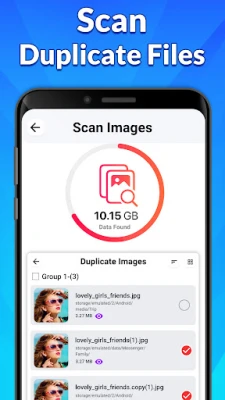
- Allow the app to scan your device for duplicate files.
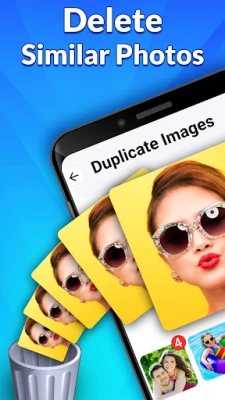
- Review the results and tap the Delete button to remove unwanted duplicates.
Download the Duplicate File Remover App Today!
Don’t let duplicate files clutter your device any longer. Download the Duplicate File Remover app today and experience the benefits of a cleaner, more organized digital space. With its powerful features and user-friendly design, managing your files has never been easier!
Rate the App
User Reviews















Popular Apps










Editor's Choice









