
Latest Version
July 27, 2025
Dev47Apps
Tools
Android
0
Free
com.dev47apps.obsdroidcam
Report a Problem
More About DroidCam Webcam & OBS Camera
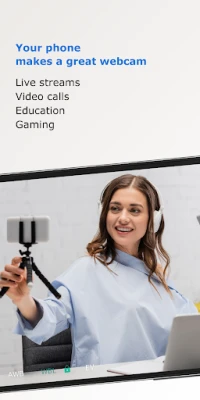
Transform Your Phone into a High-Quality Webcam with DroidCam
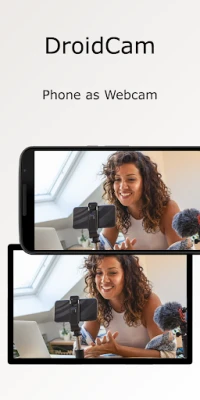
In today's digital age, having a reliable webcam is essential for remote work, online learning, and content creation. With DroidCam, you can effortlessly turn your smartphone into a high-quality webcam for your computer. This article explores the features, benefits, and setup process of using DroidCam, ensuring you get the most out of this innovative tool.
Seamless Integration with OBS Studio
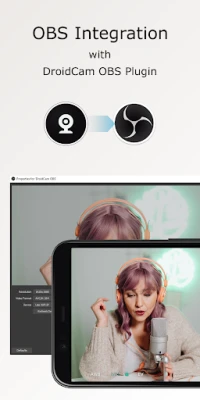
DroidCam offers direct integration with OBS Studio through the DroidCam OBS plugin. This feature allows you to use your smartphone as a webcam without needing a separate client. The plugin is compatible with Windows, Mac, and Linux systems, making it a versatile choice for various users. To get started, simply visit droidcam.app/obs to download and install the plugin.
High-Definition Video Quality
One of the standout features of DroidCam is its ability to provide free unlimited usage at standard definition (640x480). For those seeking higher quality, you can upgrade to 1080p Full-HD for PC webcam use and even up to 4K UHD for OBS camera functionality. This flexibility ensures that you can choose the video quality that best suits your needs.
Flexible Connection Options
DroidCam supports both WiFi and USB connections, giving you the freedom to choose how you want to connect your smartphone to your computer. While USB connections may require additional setup, they can offer a more stable connection. For detailed instructions on USB setup, visit droidcam.app/help.
Advanced Camera Controls
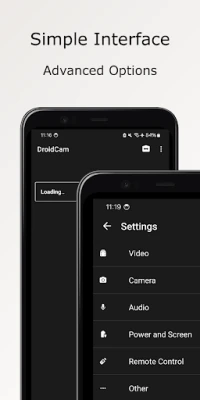
With DroidCam, you gain access to DSLR-like features, including manual controls for exposure, white balance, and focus. These advanced settings allow you to customize your video output, ensuring that you achieve the perfect look for your streams or video calls. Whether you're teaching a class or hosting a virtual meeting, these features enhance your overall presentation.
Efficient Background Operation
DroidCam operates efficiently, even with your phone screen off. This feature conserves battery life while allowing you to use your phone as a webcam in the background. This efficiency is particularly beneficial for long video calls or streaming sessions, ensuring that your device remains functional without draining the battery.
Easy Setup for PC Webcam Use
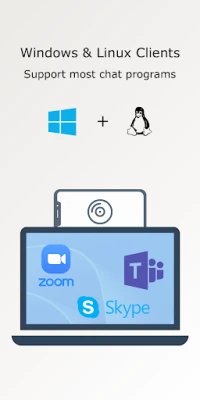
To get started with DroidCam, download the DroidCam PC Client from droidcam.app. The client is available for both Windows and Linux systems and is compatible with popular applications like Zoom, Skype, and Discord. Once installed, follow the on-screen instructions to connect your smartphone and start using it as a webcam.
Pro Upgrade for Enhanced Features
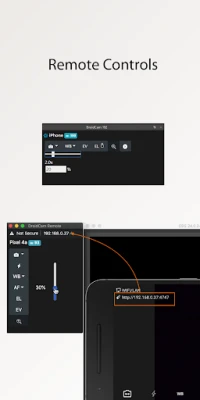
While DroidCam offers a robust free version, the Pro Upgrade unlocks additional features. This upgrade includes HD video capabilities, manual camera controls, and remote PC controls. Additionally, it removes advertisements, providing a smoother user experience. To explore the benefits of the Pro Upgrade, check the in-app Upgrade and Settings pages.
A Cost-Effective Solution
DroidCam is a cost-effective alternative to traditional webcams and capture cards, potentially saving you hundreds of dollars. With optimized power usage and low-latency video transfer, it’s an ideal choice for remote work, online learning, teaching, and content creation. By utilizing your smartphone, you can achieve professional-quality video without breaking the bank.
Conclusion
In summary, DroidCam is a powerful tool that transforms your smartphone into a high-quality webcam, offering features that cater to both casual users and professionals. With its seamless integration with OBS Studio, high-definition video quality, and advanced camera controls, DroidCam stands out as a top choice for anyone looking to enhance their video conferencing or streaming experience. Download the app today and unlock the full potential of your smartphone camera!
Rate the App
User Reviews















Popular Apps










Editor's Choice









