



Latest Version
1.5.8
November 03, 2024
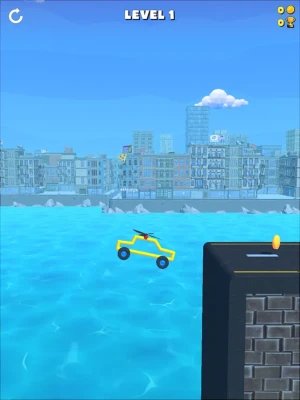
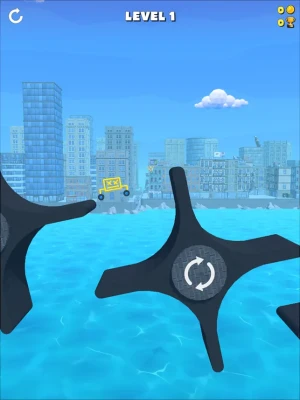
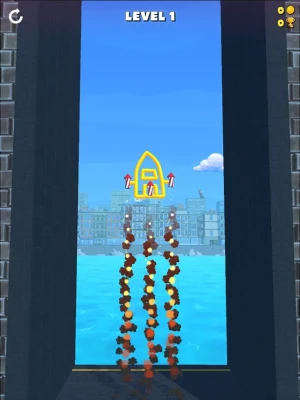
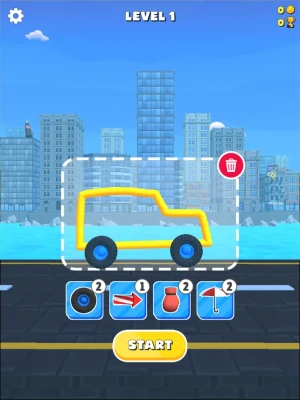
Draw whatever you want!
Games
iOS
237.1 MB
0
Free
Report a Problem
More About Draw & Ride!
Unlock Your Creativity: Draw Your Vehicle and Hit Play
In a world where creativity knows no bounds, the idea of drawing your vehicle and bringing it to life is an exhilarating prospect. Whether you’re an aspiring artist, a car enthusiast, or simply looking for a fun way to express yourself, this guide will take you through the steps to create your own vehicle design and make it come alive. Let’s dive into the exciting journey of vehicle drawing and animation!
The Joy of Drawing Your Vehicle
Drawing is not just a skill; it’s a form of expression that allows you to communicate your ideas visually. When it comes to vehicles, the possibilities are endless. From sleek sports cars to rugged off-roaders, your imagination is the only limit. Here’s how to get started:
Gather Inspiration
Before you put pencil to paper, take some time to gather inspiration. Look at different types of vehicles, from classic cars to futuristic designs. Websites like Pinterest and automotive magazines can provide a wealth of ideas. Consider what features you admire and how you can incorporate them into your own design.
Choose Your Medium
Decide whether you want to draw digitally or traditionally. Digital drawing tools like tablets and software such as Adobe Illustrator or Procreate offer flexibility and ease of editing. On the other hand, traditional mediums like pencils, markers, or watercolors can provide a tactile experience that many artists cherish. Choose what feels right for you!
Step-by-Step Guide to Drawing Your Vehicle
Now that you’re inspired and have chosen your medium, it’s time to start drawing. Follow these steps to create a stunning vehicle design:
1. Sketch the Basic Shapes
Begin by sketching the basic shapes of your vehicle. Use simple geometric forms like rectangles and circles to outline the body, wheels, and windows. This foundational step will help you maintain proportions and perspective as you refine your drawing.
2. Add Details
Once you have the basic shapes, start adding details. Focus on the vehicle’s features, such as headlights, grills, and door handles. Pay attention to the lines and curves that define the vehicle’s character. This is where your unique style can shine through!
3. Refine Your Drawing
After adding details, it’s time to refine your drawing. Erase any unnecessary lines and enhance the features you want to stand out. Consider the vehicle’s perspective and shading to give it depth and dimension. This step is crucial for making your vehicle look realistic.
4. Color Your Design
Coloring is where your vehicle truly comes to life. Choose a color palette that reflects your vision. Whether you opt for bold, vibrant colors or subtle, muted tones, make sure the colors complement each other. Digital tools allow for easy adjustments, while traditional mediums can create beautiful textures.
Bringing Your Vehicle to Life: Animation
Once you’ve completed your drawing, why not take it a step further and animate it? Animation can add an exciting dimension to your artwork, making it dynamic and engaging. Here’s how to get started:
Choose Animation Software
Select animation software that suits your skill level. Programs like Adobe After Effects, Blender, or even simpler tools like Animaker can help you create stunning animations. Each software has its own learning curve, so choose one that you feel comfortable with.
Create a Storyboard
Before diving into animation, create a storyboard to outline your vehicle’s movements. Decide how you want your vehicle to move—will it zoom across the screen, perform tricks, or simply drive along a road? A clear storyboard will guide your animation process and ensure a cohesive final product.
Animate Your Vehicle
Start animating your vehicle based on your storyboard. Use keyframes to define the start and end points of your vehicle’s movement. Add in-between frames to create smooth transitions. Don’t forget to incorporate sound effects or music to enhance the viewing experience!
Sharing Your Creation
Once your vehicle is drawn and animated, it’s time to share your masterpiece with the world. Consider uploading your work to social media platforms, art communities, or even your own website. Engaging with fellow artists and enthusiasts can provide valuable feedback and encouragement.
Conclusion: Embrace Your Creativity
Drawing your vehicle and bringing it to life through animation is a rewarding experience that fosters creativity and self-expression. Whether you’re a seasoned artist or a beginner, the process of creating something unique is what truly matters. So grab your tools, unleash your imagination, and hit play on your artistic journey!
Rate the App
User Reviews














Popular Apps










Editor's Choice









