

Latest Version
January 23, 2026
IYCWorld Softinfrastructure Pvt. Ltd.
Education
Android
1
Free
com.dpsrak
Report a Problem
More About DPS RAK
Unlocking the DPS Ras Al Khaimah Mobile App: A Comprehensive Guide for Parents, Students, and Teachers
The DPS Ras Al Khaimah mobile application serves as a vital tool for enhancing communication and engagement among parents, students, and teachers. By utilizing their unique CLP User ID and password, users can seamlessly access a wealth of resources and information tailored to their educational needs.
What is the DPS Ras Al Khaimah Mobile App?
The DPS Ras Al Khaimah mobile app is designed to foster a collaborative environment for the school community. It provides a user-friendly interface that allows parents, students, and teachers to stay connected and informed about school activities, academic progress, and important announcements.
Key Features of the DPS Mobile App
With a variety of features, the DPS mobile app enhances the educational experience for all users. Here are some of the standout functionalities:
- Real-Time Notifications: Stay updated with instant notifications regarding school events, exam schedules, and important deadlines.
- Academic Performance Tracking: Parents and students can monitor grades, attendance, and overall academic performance through a personalized dashboard.
- Communication Tools: The app facilitates direct communication between parents and teachers, ensuring that everyone is on the same page regarding student progress.
- Resource Access: Users can access educational resources, including study materials, assignments, and school policies, all in one convenient location.
How to Log In to the DPS Mobile App
Logging into the DPS Ras Al Khaimah mobile app is a straightforward process. Follow these simple steps to get started:
- Download the DPS Ras Al Khaimah mobile app from the App Store or Google Play Store.
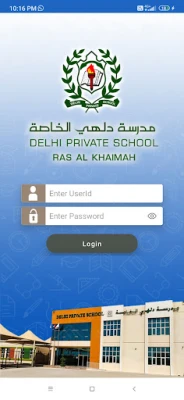
- Open the app and enter your CLP User ID and password in the designated fields.
- Click on the 'Login' button to access your personalized dashboard.
If you encounter any issues during the login process, ensure that your credentials are correct. If problems persist, contact the school's IT support for assistance.
Benefits of Using the DPS Mobile App
The DPS mobile app offers numerous advantages that contribute to a more effective educational experience:
- Enhanced Engagement: The app encourages active participation from parents and students, fostering a sense of community and collaboration.
- Convenience: Accessing important information and resources from a mobile device allows users to stay informed on the go.
- Improved Communication: Direct messaging features streamline communication between parents and teachers, reducing misunderstandings and enhancing support for students.
Conclusion: Embrace the Future of Education with the DPS Mobile App
The DPS Ras Al Khaimah mobile app is more than just a tool; it is a gateway to a more connected and informed school community. By leveraging the app's features, parents, students, and teachers can work together to create a supportive educational environment. Don’t miss out on the opportunity to enhance your educational experience—download the app today and unlock its full potential!
Rate the App
User Reviews















Popular Apps










Editor's Choice









