

Latest Version
1.0-pro-2025-10-05
March 16, 2026
Defiant Technologies, LLC
Tools
Android
0
$2.99
com.defianttech.diskdiggerpro
Report a Problem
More About DiskDigger Pro file recovery
Ultimate Guide to Recovering Deleted Files on Your Android Device
In today's digital age, losing important files such as photos, videos, and documents can be a frustrating experience. Fortunately, with the right tools and knowledge, you can recover deleted files from your Android device. This guide will walk you through the process, highlighting essential features and tips for maximizing your recovery efforts.
Understanding Device Rooting for Enhanced Recovery
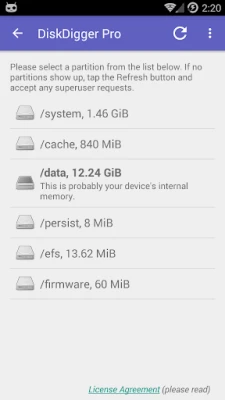
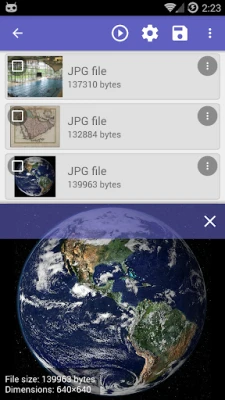
To unlock the full potential of file recovery applications, it's crucial to understand the concept of device rooting. If your Android device is not rooted, the recovery app can only perform a limited scan for deleted photos and videos. This means that you may only recover lower-resolution versions of your images stored in the cache and thumbnail directories.
For a comprehensive search that includes various file types and the entire internal memory of your device, rooting is necessary. Rooting grants the app deeper access to your device's storage, allowing it to recover a wider range of files, including high-resolution images and other document types.
Performing a Scan for Deleted Files
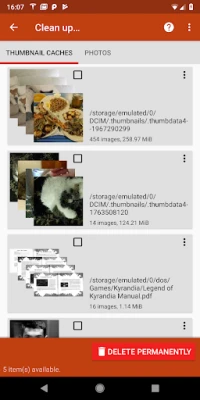
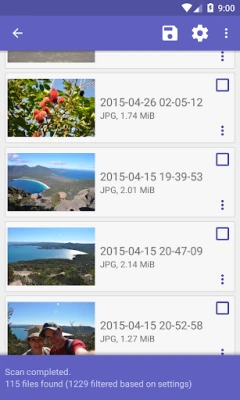
Once you have the appropriate permissions, initiate a scan using your chosen recovery app. After the scan completes, you will have the option to review the files that can be recovered. If you find items that you no longer need, you can tap the "Clean up" button to permanently delete them. This feature is currently experimental and is available only in the Basic Scan mode.
Wiping Free Space for Enhanced Privacy
To ensure that deleted files cannot be recovered in the future, consider using the "Wipe free space" option. This feature erases any remaining free space on your device, making it impossible for deleted files to be retrieved. This step is particularly important for users concerned about privacy and data security.
Uploading Recovered Files with Ease
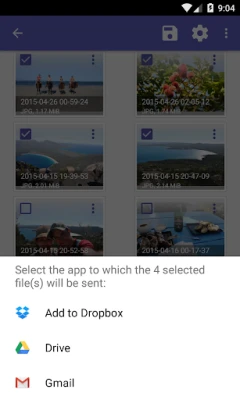
After successfully recovering your files, you can easily upload them to various cloud storage services. The app allows you to send recovered files directly to Google Drive, Dropbox, or via email. Additionally, you can upload files to an FTP server or save them to a different local folder on your device, providing flexibility in managing your recovered data.
Supported File Types for Recovery
One of the standout features of advanced recovery applications is their ability to recover a wide range of file types. Here are some of the formats you can expect to recover:
- Images: JPG, PNG, HEIF, GIF, TIF, CR2, SR2, NEF, DCR, PEF, DNG, ORF
- Videos: MP4, 3GP, MOV
- Audio: M4A, MP3, AMR, WAV, OGG, OGA, OGV, OPUS
- Documents: DOC, DOCX, XLS, XLSX, PPT, PPTX, PDF, XPS, ODT, ODS, ODP, ODG
- Archives: ZIP, RAR, APK, EPUB, SNB, VCF
With such a diverse range of file types supported, you can rest assured that your important data stands a good chance of being recovered.
Conclusion: Take Control of Your Data Recovery
Recovering deleted files from your Android device doesn't have to be a daunting task. By understanding the importance of rooting, utilizing the right recovery tools, and following best practices for data management, you can effectively retrieve lost files and safeguard your digital assets. Whether you're looking to recover cherished memories or critical documents, the right approach can make all the difference.
For complete instructions and further details, visit the official website of your chosen recovery application. Take charge of your data recovery journey today!
Rate the App
User Reviews















Popular Apps










Editor's Choice









