

Latest Version
June 12, 2026
Kraph Tech
Tools
Android
0
Free
com.kraph.allmobileinfo
Report a Problem
More About Device Info & Test: System CPU
Ultimate Device Testing App: Ensure Your Smartphone's Optimal Performance
In today's fast-paced digital world, ensuring that your smartphone operates at peak performance is essential. The Device Testing App offers a comprehensive solution to assess your device's functions and features, providing you with all the necessary information about your smartphone. This article delves into the app's features, benefits, and how it can help you maintain your device's health.
Key Features of the Device Testing App
Routine Checkup of Your Smart Mobile
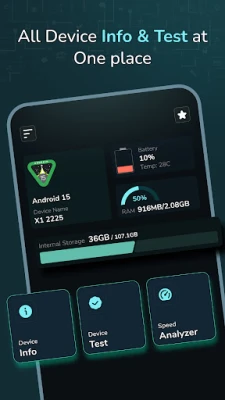
- Quick Review: Instantly check your current Android version, device name, battery level, RAM, and internal storage from the home screen. This feature provides an immediate overview of your phone’s performance.
- Device System: This dedicated section tests your phone’s hardware and software, offering detailed insights into its condition.
- Testing Solution: Ensure that all components of your Android device are functioning correctly with this comprehensive testing feature.
Comprehensive Device Information
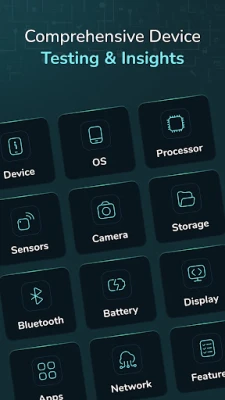
- Device: Displays your current model, hardware type, Android ID, time zone, and manufacturer name.
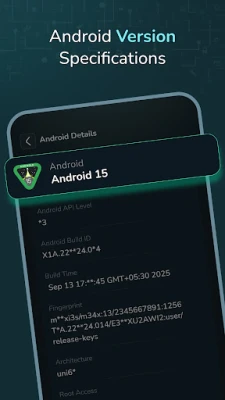
- Operating System: Provides detailed information about your operating system and its structure.
- Processor: Shows RAM space, available RAM, CPU information, and architecture.
- Sensors: Lists all available sensors, indicating which ones are active or inactive.
- Camera: Offers details about both front and back cameras on your device.
- Storage: Displays information about used and available storage capacity.
- Battery: Shows battery temperature and additional details about battery health.
- Bluetooth: Provides Bluetooth name, status, discovery mode, and scan mode.
- Display: Offers screen density and resolution details.
- Apps: Lists installed and system apps with comprehensive information.
- Network: Displays SIM and Wi-Fi details.
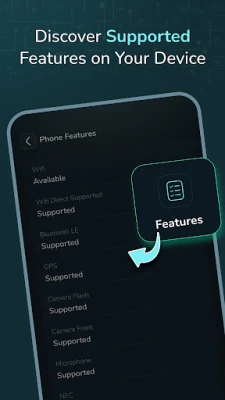
- Features: Lists all supported features of your device.
Device Testing Capabilities
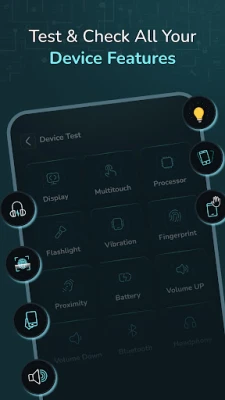
- Display: Test for touch defects on the screen.
- Multi-touch: Evaluate multi-touch functionality.
- Light Sensor: Test the light sensor’s functionality by covering areas of the screen.
- Flashlight: Verify the flashlight functionality.
- Vibration: Check the phone’s vibration functionality.
- Fingerprint: Assess if fingerprint recognition works and whether it’s supported.
- Proximity: Test the proximity sensor by covering the screen.
- Accelerometer: Evaluate the accelerometer sensor using shaking techniques.
- Volume Controls: Ensure that the volume buttons are operating properly.
- Bluetooth: Test Bluetooth functionality.
- Headphone: Verify headphone support and audio output.
Speed Analyzer
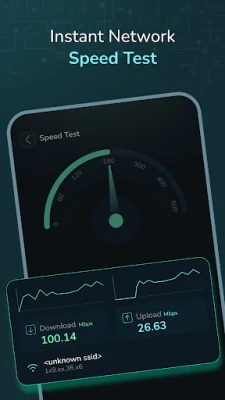
Speed Test: Measure your device’s download and upload speeds in Mbps, allowing you to visualize the speed results on a meter. This feature is crucial for assessing your internet connectivity.
Why Choose the Device Testing App?
- In-Depth Information: Access all essential details about your device in one convenient location.
- Routine Maintenance: Regularly run tests to ensure everything is functioning optimally.
- User-Friendly Interface: Enjoy easy-to-understand features and quick access to vital system information.
- Performance Monitoring: If you experience performance issues, this app can help identify hardware or software problems.
How the Device Testing App Enhances Your Experience
The Device Testing App serves as a comprehensive testing solution for your smartphone. Whether you need to check the battery, sensors, display, or any hardware component, you can perform these tests with ease. Additionally, you can monitor your device’s health with up-to-date information on storage, battery levels, and more.
Conclusion: Optimize Your Smartphone's Performance
Whether you want to perform a quick checkup, troubleshoot an issue, or test your phone’s capabilities, the Device Testing App has you covered. With its extensive features and user-friendly interface, you can ensure that your smartphone remains in optimal condition.
Permissions Required
Bluetooth Permission: This permission is necessary to allow you to test Bluetooth functionality effectively.
Download the Device Testing App today and take the first step towards maintaining your smartphone's performance and longevity!
Rate the App
User Reviews















Popular Apps










Editor's Choice









