

Latest Version
LittleStar-24.09.09
October 01, 2024
AOSP Studio
Tools
Android
0
$3.99
com.aospstudio.care.plus
Report a Problem
More About Device Care Plus
Unlocking Device Care Plus: A Comprehensive Guide
To access the advanced features of Device Care Plus, you need to install the Device Care app on your device. This application is designed to enhance your device's performance and ensure optimal functionality.
Understanding Device Care Plus
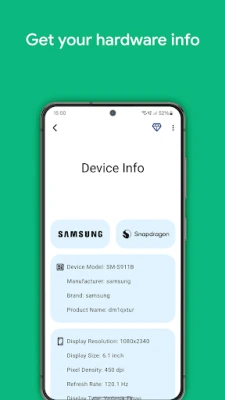
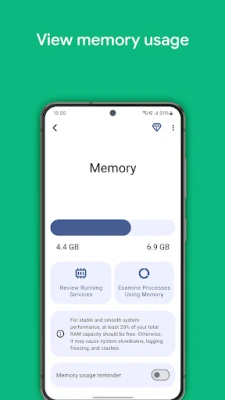
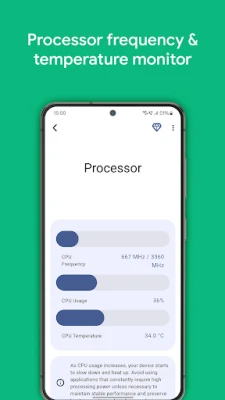
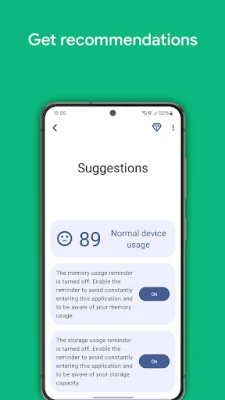
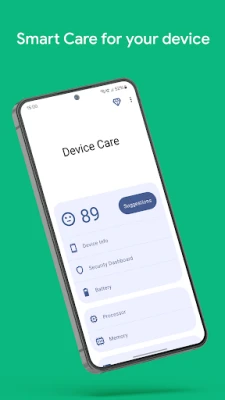
Device Care Plus is an innovative application that offers a suite of tools aimed at improving your device's health and performance. By utilizing this app, users can monitor battery usage, manage storage, and optimize memory, ensuring that their devices run smoothly and efficiently.
Installation Process for Device Care App
Installing the Device Care app is a straightforward process. Follow these steps to get started:
- Open the app store on your device.
- Search for "Device Care."
- Select the app from the search results.
- Click on the "Install" button and wait for the download to complete.
- Once installed, open the app and follow the on-screen instructions to set it up.
Terms of Service for Device Care App
Using the Device Care app is subject to AOSP STUDIO's terms of service. It is essential to review these terms to understand your rights and responsibilities while using the application. You can find the complete terms of service at AOSP STUDIO Terms of Use.
Data Collection and Privacy Policy
AOSP STUDIO is committed to protecting your privacy. Detailed information regarding how the company collects and uses data can be found in their privacy policy. For more information, visit AOSP STUDIO Privacy Policy.
Stay Updated with AOSP STUDIO
To keep up with the latest announcements, news, and campaigns related to the Device Care app, follow AOSP STUDIO on their social media platforms. You can find links to their social networks at AOSP STUDIO Official Website.
Support and Assistance
If you encounter any issues or have suggestions regarding the Device Care app, AOSP STUDIO provides a dedicated support channel. You can reach out for live support or report problems by visiting AOSP STUDIO Support.
Conclusion
Unlocking the full potential of Device Care Plus is just a few steps away. By installing the Device Care app, you can take advantage of its powerful features designed to enhance your device's performance. Always ensure you are aware of the terms of service and privacy policies to make informed decisions about your data. Stay connected with AOSP STUDIO for updates and support to maximize your experience with the Device Care app.
Rate the App
User Reviews















Popular Apps










Editor's Choice









