

Latest Version
5.20
September 27, 2024
flar2
Tools
Android
0
Free
flar2.devcheck
Report a Problem
More About DevCheck Device & System Info
Unlock the Full Potential of Your Device with DevCheck: The Ultimate Hardware and System Information Tool
In today's tech-driven world, understanding the intricate details of your device can significantly enhance your user experience. DevCheck stands out as a premier application that provides comprehensive insights into your smartphone or tablet's hardware and software. This article delves into the myriad features of DevCheck, showcasing how it can empower you with real-time data and detailed specifications.
Comprehensive Dashboard for Real-Time Monitoring
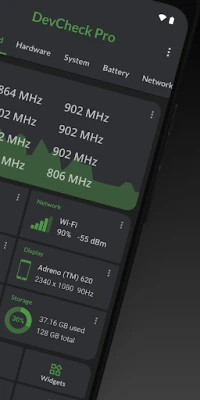
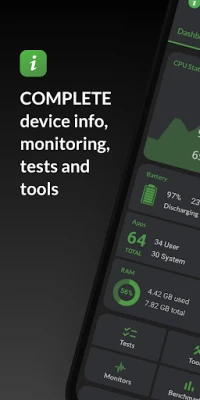
DevCheck's dashboard offers a holistic view of your device's critical information. Users can monitor essential metrics such as CPU frequencies, memory usage, battery statistics, deep sleep duration, and uptime. This feature not only provides summaries but also includes shortcuts to system settings, making it easier to manage your device efficiently.
In-Depth Hardware Insights
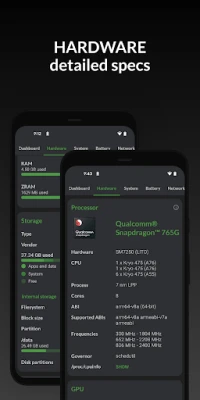
One of the standout features of DevCheck is its ability to display detailed information about your device's System-on-a-Chip (SoC), CPU, GPU, and other hardware components. Users can access specifications such as:
- Chip names and manufacturers
- Architecture and processor cores
- Manufacturing process and frequencies
- Storage capacity and input device specifications
- Display characteristics
This wealth of information allows users to understand their device's capabilities and performance metrics better.
System Information at Your Fingertips
DevCheck provides a comprehensive overview of your device's system information. Users can easily access details such as:
- Device codename and brand
- Manufacturer and bootloader status
- Radio specifications and Android version
- Security patch level and kernel information
Additionally, DevCheck can verify root access, BusyBox status, and KNOX status, offering a complete picture of your device's software environment.
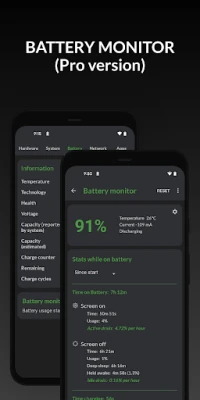
Battery Monitoring and Management
Understanding your device's battery health is crucial for optimal performance. DevCheck provides real-time information about:
- Battery status and temperature
- Charge level and technology
- Health, voltage, current, and capacity
For users who opt for the Pro version, the app offers advanced battery usage statistics, allowing you to monitor consumption with the screen on and off through the Battery Monitor service.
Network Connectivity Insights
Stay connected with DevCheck's detailed network information. The app displays data about your Wi-Fi and mobile connections, including:
- IP addresses (IPv4 and IPv6)
- Connection type and operator details
- Public IP and network type
- Comprehensive dual SIM information
This feature ensures that you are always aware of your connectivity status and network performance.
App Management Made Easy
DevCheck simplifies app management by providing detailed information about all installed applications. Users can view:
- A list of running apps and services
- Current memory usage for each app
For devices running Android Nougat or later, memory usage data is available exclusively for rooted devices, allowing for deeper insights into app performance.
Advanced Camera Specifications
For photography enthusiasts, DevCheck offers an extensive overview of your device's camera specifications. Users can explore details such as:
- Aperture and focal length
- ISO range and RAW capability
- Resolution (megapixels) and crop factor
- Field of view and focus modes
- Flash modes and JPEG quality
- Available face detection modes
This feature is invaluable for those looking to maximize their photography experience.
Sensor Data and Performance Testing
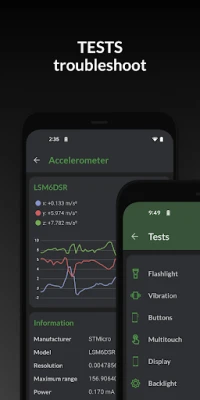
DevCheck provides a comprehensive list of all sensors on your device, including their type, manufacturer, power, and resolution. Users can access real-time graphical data for various sensors, such as:
- Accelerometer
- Step detector
- Gyroscope
- Proximity and light sensors
Additionally, the app includes performance tests for various device functions, including the flashlight, vibrator, buttons, and more. Note that some tests require the Pro version for full access.
Tools for Advanced Users
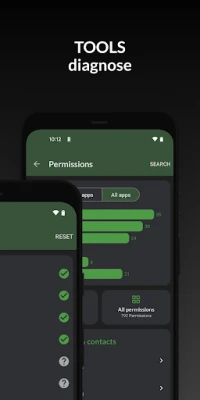
DevCheck offers a suite of tools designed for advanced users, including:
- Root check and Bluetooth diagnostics
- SafetyNet and permissions management
- Wi-Fi scanning and GPS location tools
- USB accessory management
These tools enhance the user experience by providing essential functionalities for device management.
Unlock the Pro Version for Enhanced Features
The Pro version of DevCheck is available through in-app purchases and unlocks a plethora of additional features, including:
- Access to all tests and tools
- Benchmarking capabilities
- Battery monitor and widgets
- Customizable floating monitors for real-time data tracking
- Various color schemes for a personalized experience
With the Pro version, users can display vital statistics such as battery, RAM, and storage usage directly on their home screen, enhancing accessibility and convenience.
Privacy and Permissions
DevCheck requires several permissions to provide detailed information about your device. However, it is important to note that none of your personal information is collected or shared. Your privacy is always respected, and the app is completely ad-free, ensuring a seamless user experience.
Conclusion
In summary, DevCheck is an indispensable tool for anyone looking to gain a deeper understanding of their device's hardware and software. With its extensive features, real-time monitoring capabilities,
Rate the App
User Reviews















Popular Apps










Editor's Choice









