Latest Version
4.1
October 18, 2024
Akin ILKYAZ
Tools
Android
0
Free
com.akinilkyaz.apps.simpledigitaldeskclock
Report a Problem
More About Deniz: Big clock full screen
Ultimate Guide to Using the Time Display App: Features and Tips
In today's fast-paced world, keeping track of time is essential. The Time Display App offers a user-friendly interface and a variety of features to enhance your time management experience. This guide will walk you through the app's functionalities and provide tips on how to make the most of it.
Getting Started with the Time Display App
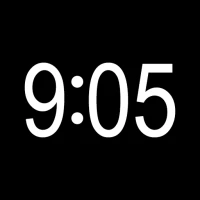
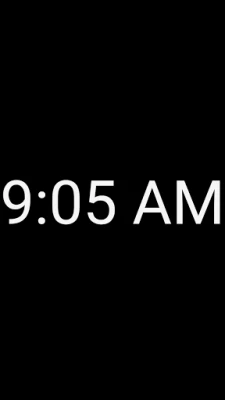
To begin using the Time Display App, simply tap the app's icon on your device. You will immediately see the current time displayed prominently (e.g., 9:05). This straightforward access ensures that you can quickly check the time whenever needed.
Navigating the App: Menu and Full-Screen View
Once the app is open, tap the screen once to access the menu button. This feature allows you to explore various settings and options available within the app. For a more immersive experience, tap the screen again to switch to full-screen view, eliminating distractions and providing a clear view of the time.
Key Features of the Time Display App
The Time Display App is packed with features designed to cater to your preferences. Here are some of the standout functionalities:
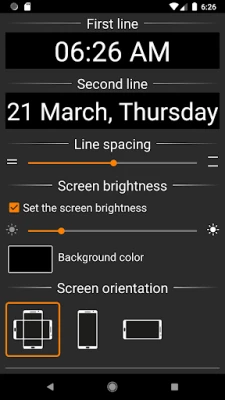
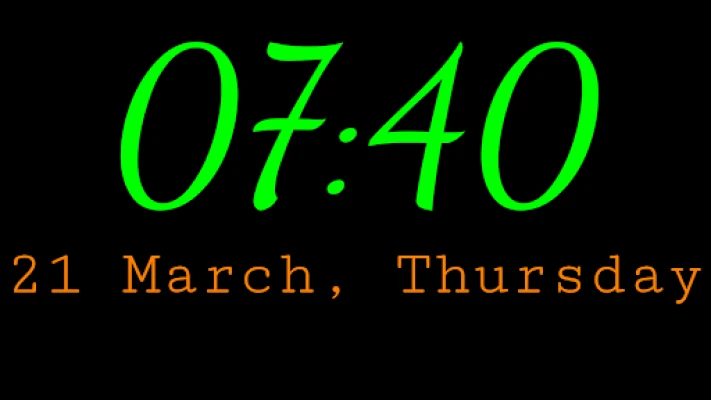
- One or Two Line Display: Choose between displaying just the time or both the time and date for quick reference.
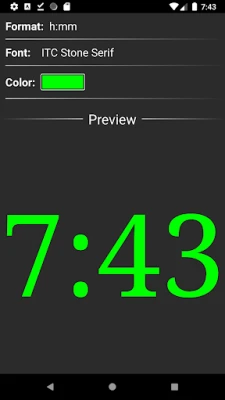
- Customizable Time and Date Formats: Select from various formats to suit your style and needs.
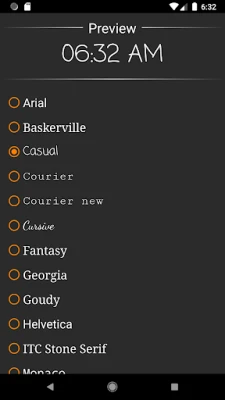
- Font Settings: Adjust the font style to enhance readability and personal preference.
- Text Color Customization: Change the text color to match your aesthetic or improve visibility.
- Background Color Options: Select a background color that complements your device or personal taste.
- Line Spacing Adjustment: Modify line spacing for optimal readability based on your preferences.
- Screen Brightness Control: Adjust the brightness to ensure the display is comfortable for your eyes.
- Lock Orientation: Lock the app in either portrait or landscape mode for consistent viewing.
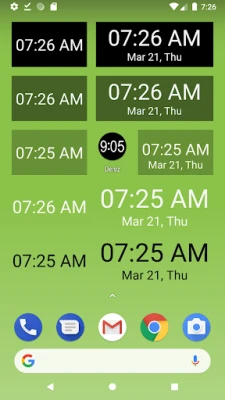
- Home Screen Widgets: Add various widget options to your home screen for quick access to the time.
Important Considerations When Using the App
While the Time Display App offers numerous features, there are some important notes to keep in mind:
- No Lock Screen Installation: This application cannot be installed on your device's lock screen due to restrictions set by device manufacturers.
- Not a Screen Saver: The app functions independently and is not designed to act as a screen saver.
- Understanding the Icon: The 9:05 text displayed on your screen represents the app's icon, which you tap to launch the application.
- Utilizing Widgets: To ensure you always have access to the time, consider adding widgets to your home screen for easy visibility.
Maximizing Your Experience with the Time Display App
To get the most out of the Time Display App, explore all the customization options available. Adjust the font, colors, and display settings to create a personalized experience that suits your lifestyle. Additionally, take advantage of the widget feature to keep the time readily accessible without needing to open the app each time.
Conclusion
The Time Display App is an invaluable tool for anyone looking to enhance their time management capabilities. With its array of features and customization options, you can tailor the app to fit your unique preferences. By following the tips outlined in this guide, you can ensure that you are making the most of this powerful application. Stay organized, stay punctual, and enjoy the convenience of having the time at your fingertips!
Rate the App
User Reviews















Popular Apps










Editor's Choice









